How to Write Amazon Product Descriptions That Rank and Convert
Learn how to write Amazon product descriptions that rank and convert with keyword research, buyer-focused copywriting, listing optimization, and Amazon guidelines to improve product visibility, customer trust, and sales.
To write an Amazon product description, research your buyer's language, map keywords across listing fields, use a problem-solution framework, and stay within Amazon's 2,000-character limit and formatting rules.
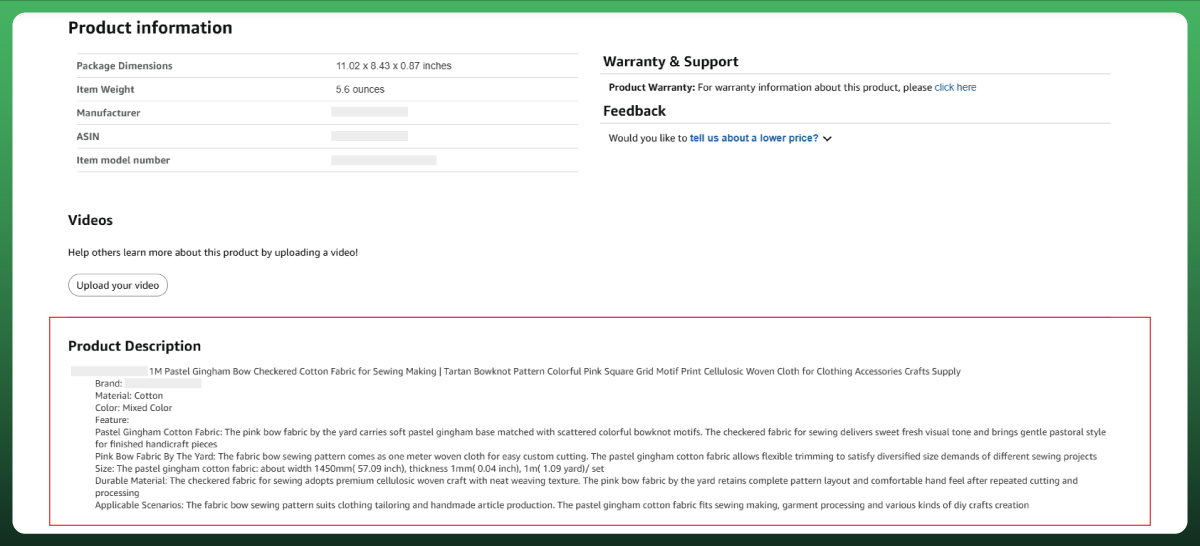
An Amazon product description is one of the key conversion closers of your product listing. It is the 2,000-character text block on your product detail page that sits below the bullet points on desktop and directly beneath the images on mobile. When written well, it helps Amazon's search algorithm understand what you sell and gives buyers the final push to click "Add to Cart."
If you are wondering how to write an Amazon product description that actually drives sales, you are not alone. Most sellers either stuff this field with keywords, copy-paste the manufacturer's text, or leave it blank entirely. All three approaches leave money on the table.
This guide walks you through the exact process we use to write product descriptions for Amazon listings across dozens of categories. Everything here reflects Amazon's latest guidelines, including the July 2026 title limit change that reshapes how keywords should be distributed across your entire listing.
What Is an Amazon Product Description (And Why It Still Matters)
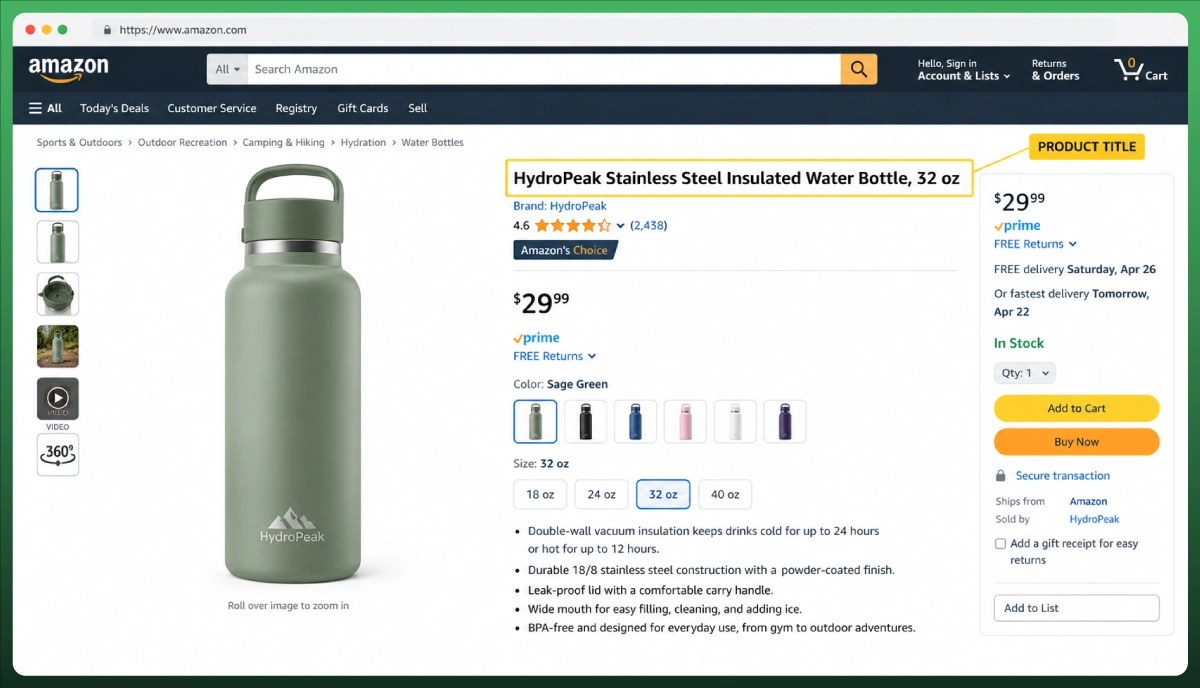
Every product listed on the Amazon marketplace has a product page with a specific structure. The listing hierarchy follows what experienced sellers call the TFSD Framework: Title, Features (bullet points), Search terms (backend), and Description.
Each field has a job. The title attracts clicks from search results. The bullet points highlight key product features and product benefits above the fold. The backend keywords cover hidden search terms. And the product description closes the sale with depth, storytelling, and long-tail keyword coverage.
Here is the critical point most sellers miss: Amazon's search and recommendation systems (commonly called the A9 algorithm, though Amazon has iterated significantly) are widely reported to index the product description separately from A+ Content. Even if you have A+ Content live on your listing, the standard description text still feeds into Amazon SEO and influences your search rank for relevant queries. Leaving it empty or poorly written means losing that indexing opportunity.
On mobile, the description appears prominently. Since mobile shoppers now account for a majority of Amazon browsing sessions (Statista, 2025), your description is often more visible than sellers realize. On desktop, it sits below the fold, but buyers who scroll that far are already warm leads. They are deep in the customer journey and looking for reasons to commit.
The July 2026 update makes descriptions even more important. Amazon now caps product titles at 75 characters (down from 200) in all non-media categories, effective July 27, 2026. A new 125-character "Item Highlights" field absorbs some of the overflow. Keywords displaced from shorter titles should first move to Item Highlights, bullet points, and backend search terms. The product description then picks up the remaining long-tail phrases that do not fit naturally in those fields.
If you are new to selling on the platform, start with our overview of how the Amazon marketplace works before diving into listing-level optimization.
Amazon Product Description Guidelines You Must Follow
Character Limits and Formatting Rules
The Amazon product description character limit is 2,000 plain-text characters, including spaces and any permitted HTML tags. This is the standard cap in Amazon Seller Central, though limits can vary by product type or category. Always check your category templates in Seller Central for any specific requirements before writing.
Formatting is extremely restricted as of 2026. Amazon has purged nearly all HTML formatting from standard descriptions. The only permitted HTML tags are line breaks: <br> or <br/>. No bold tags, no paragraph tags, no HTML codes for styling, no JavaScript. If you paste unsupported HTML structure into your description, it may be stripped out, displayed as raw code on the product page, or in some cases trigger listing suppression.
Before 2021, sellers used basic HTML editor tricks to format descriptions. That era is over. Amazon's current approach enforces plain-text characters with line breaks only. The Amazon Services Quick Start Style Guide and each category's specific product page style guide confirm this restriction.
One common confusion: the description limit is 2,000 characters, but the backend search terms limit is 249 bytes. If you sell in non-English marketplaces, multi-byte characters (like Japanese or Chinese text) eat more space than Latin characters. This distinction matters for sellers operating across the Amazon catalogue globally.
What Amazon Prohibits in Product Descriptions
Amazon policies are strict about what cannot appear in your product description. Violating these rules results in suppressed listings, where your product is removed from search results. Depending on the violation and category, Amazon may reject the edit, remove content, suppress the listing, or request corrective action.
Here is what you must avoid, along with compliant alternatives. These reflect Amazon's current Terms of Service and prohibited claims enforcement:
Not Allowed
Allowed Alternative
"Best product on the market"
"Designed for everyday indoor and outdoor use"
"#1 Rated"
"Rated 4.8 stars by 2,000+ customers" (only in reviews, not description)
"FDA Approved"
"Manufactured in an FDA-registered facility" (if accurate)
"Cures back pain"
"Supports better posture during long work sessions"
"Limited time offer, 50% off!"
"Includes a 12-month warranty for added confidence"
"Buy now before stock runs out!"
"Available in three sizes to fit most body types"
Additional prohibitions include customer reviews or testimonials, external URLs, competitor mentions, time-sensitive promotions, and pricing or shipping information. Amazon also restricts unverifiable superlatives like "best" or "top-rated" unless backed by a verifiable third-party source. Following these brand guidelines protects your listing and builds genuine customer satisfaction.
Important for health or safety claims: The "allowed" alternatives above are not automatically compliant just because they sound softer. Sellers must verify that every claim is accurate, supported by product documentation, and appropriate for their product classification. Categories like supplements, beauty, and health products have stricter marketplace-specific rules. When in doubt, consult Amazon's category requirements and your own regulatory documentation before publishing.
How the Amazon Product Detail Page Works Together
Before you write a single word, understand that every field on your Amazon product listings works together. Duplicating the same content across fields wastes character space. Amazon indexes your title, bullets, description, and backend search terms collectively. Repeating a keyword purely for frequency does not improve ranking. Use important terms where they genuinely improve clarity or natural readability, but avoid forcing the same phrase into every field.
Here is how to distribute your content in 2026:
Product Title (75 characters, July 2026): Your primary keyword, brand name, and the most essential product identifier. This is your biggest search ranking signal. Place your highest-volume product keywords here.
Item Highlights (125 characters, new field): Materials, key use cases, and secondary keywords. Visible in search results alongside the title. Searchable by Amazon's algorithm.
Bullet Points (5 for sellers, 500 characters each): One feature-benefit pair per bullet. These are the first detailed content a buyer reads on the product page.
Product Description (2,000 characters): Your conversion closer. Long-tail keywords, storytelling, objection handling, and brand context live here.
Backend Keywords (249 bytes): Hidden search terms. Use this for synonyms, alternate spellings, and terms that did not fit naturally anywhere else. Never repeat keywords already in your visible listing fields.
A+ Content (Brand Registry required): Visual content modules with product images, comparison charts, and brand storytelling. Replaces the visual display of the standard description but does not replace its search indexing. More on this below.
How to Write a Product Description for Amazon (Step-by-Step)
Learning how to write good Amazon product descriptions is not about talent. It is about following a repeatable process that aligns your content with both buyer psychology and Amazon's search engine optimization requirements. Here are the five steps.
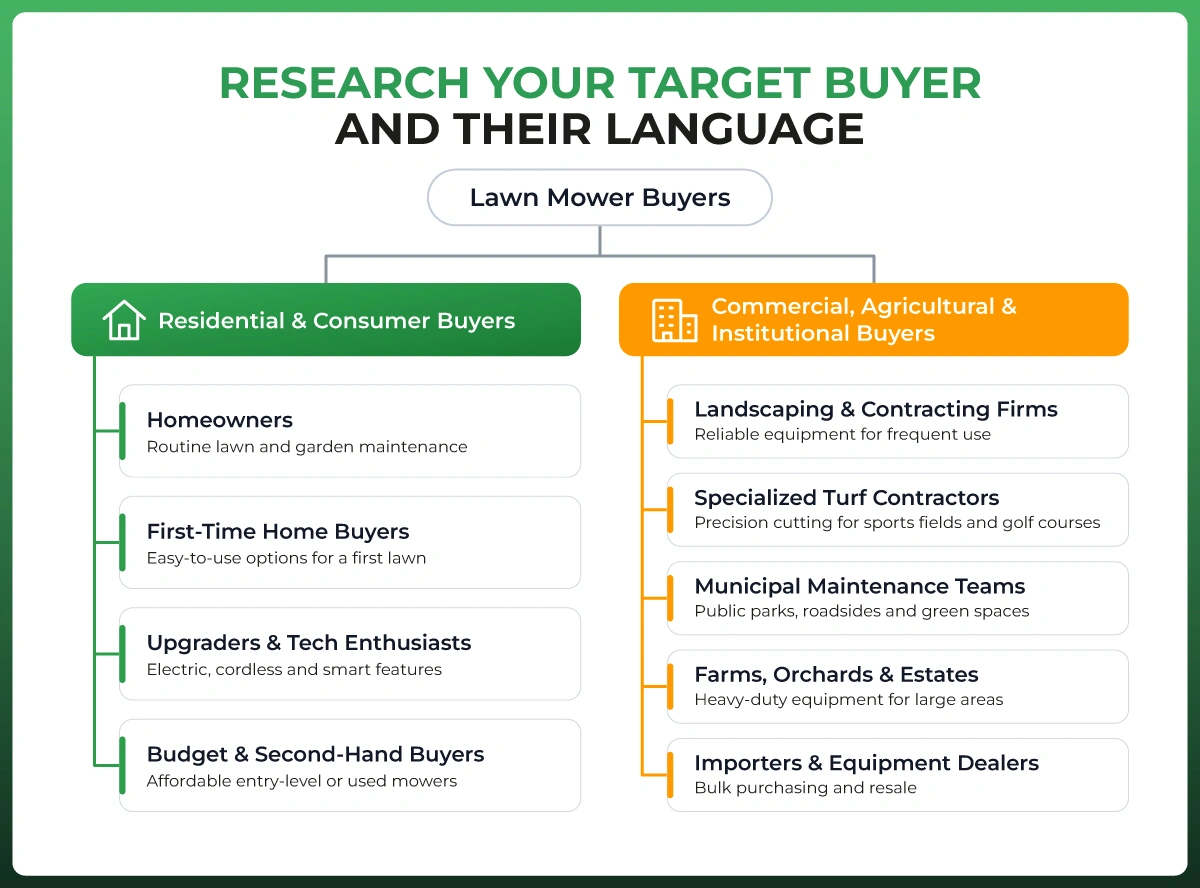
Step 1: Research Your Target Buyer and Their Language
Before you write anything, know your target audience. Who buys this product? What problem are they solving? What language do they use to describe their frustration?
The fastest way to answer these questions: read competitor reviews. Open the top 3-5 competing listings in your category and sort reviews by "Most Recent." Look for repeated phrases, common complaints, and the specific words buyers use. This is free, real-time customer feedback that reveals exactly what matters to your audience.
For keyword research, start with Amazon's own search bar autocomplete. Type your main product keyword and note the suggested phrases. These are real search queries from real shoppers. If you need volume data, tools like Helium 10, Jungle Scout's Keyword Scout, or Google Keyword Planner can help you prioritize which terms to target. You can also pull keyword strategies from Amazon's Search Query Performance report in Brand Analytics if you are enrolled in Amazon Brand Registry.
Step 2: Map Keywords Across Your Listing
Once you have your keyword list, assign each term to a specific listing field. This is search term optimization at its most practical. Your primary keyword belongs in the title and the first sentence of the description. Secondary keywords spread across bullet points and the description body. Long-tail phrases fit naturally in the description's storytelling sections. Remaining terms go into backend keywords.
This mapping prevents keyword stuffing and ensures maximum coverage. Amazon's algorithm rewards broad, natural keyword distribution, not repetition. If a term already appears in your title, it does not need to appear again in the description purely for ranking purposes.
If you are running Amazon PPC campaigns alongside organic listings, your keyword map for the description should complement your advertising targets. The keywords you rank for organically reduce your dependency on paid click-through rate.
Step 3: Write Using a Proven Framework
Here is the e-commerce copywriting framework we use for Amazon product descriptions. It fits within the 2,000-character limit while covering everything a buyer needs to make a confident purchase decision.
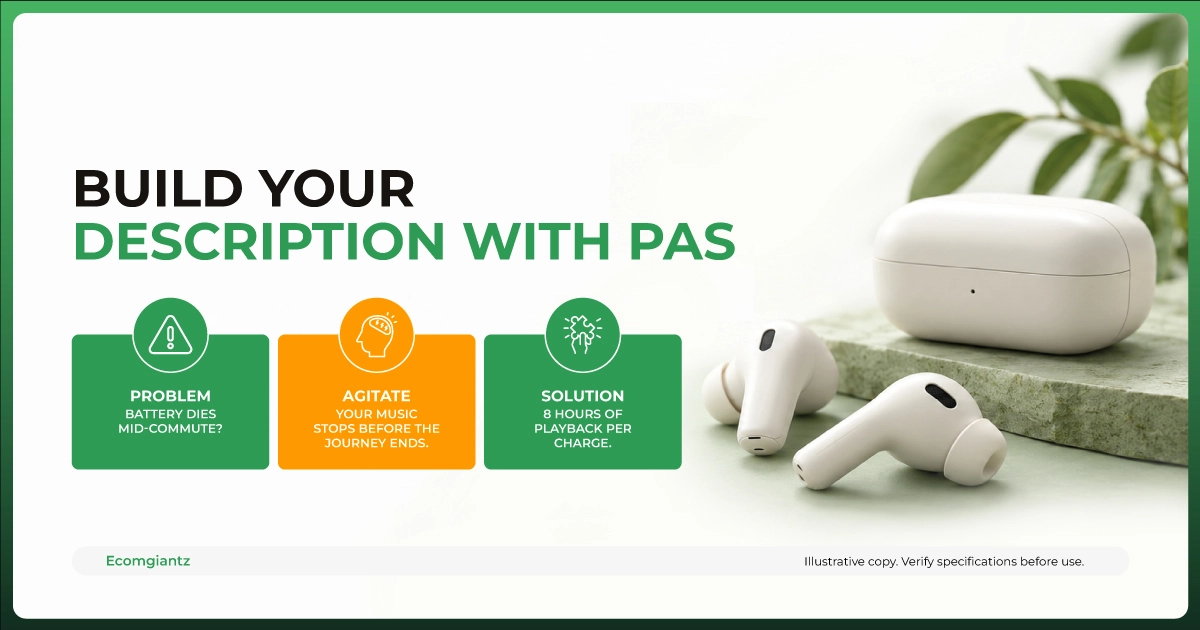
The PAS Framework for Amazon:
P (Problem): Open with the problem your target buyer faces. One or two sentences. Use the exact language you found in competitor reviews and Amazon search queries.
A (Agitate): Briefly amplify the consequence of not solving the problem. Keep it factual, not dramatic.
S (Solution): Present your product as the answer. Lead with the primary benefit, then support it with 2-3 specific product features. Include measurable details: dimensions, weight, materials, model number, or care instructions where relevant.
Close: End with a confidence statement. Mention the warranty, guarantee, or return policy. Add social proof if your product has strong ratings. Then include a final detail that addresses the most common buyer objection.
Copy-Paste Template:
State the buyer's problem in their own words.
Describe what happens when the problem goes unsolved, in 1 sentence.
Introduce your product as the solution. Lead with the biggest benefit. Support with 2-3 features: materials, dimensions, or specs.
Who this product is perfect for. Be specific about the use case.
Confidence closer: warranty, satisfaction guarantee, or brand promise.
This template is an e-commerce copywriting template adapted specifically for Amazon's constraints. Use line breaks between sections for readability on the product page.
Step 4: Address the Top Buyer Objection
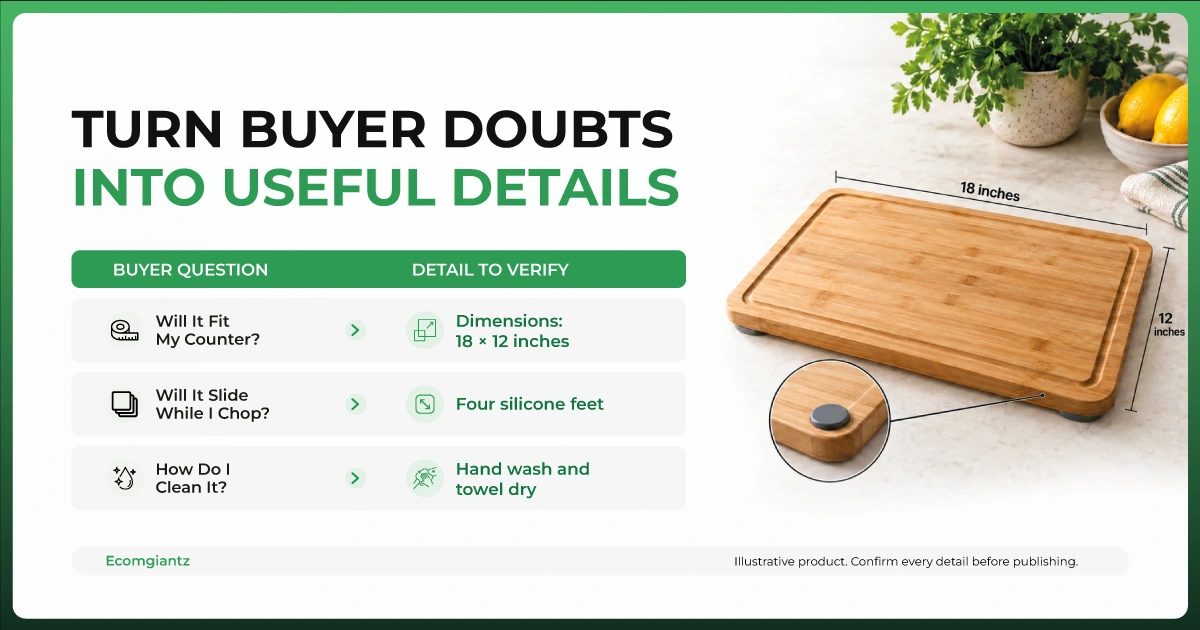
Every product has at least one objection that stops buyers from completing their purchase. It might be sizing uncertainty, material quality, compatibility with another product, or durability concerns. If you do not address it in the description, you increase your cart abandonment rate.
Find the objection by reading 1-3 star reviews on competing products. The complaints there are the questions your buyers are silently asking. Answer them directly in your description with factual specifics, not vague reassurance. A sentence like "Fits standard US pillow sizes 20x26 inches" resolves more doubt than "One size fits most."
Step 5: Review Against Amazon's Compliance Checklist
Before publishing, run through this quick check:
Is the character count under 2,000 (including spaces)? Does the description contain any prohibited claims or restricted language? Are the only HTML tags used line breaks (<br>)? Does it avoid repeating content already in your bullet points? Read it on a mobile device. Does it scan well for mobile shoppers, or is it a wall of text?
If anything triggers a policy violation, Amazon may reject the edit, remove content, or suppress your listing. It is faster to fix compliance issues before publishing than to diagnose a suppressed listing after the fact.
Amazon Product Description Examples (Before and After)
Theory only goes so far. Here are two real-world style examples showing how to write a product description on Amazon that actually converts.
Example 1: Kitchen Cutting Board
Every product has at least one objection that stops buyers from completing their purchase. It might be sizing uncertainty, material quality, compatibility with another product, or durability concerns. If you do not address it in the description, you increase your cart abandonment rate.
Find the objection by reading 1-3 star reviews on competing products. The complaints there are the questions your buyers are silently asking. Answer them directly in your description with factual specifics, not vague reassurance. A sentence like "Fits standard US pillow sizes 20x26 inches" resolves more doubt than "One size fits most."
Step 5: Review Against Amazon's Compliance Checklist
Before publishing, run through this quick check:
Is the character count under 2,000 (including spaces)? Does the description contain any prohibited claims or restricted language? Are the only HTML tags used line breaks (<br>)? Does it avoid repeating content already in your bullet points? Read it on a mobile device. Does it scan well for mobile shoppers, or is it a wall of text?
If anything triggers a policy violation, Amazon may reject the edit, remove content, or suppress your listing. It is faster to fix compliance issues before publishing than to diagnose a suppressed listing after the fact.
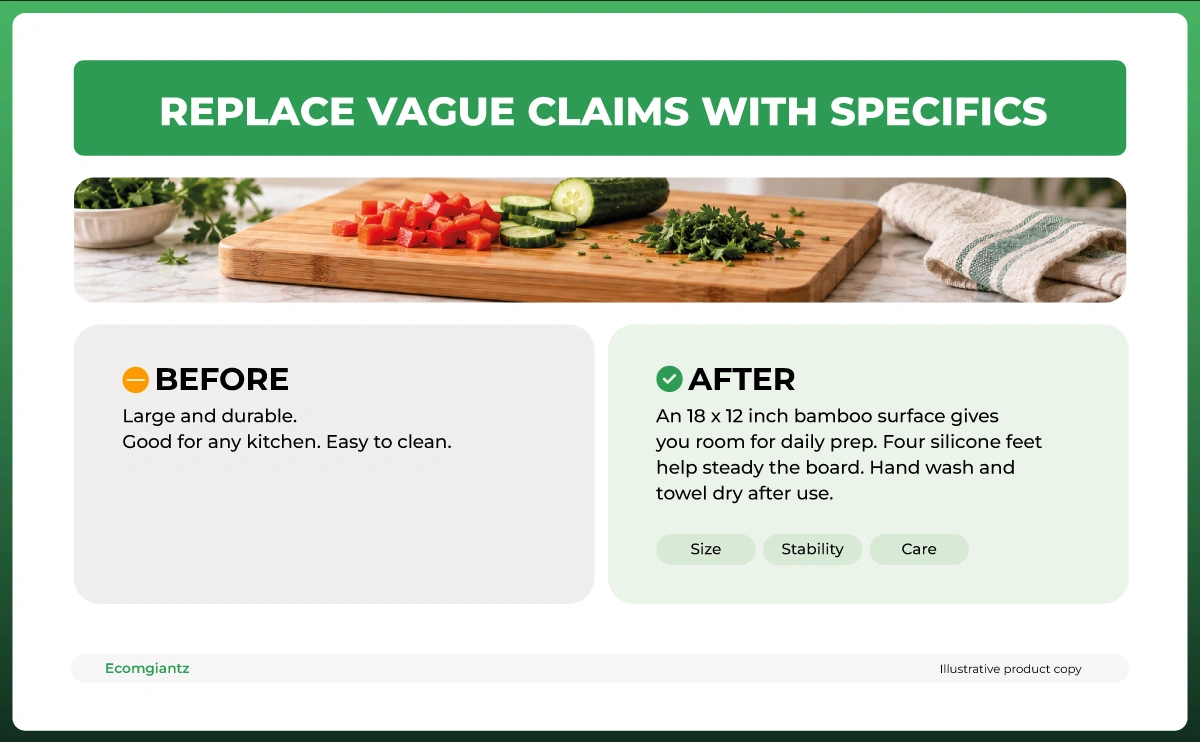
Before (weak):
"This cutting board is made of bamboo. It is large and durable. Good for cutting vegetables and meat. Easy to clean. Great for your kitchen. Buy now."
After (optimized):
"Slippery plastic boards that slide across the counter while you chop? That gets old fast.
This organic bamboo cutting board stays put, thanks to four non-slip silicone feet that grip any countertop surface. At 18x12 inches and 1.5 inches thick, it gives you a full workspace without flexing under pressure. The tight bamboo grain resists knife scarring and does not absorb odors like softwood boards.
Built for home cooks who prep daily. Hand wash and towel dry to keep it in top shape for years. Backed by a 2-year replacement guarantee."
What changed: The optimized version opens with a relatable problem, includes specific dimensions and materials, addresses the care instructions concern, targets a specific buyer (daily home cooks), and closes with a confidence guarantee. It covers multiple long-tail keywords naturally without stuffing.
Example 2: Wireless Earbuds
Before (weak):
"Wireless earbuds with Bluetooth 5.3. Long battery life. Comfortable fit. Good sound quality. Works with all phones. Perfect gift."
After (optimized):
"Earbuds that die mid-commute or lose connection in a crowded gym are not worth carrying.
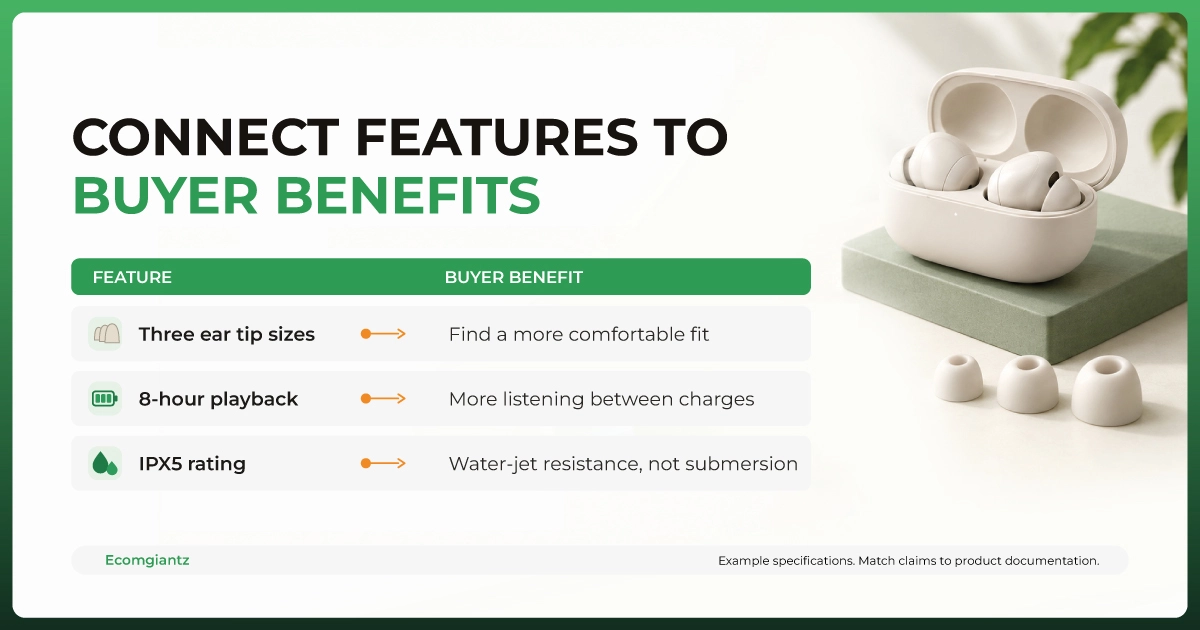
These Bluetooth 5.3 earbuds deliver 8 hours of continuous playback on a single charge, with the case holding three additional full charges. The 10mm titanium drivers produce balanced bass and clear vocals at any volume. Three silicone ear tip sizes (S/M/L) and an ergonomic angled fit keep them locked in during runs, workouts, and commutes.
Compatible with iOS 14+, Android 10+, and Windows laptops. IPX5 water resistance handles rain and sweat. Covered by a 12-month warranty with responsive support."
What changed: The optimized version replaces generic claims ("good sound quality") with specific specs (10mm titanium drivers). It names exact compatibility, quantifies battery life, specifies the water resistance rating, and addresses the most common earbud complaint (poor fit) with three tip sizes. Every sentence gives the buyer a reason to trust the product.
How to Write Bullet Points for Amazon Listings
Bullet points are separate from the product description, but they are the most-read content on any Amazon product listing. Getting them right directly impacts your conversion rate.
Amazon allows 5 bullet points for third-party sellers and up to 10 for vendors. Sellers get 500 characters per bullet (vendors get 255). Each bullet should focus on a single feature-benefit pair. Start with a capitalized benefit-driven phrase, then follow with supporting detail.
Example: "STAYS SHARP THROUGH 1,000+ CUTS: The German stainless steel blade holds its edge 3x longer than standard kitchen knives, reducing how often you need to sharpen."
Keep all five bullets consistent in length and tone. Avoid promotional language, pricing, or shipping information. Do not duplicate your bullet content in the description. Each field should cover different ground for maximum listing optimization coverage.
Bullet points are part of the broader Amazon listing optimization strategies that influence both organic search rankings and the click-through rate of your Amazon PPC ads. The better your bullets, the higher your conversion rates on both paid and organic traffic.
Amazon A+ Content and the Product Description
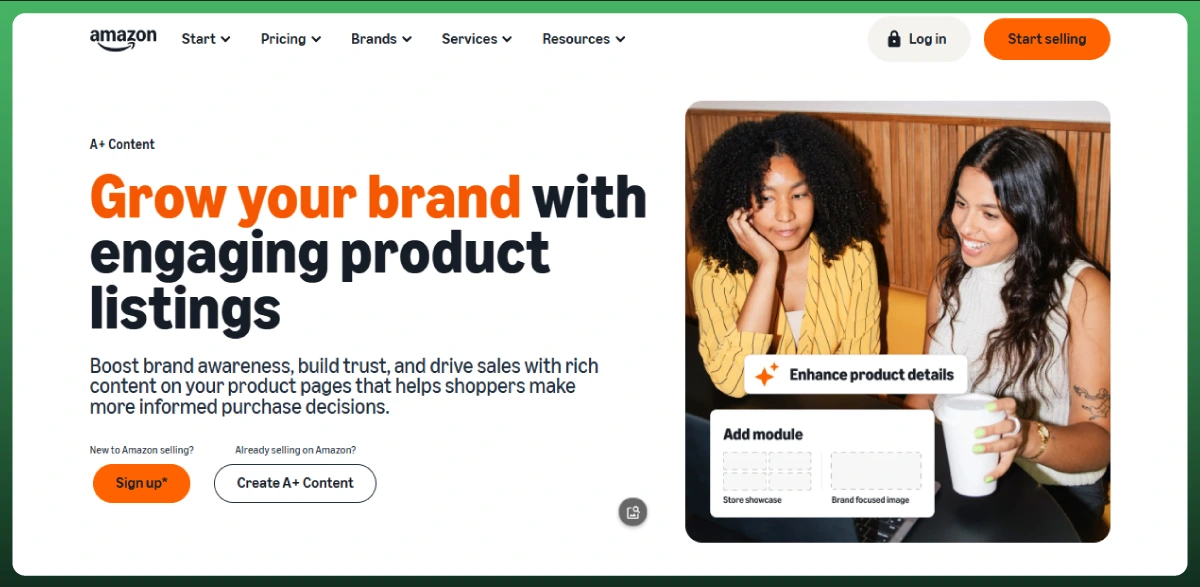
If you are enrolled in Amazon Brand Registry, you have access to A+ Content (formerly Enhanced Brand Content). This feature replaces the visual display of your standard product description with rich media modules: lifestyle images, comparison charts, infographics, and formatted text blocks.
But here is what many sellers get wrong: A+ Content is widely reported by major seller tools and experienced practitioners as not being indexed by Amazon's search engine for product discovery. Google does index it, which helps with Google search results. But for Amazon SEO, the standard product description is understood to remain the indexed content. Leaving the standard description field empty when A+ Content is active means losing that catalog information and potential search visibility.
Best practice: Fill out both. Write a keyword-optimized standard description to keep the catalog record complete and support Amazon ranking. Then build A+ Content for visual content and brand recognition to boost conversions. Use A/B testing through Amazon's Manage Your Experiments tool to measure which A+ layouts deliver better conversion rates.
Quick comparison(based on widely reported industry consensus):
Feature
Standard Description
A+ Content
Backend Search Terms
Amazon Search Indexed
Yes
No
Yes
Google Indexed
Yes
Yes
No
Character Limit
2,000 characters
Varies per module
249 bytes
Images Allowed
No
Yes (rich media)
No
HTML Formatting
Only <br> tags
Visual modules
None
Brand Registry Required
No
Yes
No
Primary Purpose
SEO + conversion closer
Visual storytelling
Hidden keyword coverage
For a full walkthrough of setting up enhanced content for your listings, see our Amazon A+ Content guide.
Amazon Product Description Optimization Tips
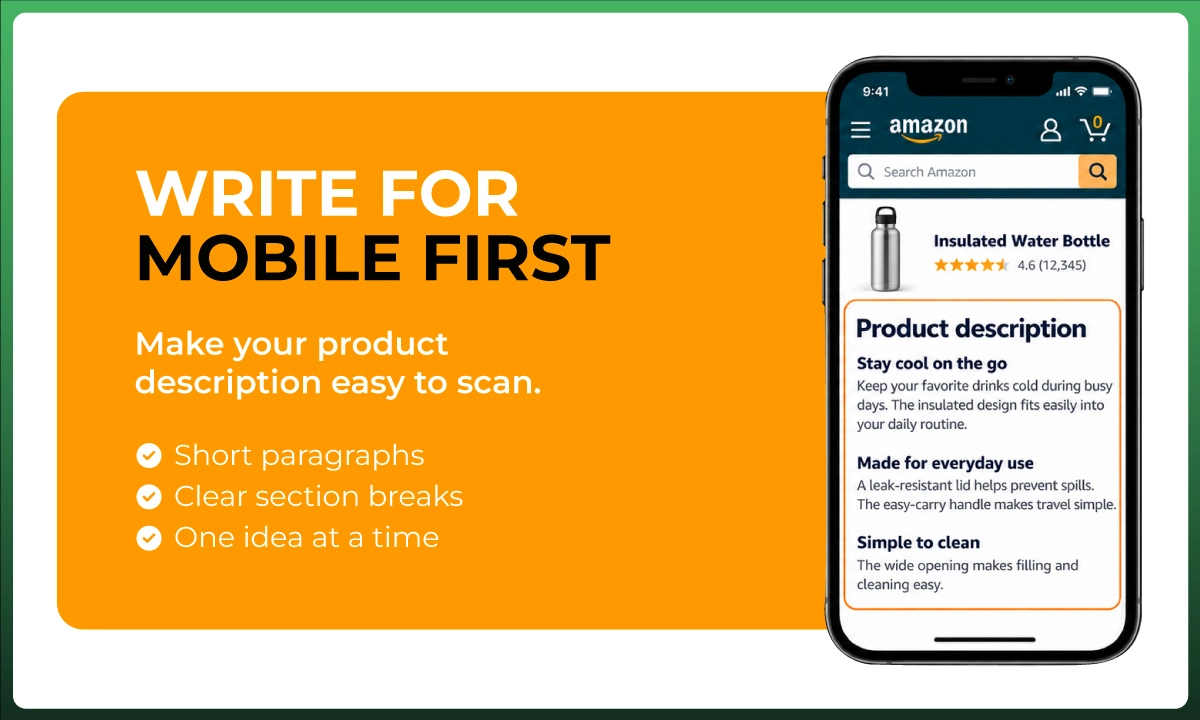
Write for Mobile First
On mobile devices, the Amazon product description appears much higher on the page than on desktop. Mobile shoppers see it almost immediately after scrolling past the product images and bullet points. On desktop, it is buried below the fold.
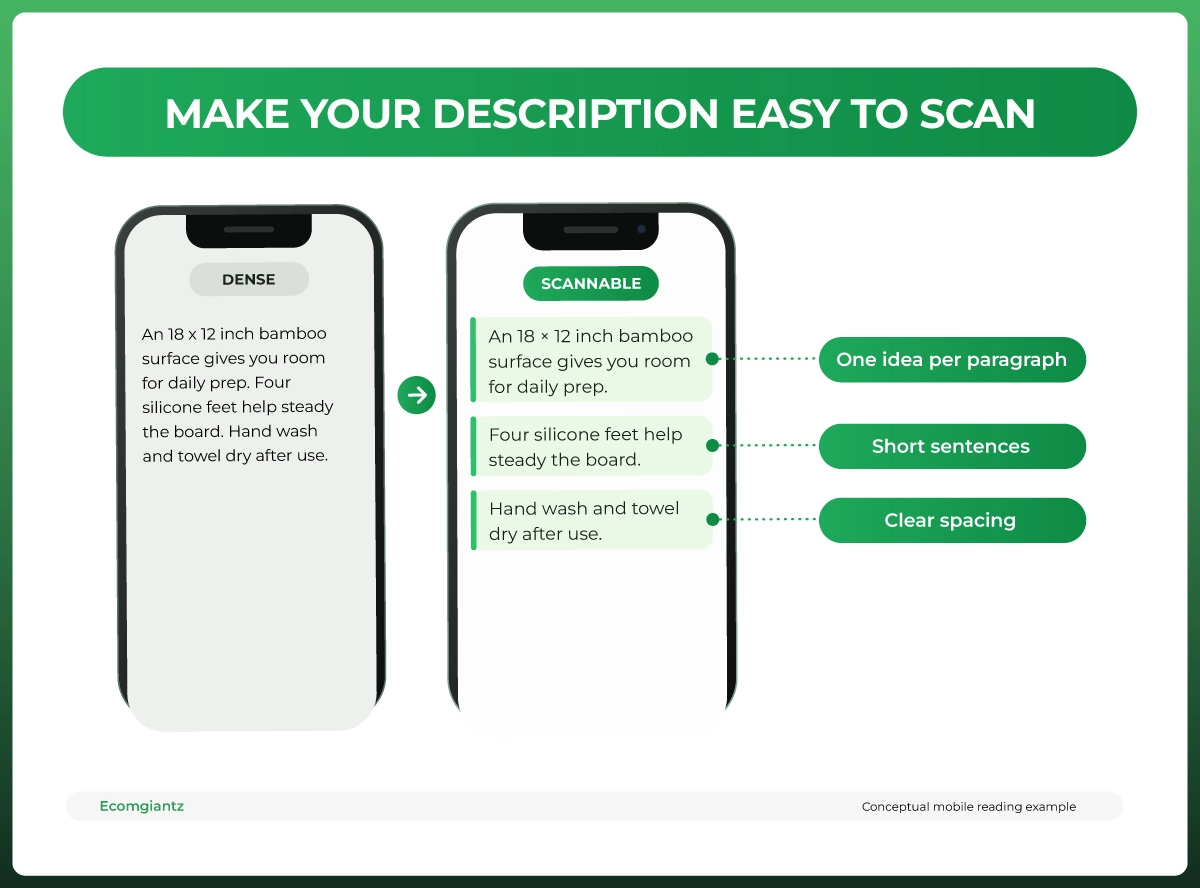
Since most browsing starts on mobile, your description must be scannable. Keep paragraphs to 2-3 sentences. Use line breaks between sections. One idea per paragraph. Avoid long, complex sentences that force readers to re-read. The customer experience on mobile determines whether someone keeps reading or bounces back to search results.
The words your buyers use in reviews are more persuasive than any marketing copy you could invent. If customers describe a blanket as "soft enough to sleep on the couch with," that is better language than "premium ultra-soft microfiber technology." Pull phrases from client feedback in reviews and weave them into your description naturally.
Do Not Repeat Your Bullet Points
The description should expand on what the bullets introduce, not echo them. Use this space for storytelling, use-case scenarios, and long-tail keywords that did not fit in the bullets. If a buyer reads the same information twice, they learn nothing new, and you have wasted precious characters.
Optimize for AI Shopping Assistants
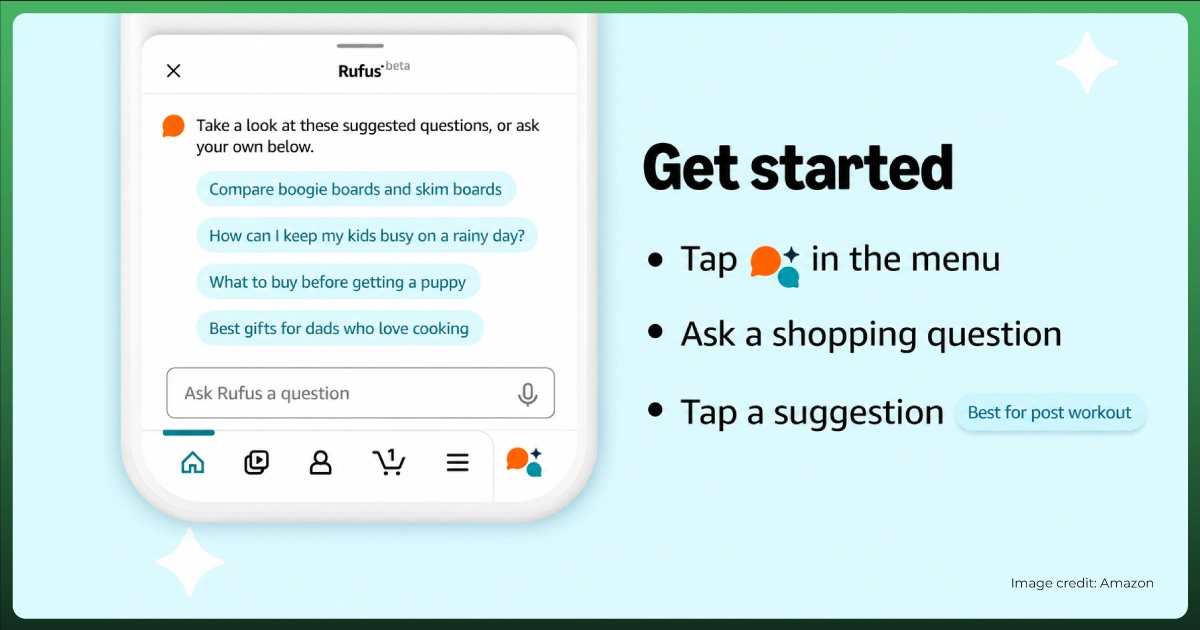
Amazon's Rufus AI and other search engines increasingly pull from product descriptions to generate shopping answers. Descriptions written in clear, factual, question-answering sentences perform better in these AI-driven results than descriptions written in vague marketing language. Think of each sentence as a potential answer to a buyer's question.
This also applies to Google. Well-structured descriptions can appear as featured snippets in Google search results, and the meta descriptions Google generates from your Amazon listing pull from this content. Optimizing for both Amazon and Google search engine optimization gives your listing two discovery channels instead of one.
Should You Use AI to Write Amazon Product Descriptions?
AI tools like ChatGPT and Amazon's generative AI listing tools (sometimes referred to as Amazon Product Description Editor in seller communities) can generate first drafts quickly. They are useful as a starting point, especially for sellers managing large catalogs. But they have real limitations.
AI-generated descriptions tend to sound generic. They often miss product-specific details, insert prohibited claims without flagging them, and produce copy that reads like every other listing in your category. The result is content that technically fills the field but does not help you stand out or convert.
If you use AI, follow this workflow: start by entering only verified product facts (dimensions, materials, certifications). Generate the draft. Then compare every claim against your actual packaging and documentation. Remove any prohibited or unsupported language. Check that the title, Item Highlights, bullets, and description do not duplicate each other. Finally, review the live mobile product page to confirm readability. The description represents your brand on the largest online retailer in the world. Generic copy does not build brand recognition or customer satisfaction.
Common Amazon Product Description Mistakes to Avoid
After reviewing thousands of Amazon product listings, these are the mistakes we see most often:
Copying the manufacturer description. If ten sellers list the same product with identical descriptions, none of them stand out. Amazon treats duplicate content across multiple product detail pages as low-quality. Write original copy.
Keyword stuffing. Repeating the same phrase five times does not help your search rankings. Amazon's search algorithm is sophisticated enough to understand synonyms and related terms. Natural language always outperforms forced repetition.
Leaving the description empty when A+ Content is live. As covered above, A+ Content does not replace the description's SEO value. An empty description means lost keyword indexing on Amazon.
Using HTML formatting beyond line breaks. Bold tags, paragraph tags, and other HTML codes will either render as raw text or trigger suppression. Stick to <br> tags only.
Writing for the algorithm instead of the buyer. Amazon rewards conversion rates. A description that reads well and convinces buyers to purchase will outrank a keyword-heavy description that turns people away. The algorithm follows the money.
Building a successful Amazon business goes beyond descriptions. If you are scaling your FBA operations, our Amazon FBA mastery guide covers everything from product sourcing to inventory management and growth strategy.
Frequently Asked Questions
What is the Amazon product description character limit?
Amazon allows 2,000 plain-text characters for standard product descriptions, including spaces. This limit is enforced in Amazon Seller Central. Backend search terms have a separate limit of 249 bytes (not characters).
Can I use HTML in my Amazon product description?
As of 2026, the only permitted HTML tags are line breaks (<br> or <br/>). All other HTML formatting, including bold, italic, paragraph tags, and JavaScript, is prohibited. Using unsupported HTML codes can cause your listing to display raw code or get suppressed.
Does the product description still matter if I have A+ Content?
Yes. A+ Content replaces the visual display of the description on the product page but does not replace its indexing in Amazon search. Your standard description still contributes to Amazon SEO. Fill out both for maximum visibility.
What is the new Amazon title limit in 2026?
Starting July 27, 2026, product titles must be 75 characters or fewer in all non-media categories. Amazon introduced a new Item Highlights field (125 characters) to absorb secondary details. Titles exceeding the limit after the deadline will be rewritten by Amazon's AI.
How many bullet points can I have on an Amazon listing?
Third-party sellers get 5 bullet points with up to 500 characters each. Vendors get up to 10 bullet points with 255 characters each. Amazon only indexes the first 1,000 bytes across all bullet points combined.
What words are banned in Amazon product descriptions?
Amazon prohibits unverifiable superlatives ("best," "#1"), medical claims without documentation ("cures," "FDA approved"), pricing or availability references, time-sensitive promotions, external URLs, and customer reviews or testimonials. The full list of restricted terms is enforced automatically by Amazon's content scanners.
Write Descriptions That Sell, Not Just Fill Space
Knowing how to write Amazon product descriptions is a practical skill that directly impacts your sales. The sellers who treat this 2,000-character field as a strategic asset, not an afterthought, are better positioned for stronger search rankings and improved conversion rates.
Follow Amazon's latest guidelines. Write for your buyer first and the search algorithm second. Use the PAS framework to structure your message. Address objections with specifics. And continually improve your descriptions based on your feedback from customer questions, reviews, and listing performance data.
If you manage multiple products across the ecommerce marketplace and need help with listing optimization, keyword strategies, or full account management, our team works with sellers at every stage.
Want Amazon Listings That Convert?
Boost Rankings And Sales With Expert Amazon Listing Optimization From Ecomgiantz.
Ecomgiantz Team consists of our in-house experts who share their hands-on experience in ecommerce businesses, websites, marketplaces, etc. We also share the latest updates, insights, and market trends that can be helpful for your online business.