Amazon Brand Registry: Requirements, Benefits & How to Apply
Amazon Brand Registry helps sellers protect their brands, control listings, access A+ Content, analyze performance, and manage trademark verification for long-term growth on Amazon.

Amazon Brand Registry helps sellers protect their brands, control listings, access A+ Content, analyze performance, and manage trademark verification for long-term growth on Amazon.
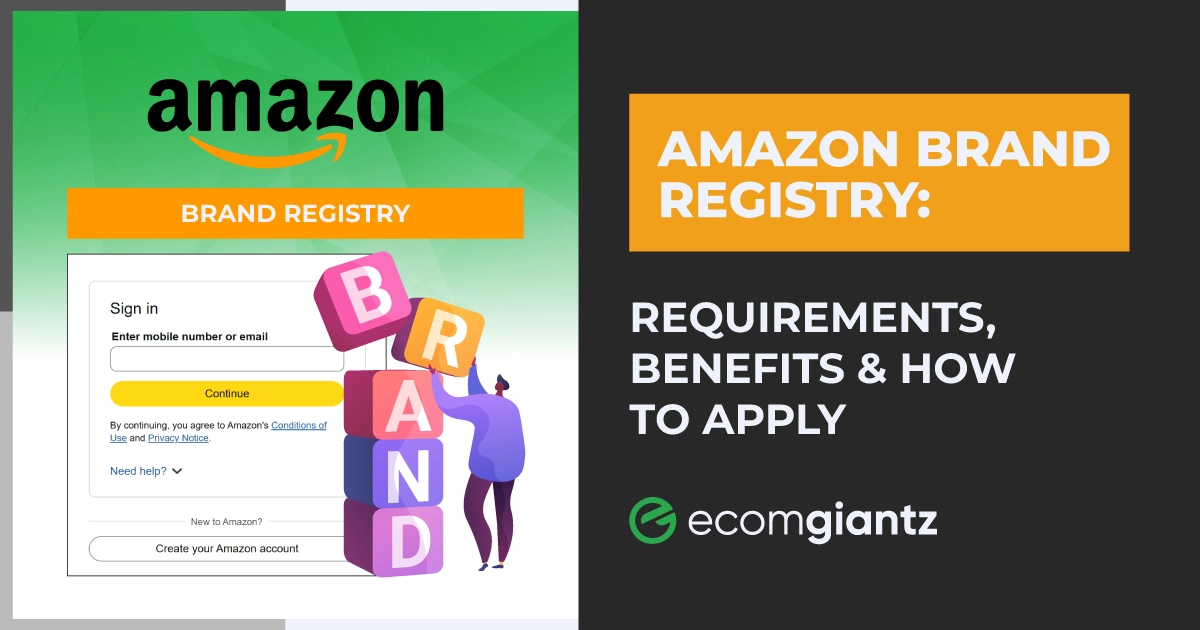


Amazon Brand Registry is a program for Amazon sellers that verifies your ownership of a brand. In this program, you get tools to protect and grow your brand on Amazon. To enroll in Amazon Brand Registry, you need an active or pending trademark. Once approved, you get control over your listings, access to A+ Content and Brand Analytics, and a faster way to report counterfeiters.
At Ecomgiantz, we’ve helped tons of clients enroll in Amazon Brand Registry. From that experience, we can tell the biggest issue in joining the program isn’t the process. Often, clients submit brand names that don’t match the trademarks, or they don’t understand Amazon's response to their submissions. As a result, Amazon rejects their applications.
Today, we will explain what this program is about and how you can also join it to grow on Amazon. So, let’s begin.
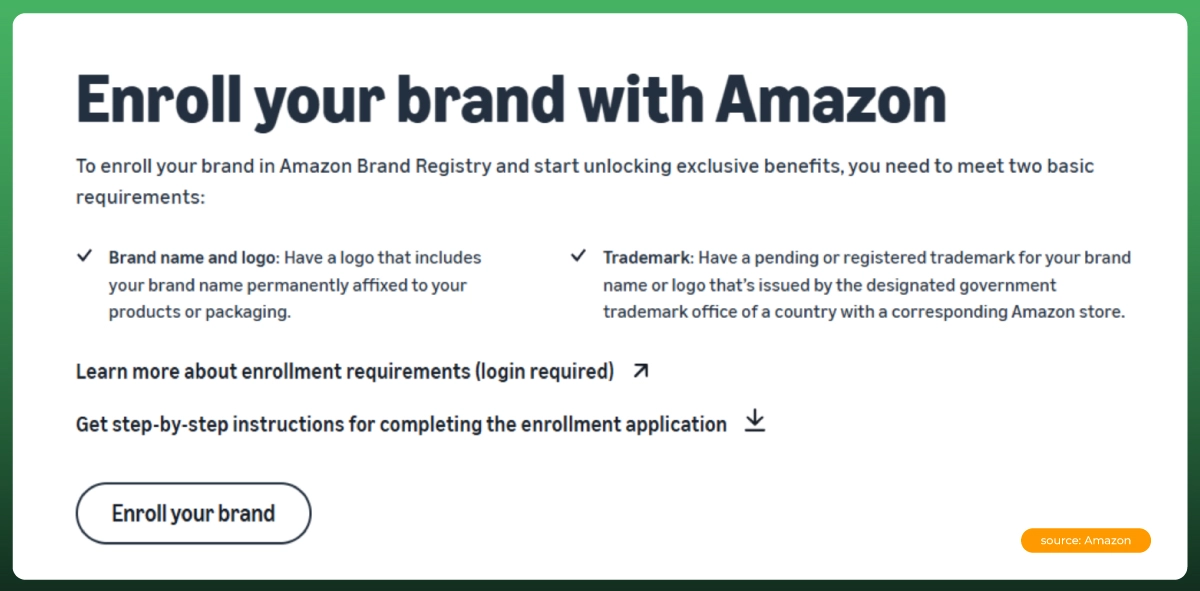
At its core, Amazon Brand Registry is Amazon's way of confirming who actually owns a brand before handing over control of its listings. Once verified, you get tools no unregistered seller can touch: locked listing content, brand-level reporting, and marketing features built for brand owners specifically.
You should look into it if you sell under your own brand name, manufacture private label products, or manage an Amazon seller account where other sellers keep changing your titles, images, or descriptions. If you're purely reselling other brands, Brand Registry won't apply, since you don't own the trademark behind those listings.
It's also worth separating this from your regular seller account, since the two get confused often. Seller Central is where you list products and manage day-to-day operations, including inventory you run through Fulfillment by Amazon. Amazon Brand Registry sits on top of that account and adds ownership verification plus brand-specific tools, without changing how you already sell.
This matters even more once you're scaling through FBA: Amazon FBA Brand Registry enrollment is what keeps counterfeiters from attaching themselves to your fastest-moving listings. And if you've searched for Amazon Brand Registry Seller Central login help, you're really just looking for the same Seller Central credentials you already use to sell.
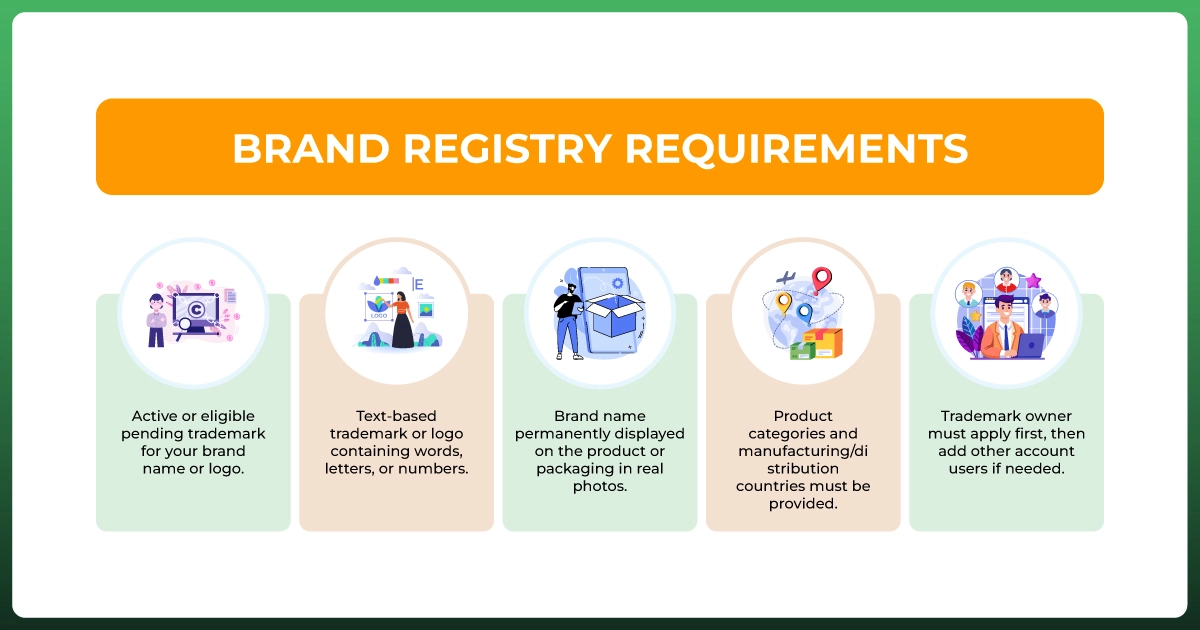
Every Amazon Seller Brand Registry application starts with the same checklist, whether you're a private label seller or an established brand. Here's what Amazon is actually checking for.
One quick note on terminology: your Amazon Brand Registry trademark needs to match your product branding exactly, and Amazon trademark registration itself doesn't happen through Amazon at all. It happens through government offices like the USPTO, long before you ever open a Brand Registry application.
You might also see older guides mention “Amazon Brand Registry 2.0.” That's not a current tier. It's just what people called the 2017 update, when Amazon first made a trademark mandatory for enrollment. Today there's one program, and the requirements above are what it actually asks for.
Short answer: yes, in some form.
If your trademark is already registered with your country's IP office, you're in the strongest position. Enrollment moves faster because Amazon can verify ownership immediately against a completed, searchable record.
Amazon does accept an Amazon Brand Registry pending trademark application for enrollment, which surprises a lot of sellers since older articles insist you need a fully registered mark. Once your filing has a serial number and shows correctly in the trademark office's system, you can often enroll while it's still processing. Approval isn't guaranteed at that stage, so treat early access as provisional.
No. If you're hoping to find an Amazon Brand Registry without a trademark loophole, there isn't one: Amazon requires a trademark, registered or pending, issued by a recognized government office. If you don't have one yet, Amazon's IP Accelerator connects you with vetted law firms that can file a trademark and, in many cases, get you into Brand Registry faster than filing on your own.
Whichever path you take, you'll enter your Amazon trademark number in the exact format shown on your official record. Double-check your trademark number for Amazon Brand Registry before hitting submit, since even one wrong digit can stall the entire review.
After submission, Amazon emails a verification code to the contact tied to your trademark, often the attorney or filer who submitted it. You need that code to finish enrollment, so confirm you can access that inbox before you apply.
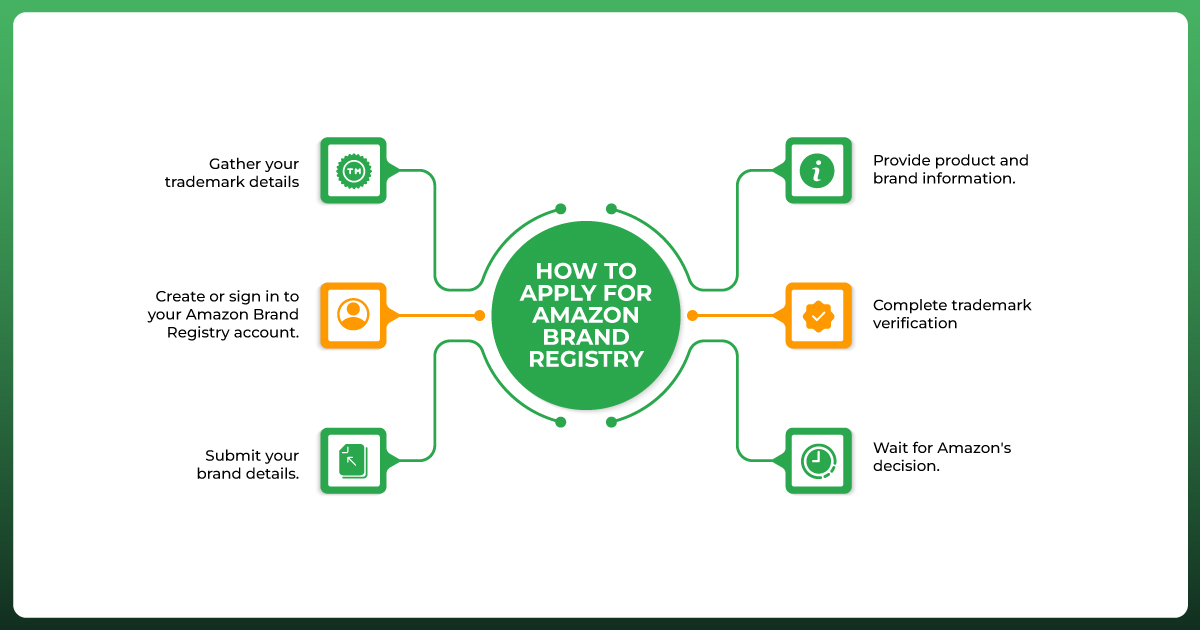
Applying isn't complicated once your documents are ready. Here's Amazon Brand Registry step by step, from first login to final approval.
Step 1: Gather your trademark details. Have your trademark number, the exact registered brand name, and your product categories ready before you start. Mismatches here cause more delays than anything else in the process.
Step 2: Create or sign in to your Amazon Brand Registry account. Use the same login as your Seller Central or Vendor Central account, ideally the one linked to the account you already set up to sell.
Step 3: Submit your brand details. Enter your brand name exactly as it appears on your trademark record, along with the trademark office and registration or application number.
Step 4: Provide product and brand information. Upload a standalone logo image, plus a real photo showing your brand name permanently on the product or packaging. Amazon Brand Registry product image requirements are strict here: no stock photos, no edited mockups.
Step 5: Complete trademark verification. Retrieve the code Amazon sends to your trademark's registered contact and enter it in your application. This single step stalls more applications than any other, usually because the code lands in an inbox nobody's watching.
Step 6: Wait for Amazon's decision. Most sellers hear back within one to two weeks once everything matches. After two weeks with no update, that's your cue to follow up rather than keep waiting quietly.
Is Brand Registry free? Yes, enrollment itself costs nothing. What you're actually paying for is the trademark behind it.
Filing through the USPTO typically runs around $250 per class of goods when submitted online directly, though total Amazon Brand Registry cost often lands between $250 and $500 once attorney fees enter the picture. In the UK, a standard application currently costs around £170 and takes three to four months to clear.
Going through Amazon's IP Accelerator means paying a vetted law firm's flat rate instead, usually somewhere between $600 and $1,000 or more, in exchange for earlier access to Brand Registry while your trademark is still processing.
| Stage | Typical Timeline |
|---|---|
| US trademark filing to registration | 6 to 12 months |
| UK trademark filing to registration | 3 to 4 months |
| Enrollment via IP Accelerator | 2 to 4 weeks |
| Brand Registry application review | A few days to 2 weeks |
| Access to brand tools | Immediately after approval |
Delays almost always trace back to the same handful of causes: a brand name that doesn't match your trademark exactly, blurry or mocked-up product photos, or a verification email that never reaches the right inbox.
These Amazon Brand Registry benefits compound the longer you use them, but a few matter more than others early on.
Once registered, you can lock down titles, bullet points, images, and descriptions, so other sellers can't quietly edit your content or bury your original listing.
You get automated tools for spotting counterfeit listings and unauthorized sellers, plus a dedicated reporting path instead of the general seller support queue everyone else uses.
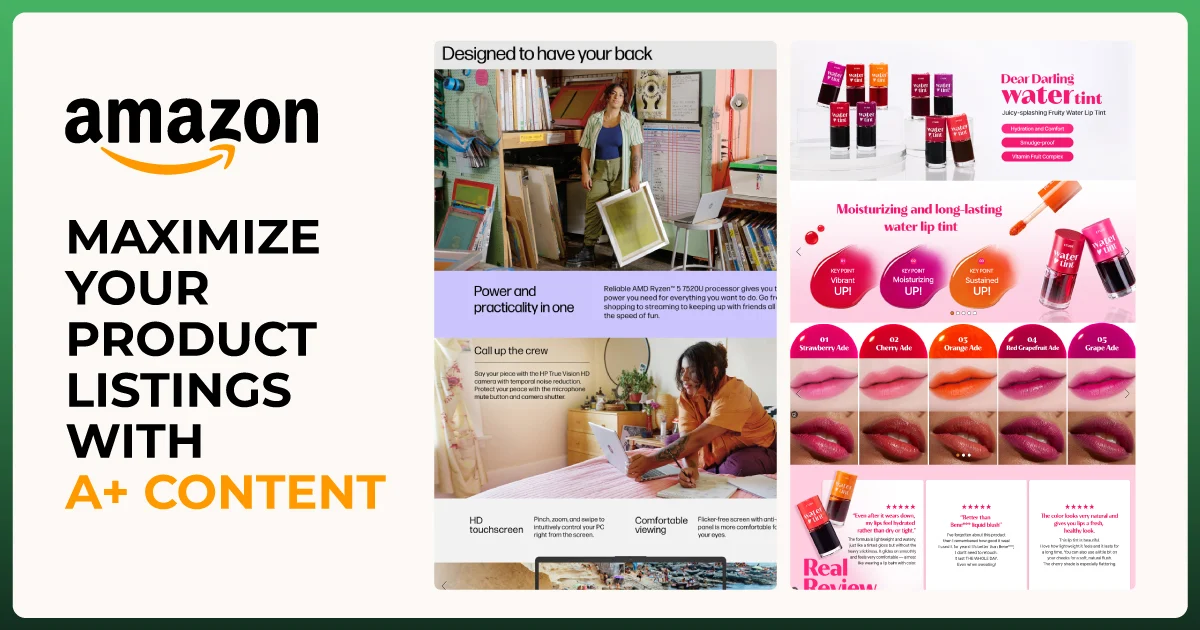
Registered brands can build enhanced A+ Content with comparison charts, lifestyle images, and richer product storytelling. Amazon's own data shows basic A+ Content can lift sales by up to 8%, and a well-built Premium version by up to 20%.
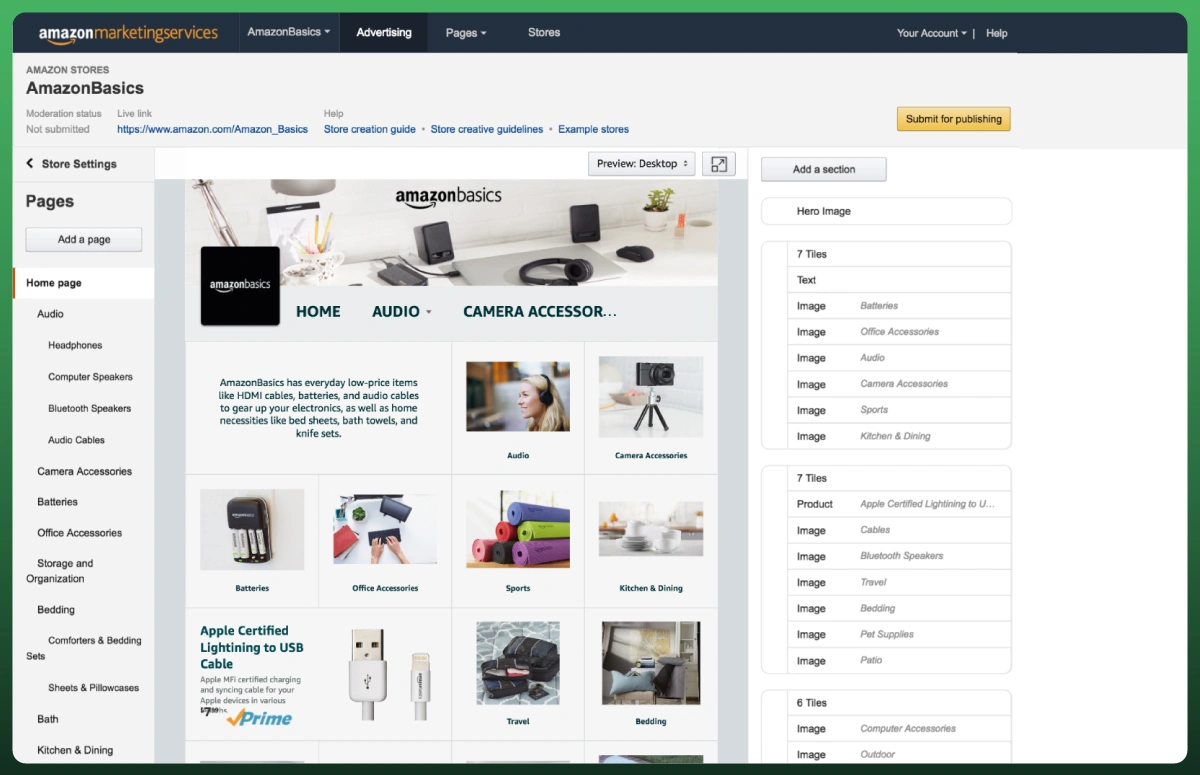
You get a free, multi-page storefront inside Amazon that unregistered sellers simply can't build. Shoppers who visit a brand's store tend to purchase more often and spend more per order than shoppers who don't.
This unlocks real search and purchase data: which keywords bring traffic, what customers buy alongside your products, and how you compare to similar brands- data worth folding into your broader digital marketing decisions, not just your Amazon strategy.
Registered brands can run headline-style ads showing your logo and multiple products at once, a real step up if you're already running ad campaigns on the platform.
Depending on eligibility, you may also get Amazon Vine for early reviews, Manage Your Experiments for testing listing content, and Amazon Live for direct video engagement with shoppers.
Think of Brand Registry as the Amazon brand protection program built for verified owners. Here's what it actually gives you, beyond the reassurance.
Enrolled brands can search Amazon's live catalog for suspected counterfeits by keyword, image, or ASIN, then report them directly instead of waiting in a general queue.
If someone copies your listing content, logo, or product photos, Brand Registry gives you a direct path to file an infringement claim that Amazon reviews with priority.
This optional add-on assigns every unit a unique code that Amazon scans before shipping, confirming it's genuine. More than 2.7 billion product units have been verified as authentic through the program so far.
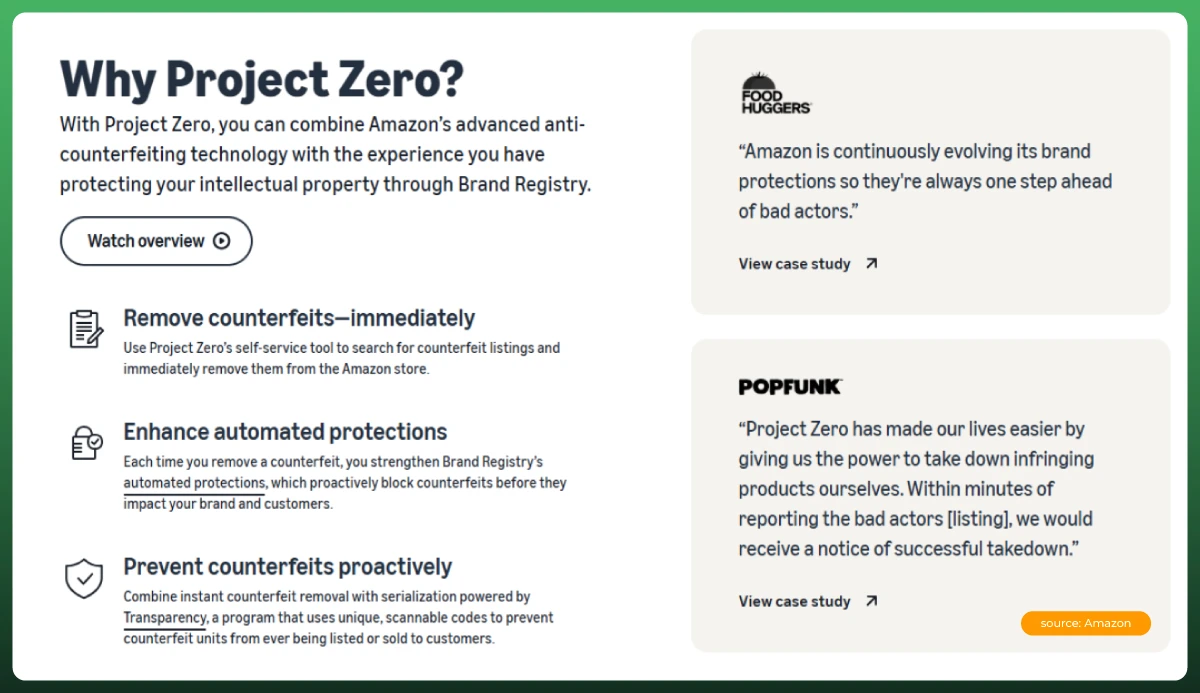
For brands dealing with a high volume of fakes, Project Zero lets you remove counterfeit listings yourself, without waiting for Amazon to act on a report first.
Every registered brand gets the Report a Violation tool, covering everything from counterfeit goods to sellers misusing your brand name inside someone else's listing.
Amazon Brand Registry currently accepts trademarks from a specific set of government offices, including the USPTO in the US, the UK IPO, Canada's CIPO, the EUIPO, IP Australia, and IP India, among others.
You only need one Amazon Brand Registry account even if you sell in multiple countries. During enrollment, you pick one trademark office to start, then add trademarks for other marketplaces afterward as you register there too. Sellers planning international coverage often use the Madrid System, which lets you file once through your home country's office and extend protection to multiple member countries instead of filing separately in each one.
Coverage still depends on where your trademark is actually registered. A US trademark protects your Brand Registry status in the US store. It doesn't automatically extend brand protection to your UK or Canadian listings unless you register there too.
Getting approved is the easy part. What separates brands that actually benefit from the ones who forget about it a month later comes down to a few habits.
We've watched sellers get approved, unlock every tool available, then never touch Brand Analytics or A+ Content for months afterward. Enrollment alone doesn't move the needle. Using what it unlocks does.
These two get confused constantly, so here's the difference in plain terms.
| Trademark Registration | Amazon Brand Registry | |
|---|---|---|
| What it is | Legal ownership of your brand name or logo | Amazon's program that verifies that ownership |
| Who grants it | A government IP office, like the USPTO or UK IPO | Amazon |
| Where it applies | Anywhere under that country's law | Only inside Amazon's marketplaces |
| Cost | Government filing fees, plus attorney fees if used | Free |
| What it unlocks | Legal rights to sue for infringement, use the trademark symbol | A+ Content, Brand Store, Analytics, counterfeit reporting |
You need the trademark first. Amazon Brand Registry is what turns that legal ownership into working tools inside the marketplace. It doesn't replace the trademark, and it can't protect you outside Amazon.
Before applying: confirm your trademark is filed, registered, or pending, gather your logo and trademark number, take real photos showing your brand on the product or packaging, and list your product categories and manufacturing countries.
During verification: watch for Amazon's verification email, confirm you can access the inbox tied to your trademark record, and double-check your brand name matches your trademark exactly before submitting anything.
After approval: check your brand information, review your live listings, set up your Brand Store, build A+ Content for top sellers, and turn on ongoing brand protection monitoring.
Amazon Brand Registry isn't complicated once you know what Amazon is actually checking for: a real trademark, a brand name that matches it exactly, and photos that prove your brand lives on the product itself. Get those three right, and the application is the easy part.
If you'd rather have an experienced Amazon marketplace management team handle enrollment alongside everything else you're running on Amazon, that's exactly the kind of hands-on work we do with sellers every week.