How to Sell on Amazon for Beginners: A Simple, Step-by-Step Guide
Learn how to sell on Amazon as a beginner, from choosing the right business model and profitable products to creating optimized listings, managing fulfillment, promoting products, and growing a successful…
To start selling on Amazon, you need to create a seller account in Amazon Seller Central, choose a business model, select a profitable product, list it with an optimized product page, and pick a fulfillment method (FBA or FBM). After that, Amazon will connect your products with shoppers. You need to pay a certain fee for each sale confirmed by the platform. This is the whole journey in short.
Here is the honest version from someone who has done it. How to sell on Amazon, is simple to start and hard to master. The sign-up takes an afternoon; building something profitable takes a plan. This guide gives you that plan in plain English, with current numbers and no shortcuts.
The opportunity is actually real. Amazon pulled in nearly $717 billion in net sales in 2025, and independent sellers, not Amazon itself, now drive most of what sells there. If you have a product and a bit of patience, there is room for you.
Is Selling on Amazon Right for You?
Before you spend a dollar, be honest about fit. Amazon rewards some businesses and punishes others. It tends to work well when a few things are true about your product and your goals.
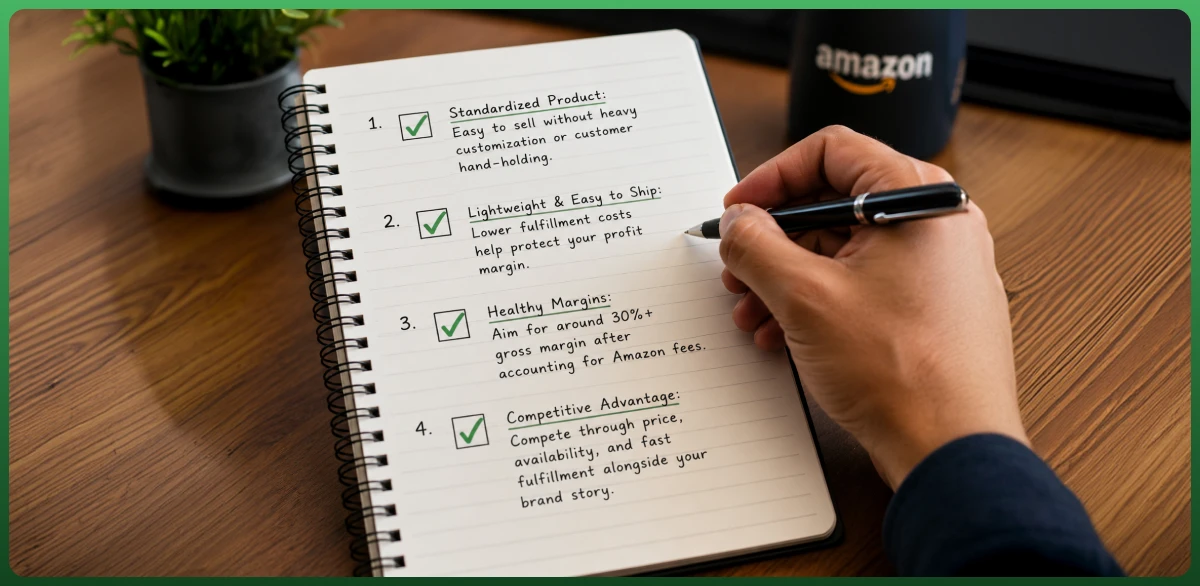
Your product is standardized and does not need heavy customization or hand-holding to sell.
It is lightweight and easy to ship, which keeps fulfillment fees from eating your margin.
Your margins are wide enough to absorb Amazon's fees and still leave profit, usually a 30% or better gross margin to start.
You can compete on price and speed, not just brand story, since shoppers or customers compare options side by side.
Amazon may not fit if you rely on deep customer relationships, custom packaging, or razor-thin margins. In those cases, your own Shopify store might serve you better, or you could run both in parallel. Many smart sellers treat Amazon as one channel, not the whole business.
Choose Your Business Model: How Do You Want to Sell?
Your business model shapes everything: your budget, product categories, your margins, your customer base, and your daily work. There is no single best one. First, you need to do thorough market research. Pick the model that matches your capital and the time you can commit. Here are the main paths.
Private Label Manufacturing (Building a Brand)
You source a generic product from a manufacturer, put your own brand on it, and sell it as yours. This is the most popular and scalable model, and it is where most serious sellers end up. Around 54% of Amazon sellers now use private label. Margins are higher, often 25% to 40%, but it needs more upfront capital and longer lead times.
Retail Arbitrage and Online Arbitrage (Flips for Quick Cash)
Retail arbitrage means buying discounted or clearance products from physical stores and reselling them on Amazon for a markup. Online arbitrage is the same idea, sourced from other websites. Both have low startup costs and let you learn the platform fast. The catch is thinner margins, constant sourcing, and limited scale.
Wholesale Trade
You buy established, brand-name products in bulk at wholesale prices and resell them. Demand is already proven, so you skip the branding work. But you compete with other sellers on the same listing for the Featured Offer, and it needs real upfront investment in inventory management.
Running an Asset-Light Model: Can You Sell on Amazon Without Inventory?
Yes, you can sell on Amazon without ever holding stock. A few programs make it possible, each with its own trade-offs.
Dropshipping. A supplier ships products directly to the customer after they order. You never touch inventory, but Amazon's dropshipping policy requires you to be the seller of record on all packaging and invoices.
Kindle Direct Publishing (KDP). Self-publish ebooks and paperbacks with no upfront cost and earn royalties up to 70%. Planners, journals, and workbooks sell well here, not just novels.
Merch on Demand. Upload designs onto shirts, hoodies, and bags. Amazon prints, ships, and handles service while you earn a royalty.
Amazon Associates. Amazon's affiliate program pays a commission, usually 1% to 10% for each product sell, when you refer buyers to existing listings through your content.
Handmade is another option for artisans selling one-of-a-kind goods. The point is simple: a lack of warehouse space is no longer a reason to stay on the sidelines.
How to Find Products to Sell on Amazon
This is the step that decides whether everything else works. The wrong product can sink a perfect listing and a generous ad budget. Do not sell what you like; sell what the market wants and what leaves room for profit.
Use real data, not gut feeling. Tools like Jungle Scout and Helium 10 show search volume, estimated sales, and competition for any product idea. Amazon's own Product Opportunity Explorer, inside Seller Central, groups products by what customers search and buy. Read these signals before you commit.
A practical checklist for a beginner product:
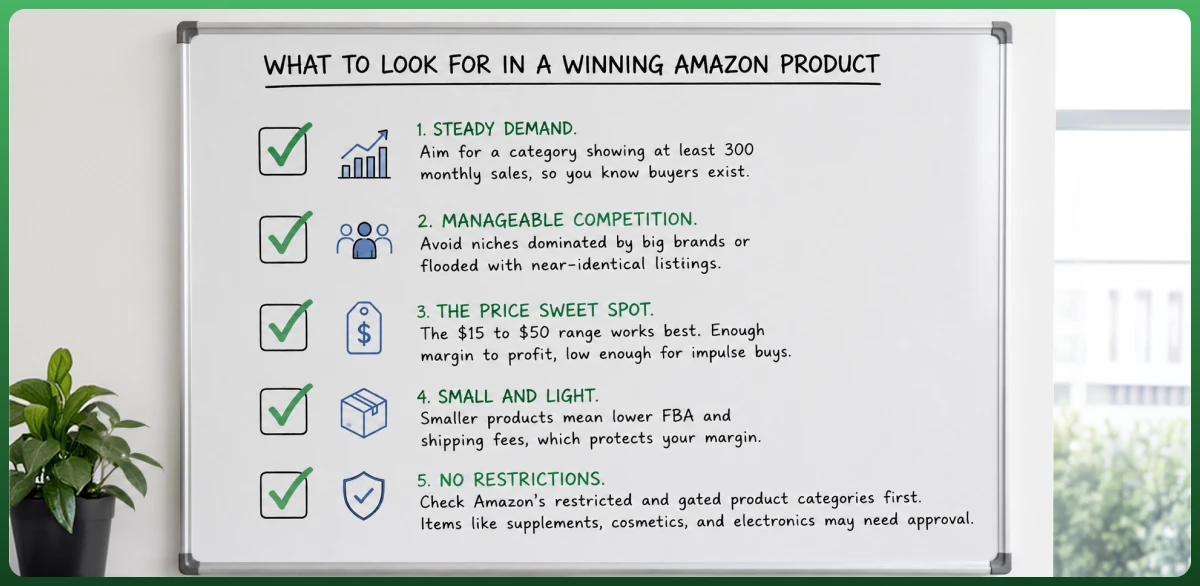
Steady demand. Aim for a category showing at least 300 monthly sales, so you know buyers exist.
Manageable competition. Avoid niches dominated by big brands or flooded with near-identical listings.
The price sweet spot. The $15 to $50 range works best. Enough margin to profit, low enough for impulse buys.
Small and light. Smaller products mean lower FBA and shipping fees, which protects your margin.
No restrictions. Check Amazon's restricted and gated product categories first. Items like supplements, cosmetics, and electronics may need approval.
Reading reviews on competing products is a quiet goldmine. Customers reveal what annoys them, and a product that fixes a common complaint has a built-in edge. Start with one strong product, prove it works, then expand. More than three quarters of sellers run fewer than ten products, so focus beats sprawl.
Validate the Product Before You Order Inventory
A product idea is a hypothesis until the numbers confirm it. Validation saves beginners from buying stock nobody wants. Before you place an order, check a few things honestly.
Estimated demand. Confirm steady monthly sales across the top listings, not one outlier.
Review counts. If every top competitor has thousands of reviews, breaking in will be slow and costly.
Seasonality. Use Google Trends and sales history to spot whether demand is year-round or a short spike.
Profit math. Run the product through the Amazon Revenue Calculator, factoring referral fees, FBA fees, shipping, and ad costs, before committing a cent.
If the margin survives every fee and still leaves room for profit and advertising, you have a real candidate. If it does not, walk away. A disciplined no here is cheaper than a warehouse of unsellable stock.
Find and Vet a Supplier
Once a product passes validation, you need someone to make or supply it. Most sellers source from overseas manufacturers on Alibaba, Made-in-China, or Global Sources, while others prefer domestic suppliers for faster shipping and easier communication.
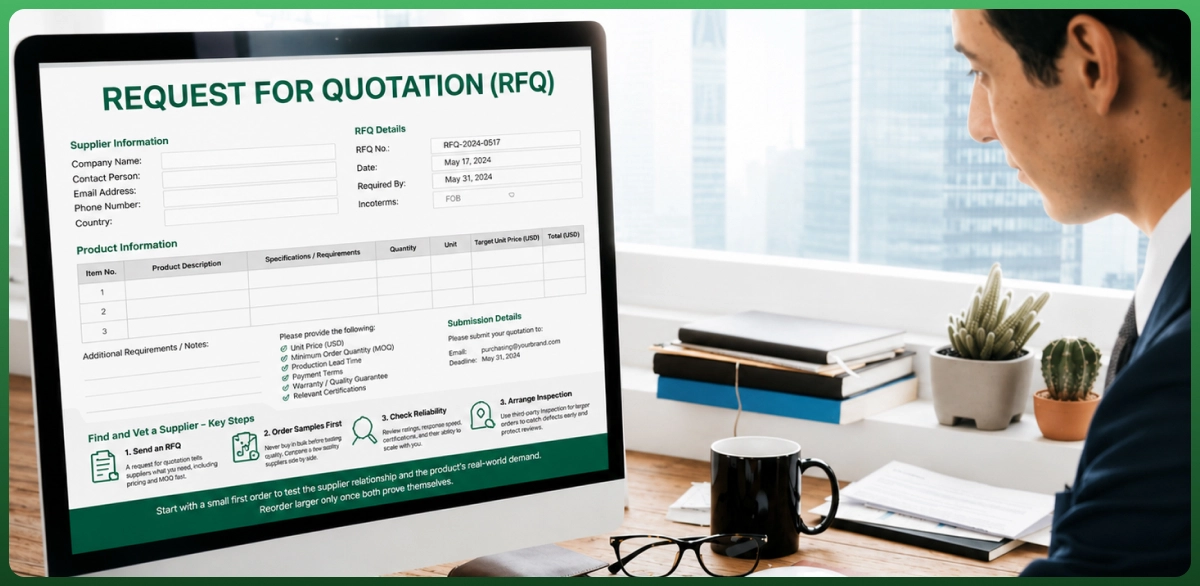
Send an RFQ. A request for quotation tells suppliers exactly what you need and surfaces pricing and minimum order quantity (MOQ) fast.
Order samples first. Never buy in bulk before testing the quality in your own hands. Compare a few suppliers side by side.
Check reliability. Review supplier ratings, response speed, certifications, and whether they can scale with you.
Arrange inspection. For larger orders, a third-party quality inspection before shipping catches defects early and protects your reviews.
Start with a small first order to test the supplier relationship and the product's real-world demand. Reorder larger only once both prove themselves.
What Can You Sell on Amazon?
You can sell almost anything on Amazon, but not everything, and some products need permission first. Knowing the three buckets before you source saves you from a blocked listing or a wasted inventory order.
Products You Can Sell Freely
Most everyday goods are open to all sellers: home and kitchen items, beauty products, apparel, toys, sporting goods, books, and countless others. If a category is not gated or restricted, you can list in it once your account is active.
Products That Require Approval (Gated Categories)
Some categories are gated, meaning Amazon asks for approval, documentation, or invoices before you can sell. Common gated categories include cosmetics, groceries and food, supplements, watches, jewelry, and certain electronics. You check eligibility under Add a Product in Seller Central, where your selling application status shows what you are approved for.
Restricted and Prohibited Products
Other products are outright prohibited regardless of account type, for safety or legal reasons. These include alcohol, tobacco, weapons and explosives, recalled items, certain hazardous materials, and counterfeit goods. Selling a prohibited item can trigger immediate suspension, so always check Amazon's restricted products list before sourcing.
Almost free to open, not free to run. Creating a seller account costs nothing on the Individual plan. The real costs come from inventory, fees, and ads. Most sellers start with under $5,000, and about 25% launch with less than $1,000, usually through arbitrage.
Individual vs. Professional Selling Plans
Amazon offers two plans, and the right one depends on your volume. The Individual plan has no monthly fee but charges $0.99 per item sold. The Professional plan costs $39.99 per month with no per-item fee and unlocks advertising, bulk listing, the Featured Offer, and reports. Cross about 40 sales a month and Professional is the cheaper choice.
The Account Comparison Matrix
Feature
Individual Plan
Professional Plan
Monthly fee
None
$39.99
Per-item fee
$0.99 per sale
None
Best for
Under 40 items/month
40+ items/month
Advertising access
No
Yes
Featured Offer eligible
No
Yes
Bulk listing tools
No
Yes
Beyond the plan, budget for the fees that follow every sale: referral fees, and if you use FBA, fulfillment and storage fees. Here is the honest breakdown so you can price with eyes open.
Amazon Seller Fees at a Glance
Fee Type
Typical Cost
Applies To
Referral fee
8% to 45% (avg 15%)
Every sale, by category
Subscription fee
$39.99/mo or $0.99/item
Professional or Individual plan
FBA fulfillment fee
Varies by size/weight
FBA orders only
Storage fee
Monthly, higher in Q4
FBA inventory held
Closing fee
$1.80 per unit
Media items (books, DVDs)
Advertising (PPC)
Optional, you set budget
Sponsored ads
Return processing
Varies
Some FBA categories
As a real example, a small standard item priced at $19.99 can carry an FBA fulfillment fee near $3.81. Stack the referral fee on top and Amazon's cut can reach roughly a third of the sale price before ad spend. That is why running the Revenue Calculator first is non-negotiable.
How Amazon Pays You
Amazon collects the customer's payment, deducts its fees, and pays you the rest. Disbursements typically run every 14 days, with funds settling to your bank account a few days after each cycle. New sellers often see a reserve, where Amazon holds a portion of funds briefly after delivery to cover potential returns or claims. Once your account builds a track record, payouts become predictable, and you can request disbursements more often.
Setting Up Your Amazon Seller Central Account
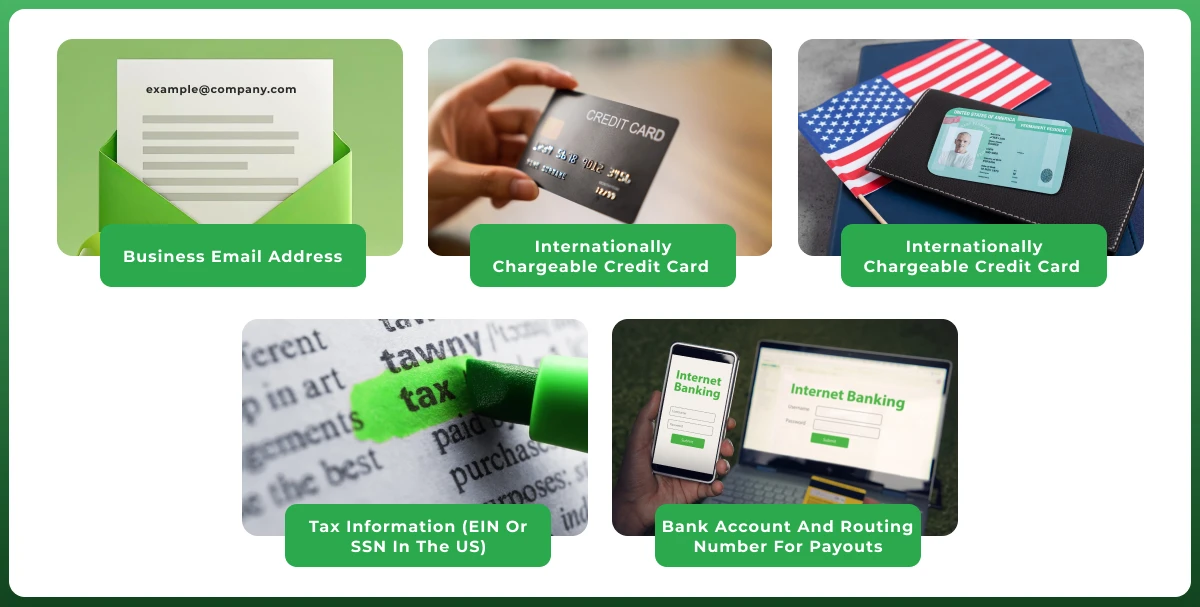
Amazon Seller Central is your command center. It is where you list products, manage orders, run ads, and track performance. Setting up an Amazon seller account takes minutes, though full verification can take a few days. Have these ready before you start:
Business email address or Amazon customer account
Internationally chargeable credit card
Government-issued photo ID
Tax information (EIN or SSN in the US)
Bank account and routing number for payouts
Amazon no longer requires a business license to open an account, though you do need a tax ID. Once you submit your details, you may complete a short identity verification, sometimes by video call, and then you are live.
Enroll in Amazon Brand Registry
If you sell your own brand, enroll in Amazon Brand Registry. It is free and protects your listings from counterfeiters and hijackers. It also unlocks A+ Content, Sponsored Brands ads, a branded storefront, and brand analytics. Brand Registry now protects over 800,000 brands. The one requirement is a registered or pending trademark, so apply for that early if you plan to build a brand.
Brand Registry also opens Amazon Brand Analytics, a data suite worth knowing as you grow. Search Query Performance shows how shoppers find you, Customer Search Terms reveal the exact phrases driving clicks, and Market Basket Analysis shows what buyers purchase alongside your product. These insights sharpen both your keywords and your product roadmap.
Product Listing in Amazon: How to Do It
Your product detail page is where browsing turns into buying. A weak product listing loses sales no matter how good the product is. Every word in your title is searchable, so treat the listing as both a sales pitch and an SEO asset.
Product title. Keep it under 200 characters, lead with your main keyword, and include brand, key feature, and size or quantity. Amazon recommends staying near 80 characters for mobile readability.
Images. Use a pure white main image where the product fills at least 85% of the frame. Add lifestyle shots, angles, and a short video. Aim for six images plus one video.
Bullet points. Write five benefit-led bullets. Lead with the outcome, then the feature. "Stays cold 24 hours" beats "stainless steel 18/8."
Product description and A+ Content. Tell the product's story. Brand-registered sellers can use A+ Content, which Amazon says can lift sales by up to 8%.
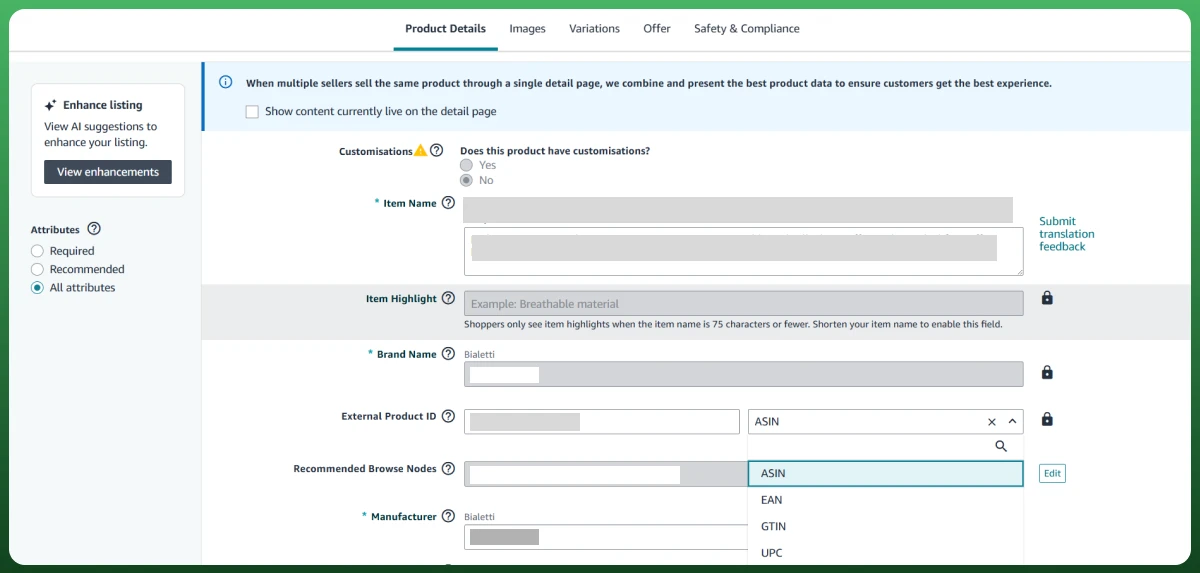
Product ID (GTIN) and SKU. You will need a UPC, EAN, or ISBN to match or create a listing, and each item gets a unique SKU you set to track inventory. Buy genuine GS1 barcodes to avoid listing errors later.
When you list, Amazon assigns each product an ASIN, its unique catalog identifier. If you use FBA, units also get an FNSKU label so Amazon can track your specific inventory in its warehouses. Matching an existing product means joining its detail page; a brand-new product gets a fresh Amazon ASIN once approved.
Amazon SEO: Getting Found in Search
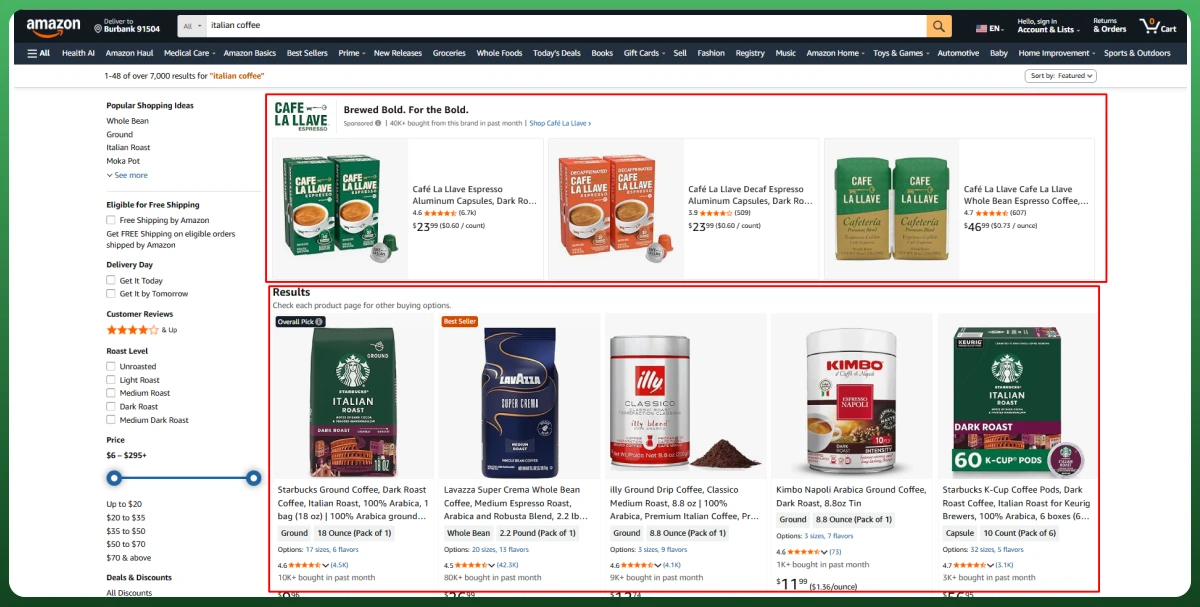
Listing optimization and Amazon SEO overlap, but SEO deserves its own focus because most sales start with a search. Amazon's A9 algorithm decides which products appear and in what order. It rewards relevance and proven sales, so your job is to signal both.
Keyword research. Find the exact keywords or terms shoppers type using tools like Helium 10 or the Brand Analytics search term report, then place them where they count.
Backend search terms. Fill the hidden search term fields in Seller Central with keywords, synonyms, misspellings, and related phrases you could not fit in the title.
Relevance and CTR. A clear title and strong main image lift your click-through rate, which tells Amazon your listing matches the search. You can use multiple tools for this work.
Conversion rate. Once shoppers click, good images, reviews, and pricing turn visits into sales, the single biggest ranking signal.
You may see the term A10 in seller forums. It is an unofficial nickname for Amazon's evolving algorithm, not a named Amazon product, so treat those claims with skepticism. The fundamentals, relevance plus conversion are what move rank.
Optimize for the A9 algorithm, Amazon's search engine. It rewards relevant keywords, strong sales history, competitive pricing, and good reviews. Put the terms your customers actually type into your title, bullets, and backend search fields. Then keep refining based on what converts. Strong listings can hit conversion rates of 10% to 15%, far above a typical website.
Listings not converting the way you hoped? We have rebuilt and optimized thousands of Amazon listings for higher rank and sales. See our case studies.
How Does Shipping Work? FBA vs. FBM
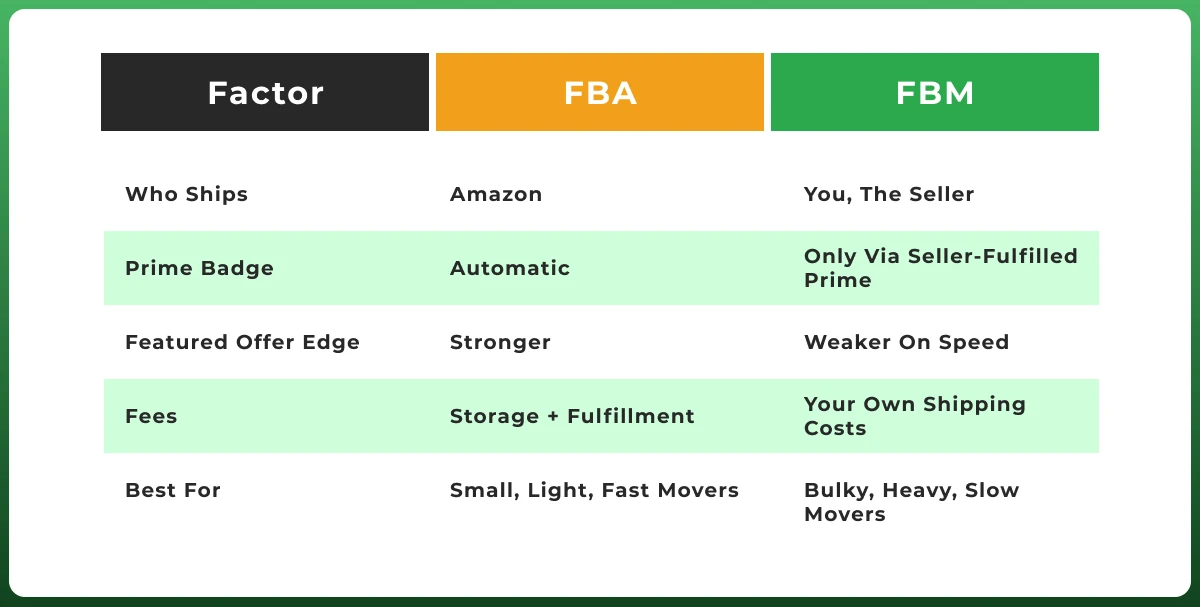
Once an order comes in, someone has to pack and ship it. That someone is either Amazon or you. This single choice shapes your fees, your margins, and whether you get the Prime badge. Around 71% of sellers choose FBA, but the right answer depends on your product.
Option A: Amazon Packs It for You (FBA)
With Amazon FBA (Fulfillment by Amazon), you ship inventory to Amazon's warehouses and it handles storage, picking, packing, shipping, returns, and customer service. The big win is the Prime badge, which lifts conversion and helps you win the Featured Offer. The trade-off is fulfillment and storage fees, plus less control over packaging.
Option B: You Mail It Yourself (FBM)
With Fulfillment by Merchant, you store, pack, and ship orders yourself and handle your own customer service. You avoid Amazon's fulfillment fees, which can protect margins on bulky or slow-moving items. The downside is no automatic Prime badge and a lot more daily work. Sellers who qualify can add Seller-Fulfilled Prime to earn the badge while self-shipping.
One more fee to plan for: the referral fee, Amazon's commission on each sale. It averages 15% but ranges from 8% to 45% by category. Run every product through Amazon's Revenue Calculator before you buy inventory, so you never discover the math too late.
Winning the Featured Offer and Scaling Sales
Listing a product is not the finish line. With millions of sellers competing, visibility is earned. This is where you win the Featured Offer and start driving real volume.
What Is the Featured Offer (Buy Box) and How to Win It
The Featured Offer, long known as the Buy Box, is the prominent "Add to Cart" section on a product page. When several sellers offer the same item, Amazon picks one to feature, and that seller captures the vast majority of sales. Amazon's algorithm weighs a few factors:
Competitive pricing, though not always the lowest. Amazon favors the best overall value.
Fulfillment method, with FBA and Seller-Fulfilled Prime getting an edge on speed.
Performance metrics, like low defect rates, on-time shipping, and responsive service.
Inventory consistency, since frequent stockouts hurt your chances.
Launch Strategies: Accelerating Your Sales Velocity
Sales velocity, the speed and consistency of your sales, is fuel for your organic rank. New listings need a push to build it. Advertising is no longer optional; it is the cost of being seen.
Sponsored Products. PPC ads that place your listing in search results. Start with automatic targeting, gather keyword data, then move to manual campaigns for control.
Sponsored Brands. Headline ads featuring your logo and several products, available to brand-registered sellers.
Sponsored Display. Ads that retarget shoppers on and off Amazon based on browsing behavior, useful for staying top of mind.
Promotions and deals. Coupons and Lightning Deals boost discoverability, especially around Prime Day, and can spark review growth.
External traffic. Drive shoppers from social media, influencers, or email to your listings. Amazon Attribution lets you measure which outside channels actually convert, and the brand referral bonus can offset fees on that traffic.
Keep ad spend disciplined. Most sellers track TACOS, the total advertising cost of sale, and aim to keep it near 10% to 15% of revenue. Smart Amazon PPC management feeds the flywheel: ads drive sales, sales lift organic rank, and rank reduces your reliance on ads over time.
Managing Account Health After Your First Sale
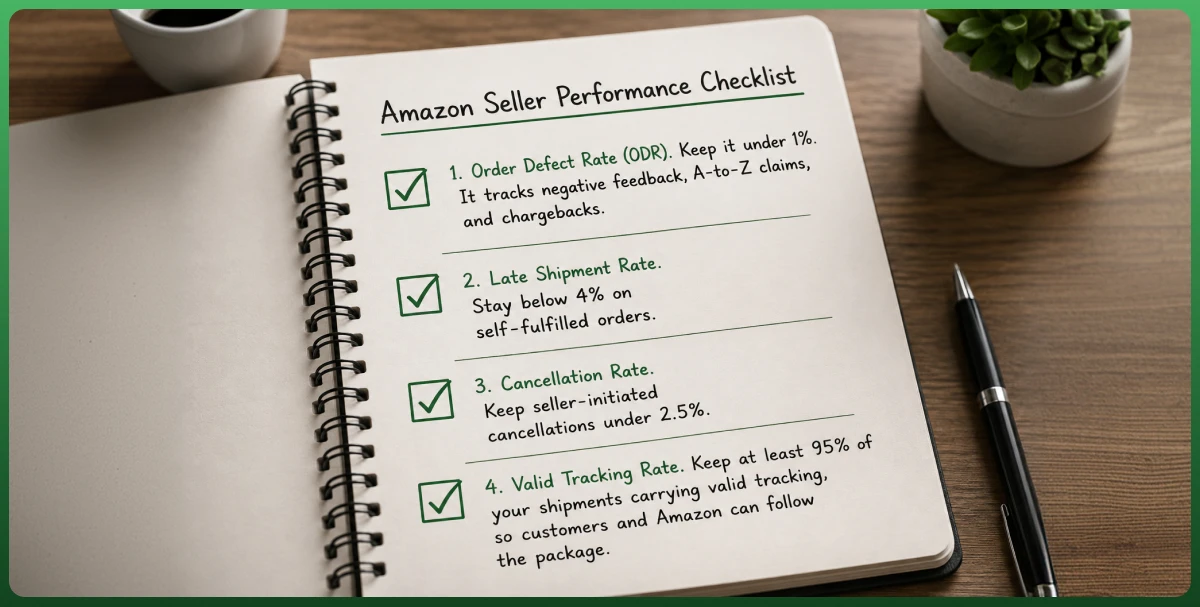
Your first sale is a milestone, not the end of the work. Amazon holds sellers to strict standards, and slipping below them can suppress your listings or suspend your account. Your Account Health Rating (AHR) rolls these signals into one score, and these are the metrics behind it:
Order Defect Rate (ODR). Keep it under 1%. It tracks negative feedback, A-to-Z claims, and chargebacks.
Late Shipment Rate. Stay below 4% on self-fulfilled orders.
Cancellation rate. Keep seller-initiated cancellations under 2.5%.
Valid Tracking Rate. Keep at least 95% of your shipments carrying valid tracking, so customers and Amazon can follow the package.
Two more dashboards matter as you scale. The Voice of the Customer dashboard surfaces buyer complaints early, flagging listings at risk before they hurt your account. And if you use FBA, your Inventory Performance Index (IPI) measures how well you manage stock on a 0 to 1,000 scale. Falling below the 400 threshold can cap your storage and block new shipments, so keeping inventory lean and selling steadily protects your capacity.
Build Reviews the Right Way
Reviews drive conversion, and review velocity, the steady pace of new reviews, signals trust to both buyers and the algorithm. Amazon strictly prohibits paying for reviews or incentivizing them, and breaking those rules risks suspension. The safe routes are simple.
Request a Review button. Use Amazon's built-in button in Seller Central to send a compliant, automated product review request after each order.
Amazon Vine. Brand-registered sellers can enroll new products in Vine, which sends free units to trusted reviewers for honest feedback. It is the only white-hat way to build early reviews fast.
Great products and service. The most durable reviews come from a product that delivers and service that resolves issues quickly.
Handle Returns and Customer Service
Returns are part of selling, and how you handle them protects your metrics. With FBA, Amazon manages returns and refunds for you, though its customer-first policies can sometimes favor the buyer. With FBM, you own the entire process: clear return policies, fast refunds, and responsive service. Keep return rates low by setting accurate expectations in your listing, since misleading images or descriptions are a top cause of returns and negative feedback. If you sell across Amazon, eBay, and your own store, multichannel software management keeps stock, orders, and returns in sync across channels.
When to Get Expert Help With Your Amazon Store
Plenty of sellers run Amazon businesses solo. But the platform has many moving parts: listings, ads, inventory, account health, and constant fee changes. At some point, doing it all yourself costs more in lost sales than it saves. That is usually when sellers bring in help, whether launching, recovering a stalled listing, or scaling past what one person can manage.
A common next move is diversifying beyond Amazon, too, adding Walmart Marketplace or eBay so your business does not live or die by one channel.
Around 58% of sellers reach profitability within their first year, but the ones who get there fastest tend to run tight operations and lean on expertise when they need it. The marketplace rewards discipline, not guesswork.
Ready to launch or scale on Amazon without the guesswork? From account setup and listing optimization to ads and account health, our ecommerce and digital marketing team can handle it end to end.
Conclusion
Selling on Amazon is one of the most direct paths into ecommerce, with a global audience of independent sellers driving most of the marketplace. The steps are clear: pick a model, find a product the market wants, set up Seller Central, build a sharp listing, choose your fulfillment, and advertise to build momentum.
None of it is magic, and none of it is guaranteed. The sellers who win treat Amazon like a real business: they price with the fees in mind, optimize relentlessly, and protect their account health. Start with one good product, learn the platform, and reinvest what works. That is how small starts become real brands.
Frequently Asked Questions
How to sell on Amazon as a beginner?
Create an Amazon Seller Central account, choose a business model like private label or arbitrage, research a profitable product, list it with an optimized title and images, pick FBA or FBM for fulfillment, and promote it with Sponsored Products ads. Start with one product and scale as you learn.
Is it free to sell stuff on Amazon?
Opening an account is free on the Individual plan, which charges $0.99 per item sold instead of a monthly fee. You will still pay a referral fee on each sale, usually around 15%. The Professional plan costs $39.99 a month. So selling is low-cost to start, but not entirely free.
How much does it cost to be a seller on Amazon?
Beyond the $39.99 monthly Professional plan (or $0.99 per item on Individual), expect referral fees of 8% to 45% by category, plus FBA fulfillment and storage fees if Amazon ships for you. Most sellers start with under $5,000 total, and about a quarter begin with less than $1,000.
Can I sell on Amazon from home?
Yes. Most Amazon sellers run their business from home. With FBA, Amazon stores and ships your inventory, so you never need a warehouse. You manage everything, including listings, pricing, and orders, from a laptop or the Amazon Seller app.
Can I sell on Amazon without being a business?
Yes. You can register as an individual using your Social Security number instead of an EIN. Amazon does not require a formal business license to open a seller account. That said, forming a business can offer tax and liability benefits as you grow.
Which items sell best on Amazon?
The most popular and profitable categories include Home & Kitchen, Beauty & Personal Care, Clothing and Accessories, Toys & Games, and Electronics. The best pick balances steady demand with manageable competition, usually in the $15 to $50 price range.
Is selling on Amazon profitable?
It can be. Around 58% of sellers become profitable within their first year, and many reach 10% to 20% net margins after fees. Profit depends on product choice, pricing, and control of fees and ad spend. Sellers who skip the fee math are the ones who struggle.
What sells fastest on Amazon?
Lightweight, low-cost consumables and everyday products tend to sell fastest, especially in Home & Kitchen, Beauty, and Health categories where customers reorder often. Items in the $15 to $50 range with strong reviews and the Prime badge move quickest.
What products can I sell on Amazon?
You can sell almost anything, from private label goods to wholesale and handmade items, as long as it is not restricted. Some categories like supplements, cosmetics, alcohol, and certain electronics need approval first. Always check Amazon's restricted and gated category lists before sourcing.
Ready To Start Selling On Amazon?
Get Expert Amazon Store Setup & Management Services From Ecomgiantz.
The Ecomgiantz Team is a group of eCommerce specialists, developers, designers, SEO strategists, and content editors dedicated to publishing accurate, practical, and research-backed resources for online businesses.
Every article undergoes a structured editorial review to ensure technical accuracy, clarity, and relevance. The team combines hands-on industry experience with extensive research to create content that helps entrepreneurs, brands, and enterprises build, optimize, and scale successful eCommerce businesses.
The Team regularly covers topics including eCommerce development, online store optimization, AI-powered solutions, digital marketing, marketplace strategies, and emerging technologies. Their goal is to deliver actionable insights that help readers make informed business decisions in an evolving digital landscape.