What Is Wix? Complete Guide to the Website Builder, Features & Ecommerce
Explore what Wix is, how its website builder works, and its key features, pricing, ecommerce capabilities, SEO tools, advantages, limitations, and alternatives to choose the right platform.
If you have been searching for a simple way to get your business online, chances are you have come across Wix. It is one of the most recognized names in the website builder space, and for good reason.
Wix is a cloud-based website builder that lets anyone create a professional website without writing a single line of code. Whether you want to launch a personal blog, build a portfolio, open an online store, or set up a booking system for your local business, Wix gives you the tools to do it all from one dashboard.
Millions of small business owners, freelancers, and ecommerce entrepreneurs use Wix to build everything from basic landing pages to full-featured online stores. As of 2026, Wix has more than 293 million users worldwide and over 6.3 million subscribers. But is Wix the right fit for your specific needs? That depends on what you are building, how fast you plan to grow, and what features matter most to you.
In this guide, I will walk you through everything you need to know. You will learn what Wix does, how it works, what it costs, how its ecommerce tools stack up, and when you might want to consider alternatives instead.
Key Takeaways:
Wix is a cloud-based, hosted platform.
Wix servers guarantee 99.99% uptime, backed by multi-cloud infrastructure and a global CDN with 200+ edge/CDN nodes.
Founded in 2006, the platform now serves over 293M+ million registered users across 190 countries.
It offers drag-and-drop editing, 2000+ customizable templates, built-in ecommerce tools, SEO features, and AI-powered site generation.
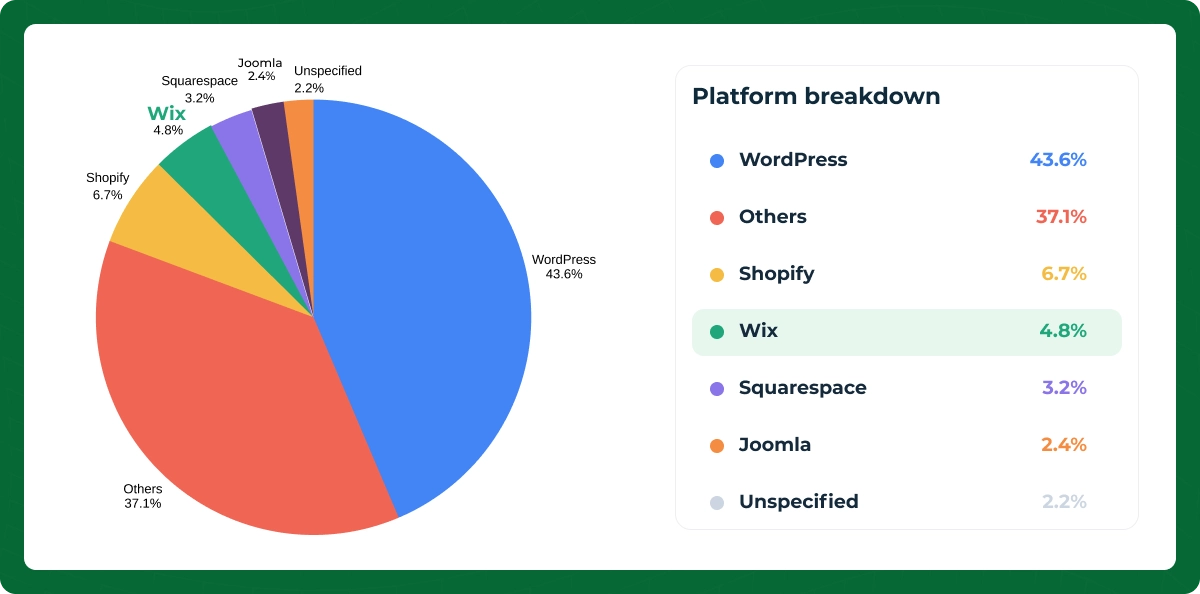
Wix has 6.3 million paid subscribers and powers 4.3% of all websites globally.
What Is Wix?
At its core, Wix is a website builder. It is a platform that gives you everything you need to create, host, and manage a website without hiring a developer or learning to code.
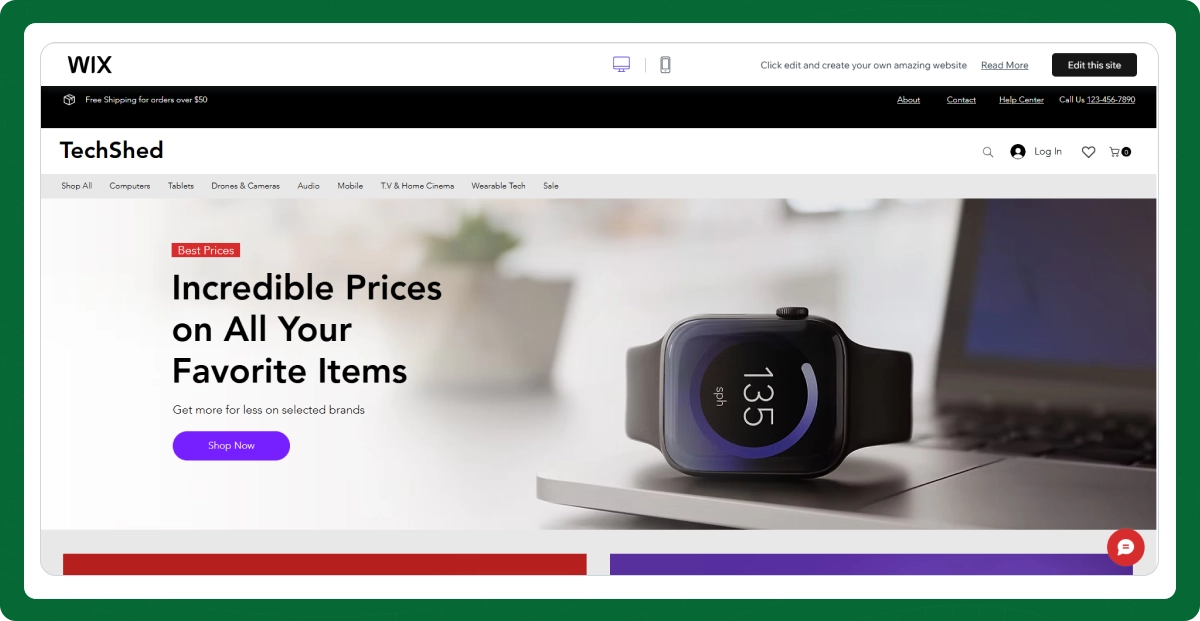
You pick a template, customize it using a visual drag-and-drop editor, add your content, and hit publish. Your site goes live on the internet, complete with hosting, SSL security, and a custom domain if you choose a paid plan.
Think of it like this: if WordPress is a toolkit that gives you maximum control but requires some technical knowledge, Wix is the all-in-one solution that handles the heavy lifting for you. It is a full business platform where you can sell products, accept bookings, send marketing emails, manage customer relationships, run paid ads, and track analytics.
The platform also includes a built-in blog, SEO tools, a logo maker, social media integrations, and an app market with over 1000 third-party applications you can plug into your site.
People use Wix for all kinds of projects. Small businesses build their first websites on it. Restaurants use it for online ordering and reservations. Photographers and designers create portfolio sites. Coaches and consultants use Wix Bookings to let clients schedule sessions.
Ecommerce entrepreneurs use it to sell physical and digital products, manage inventory, and process payments. Wix even supports membership sites, event ticketing, and online course hosting.
How Does Wix Work?
Understanding what Wix is and how it works starts with knowing the different tools available on the platform. Here is a breakdown of how you actually build and launch a site.
Drag-and-Drop Website Builder
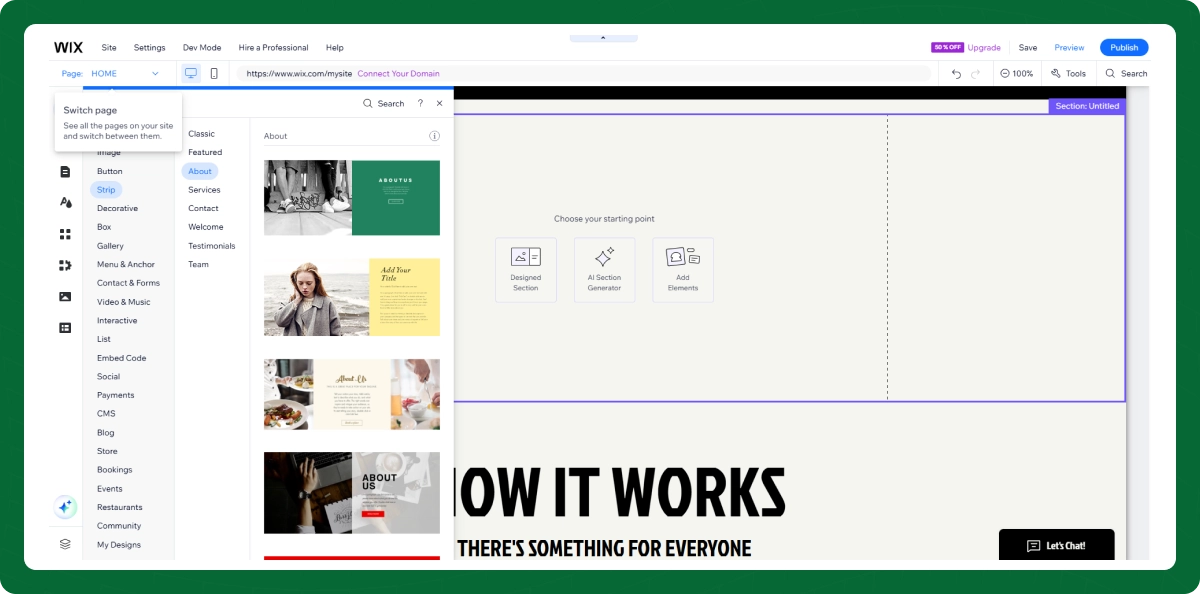
The Wix Editor is the classic way to build on the platform. It uses a true drag-and-drop system where you can move any element anywhere on the page. You are not locked into rigid layouts.
This gives you a high level of design freedom. You can place text blocks, images, buttons, galleries, forms, and videos exactly where you want them. For beginners, this visual approach makes website building feel intuitive rather than technical.
Wix ADI (Artificial Design Intelligence)
Wix ADI is the platform's first AI tool. You answer a few questions about your business, and it generates a complete website for you in minutes. According to Wix's internal data, ADI can build a functional site in as little as 7 minutes.
It is a great starting point if you want to get online quickly. You can always fine-tune the design later using the standard editor.
Wix Harmony, Wix Vibe, and Studio Two
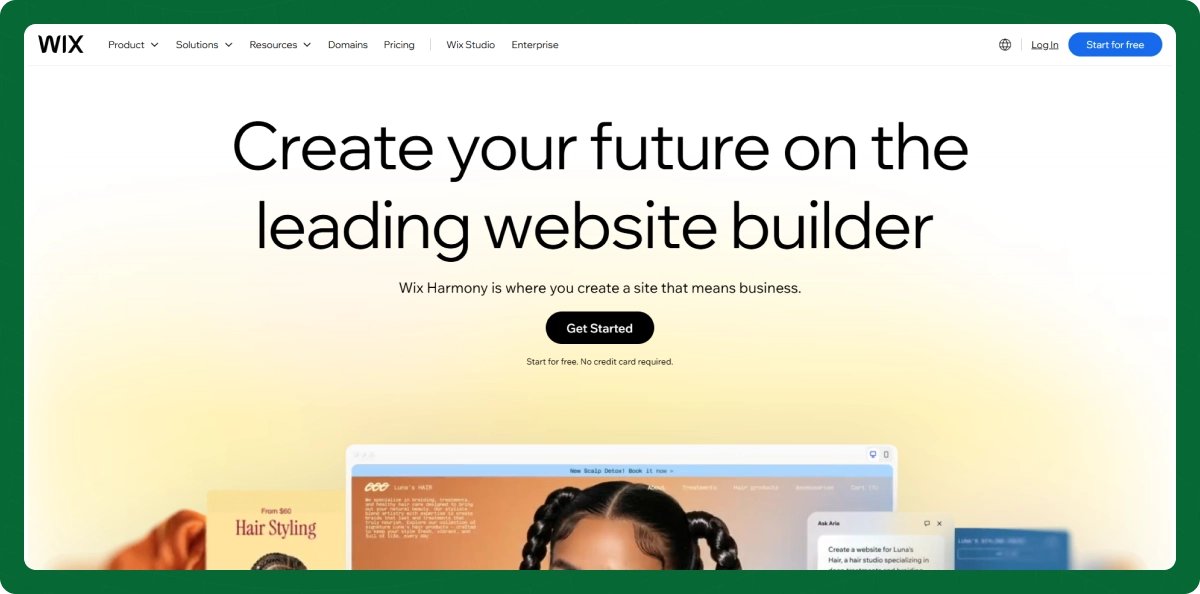
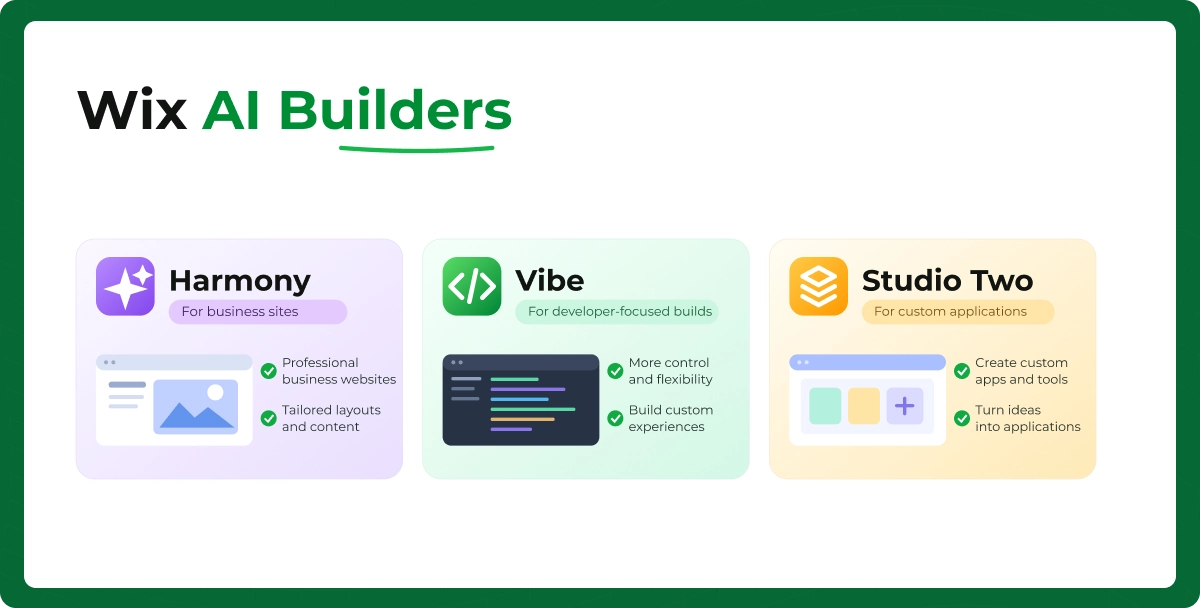
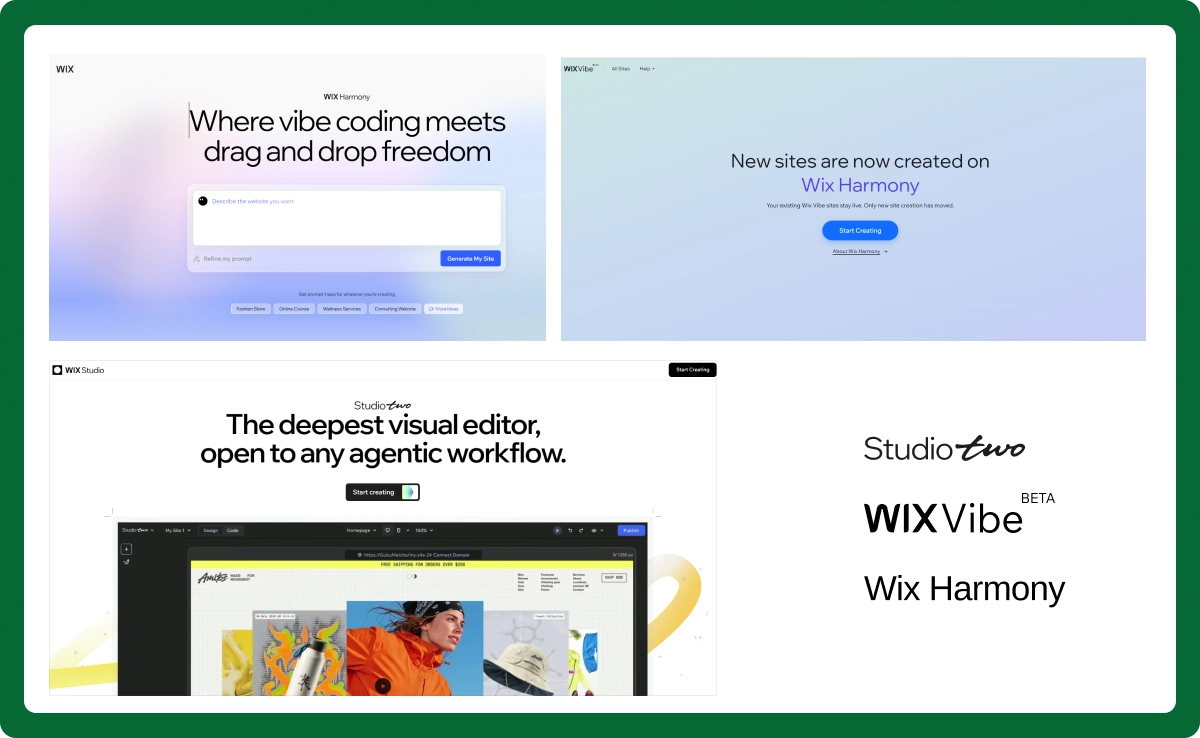
In 2026, the Wix AI ecosystem has expanded beyond ADI. Wix Harmony is the flagship AI builder that uses natural language prompts alongside drag-and-drop editing through Aria, its persistent AI assistant.
Wix Vibe offers headless AI site building with full code access, aimed at developers who want more control. And Studio Two, announced in November 2026, is an open, AI-native visual editor built for agencies and professional web creators. It combines AI generation through Aria 2.0, visual canvas design, and standard React code into one editor, and ships with around 60 major new features including advanced animations, variables, and a browser-based VS Code environment.
Studio Two is built on the same foundation as Wix Harmony, so agencies can open any Harmony site in Studio Two and continue working with the full range of advanced capabilities. It is currently rolling out to Wix Partners first, followed by a gradual rollout to all users.
Hosting and Domains
Every Wix plan includes cloud hosting with enterprise-grade security and free SSL encryption. Paid plans include a free custom domain for the first year. After that, domain renewal costs around $17 per year.
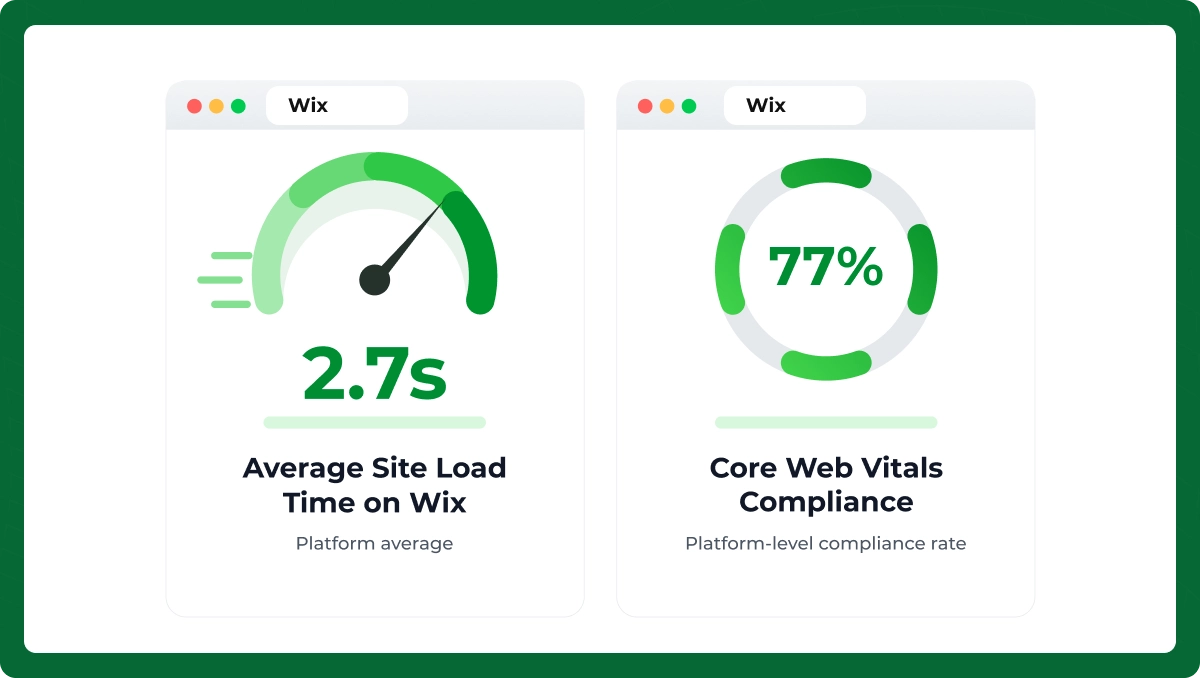
Average site load time on Wix is 2.7 seconds, and Core Web Vitals compliance across the platform has reached 77%, which is solid for a hosted builder.
What Can You Build with Wix?
One of the biggest advantages of the Wix website builder is its versatility. Here is what you can create on the platform.
Business Websites
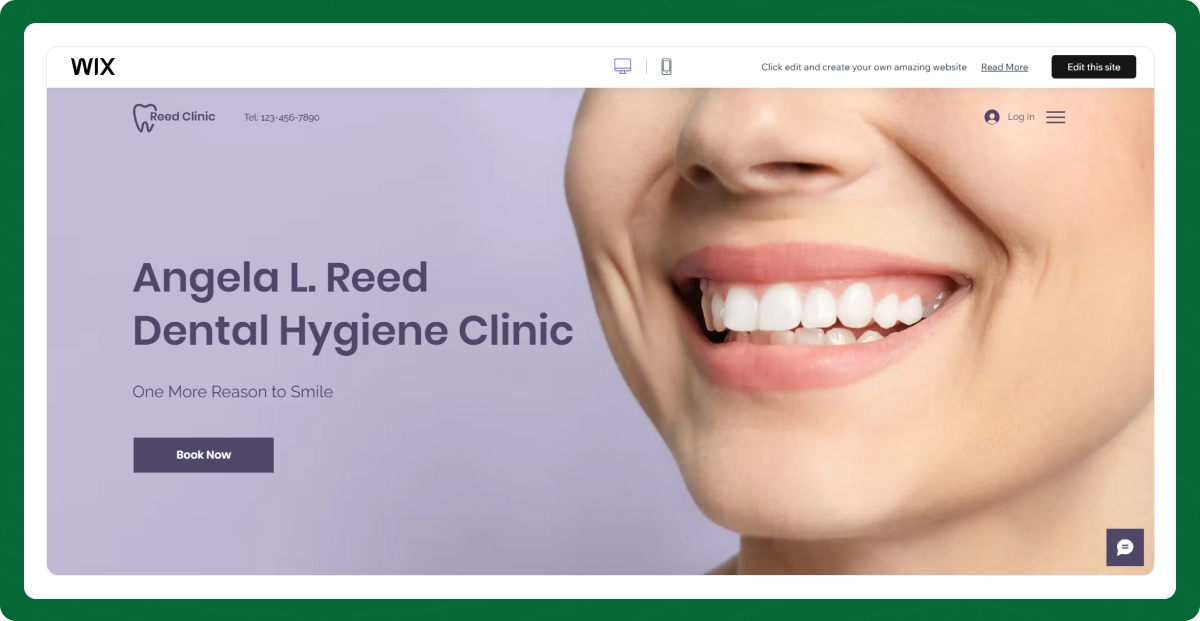
This is the most popular use case. Nearly 80% of active Wix sites belong to small businesses with fewer than 10 employees. Whether you run a consulting firm, a dental practice, or a marketing agency, Wix has templates and tools built for you.
Ecommerce Stores
Wix ecommerce lets you sell physical products, digital downloads, and subscription-based items. The platform powers over 3 million online stores that collectively generate more than $12.4 billion in annual sales volume.
Portfolio Websites
Wix hosts over 1.1 million portfolios for creative professionals, including photographers, designers, illustrators, and writers. The visual editor makes it easy to showcase work with galleries, sliders, and video backgrounds.
Blogs
The built-in blogging platform supports categories, tags, SEO optimization, scheduled publishing, and RSS feeds. Over 210,000 Wix sites use blog-driven content strategies, and blogging increases organic reach by an average of 31%.
Restaurant Websites
Restaurant and food service templates saw a 24% increase in downloads recently. Wix offers built-in online ordering, menu display, table reservation, and integration with delivery services.
Booking Websites
Wix Bookings saw a 17% usage increase among solo practitioners like fitness coaches, therapists, and consultants. Clients can book appointments, pay online, and receive automated reminders.
Membership, Course, and Event Websites
You can create gated content areas with tiered membership levels, sell online courses with video hosting, or manage events with integrated ticketing. Over 110,000 ticketed events were hosted through Wix last year alone.
Key Features of Wix
What can you do with Wix beyond building pages? Here is a look at the platform's core feature set.
2,000+ Customizable Templates
Wix offers over thousands of templates across 50+ industries. The most downloaded ecommerce template in 2026 is the Minimalist Store layout. Templates with integrated video headers and animations are chosen in 21% of new site setups.
Mobile Responsive Design
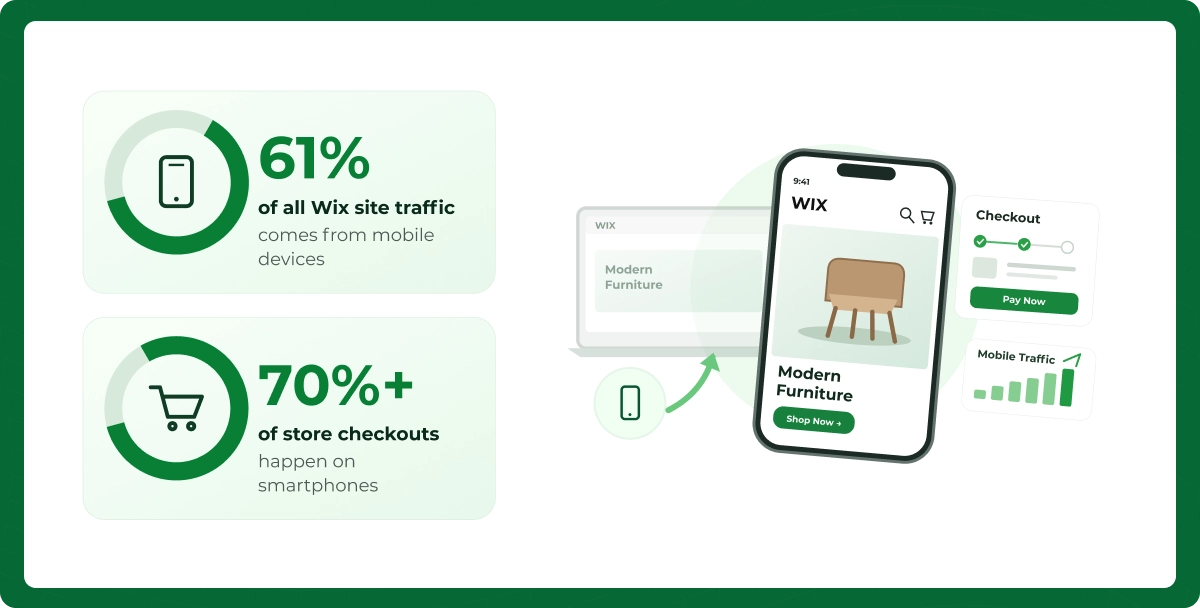
Mobile-first design is enabled by default in 92% of new Wix signups. This matters because 61% of all Wix site traffic comes from mobile devices, and over 70% of store checkouts happen on smartphones.
App Market
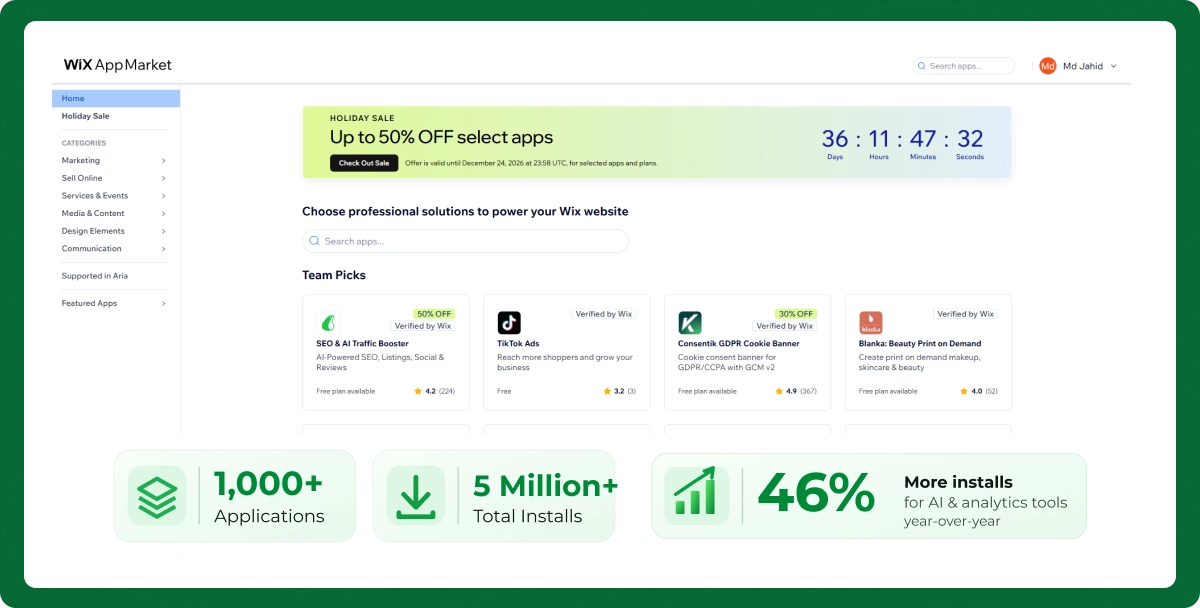
The Wix App Market hosts over 1000 applications with more than 5 million total installs. Top apps include Wix Bookings, Wix Chat, and Mailchimp integration. AI and analytics tools saw 46% more installs year-over-year.
Built-in SEO Tools
Wix includes meta tag editing, URL customization, structured data support for 15+ industries, integration with Google Search Console, and an SEO Wizard that has been used over a few million times. Wix sites appear on page one of Google for over 48% of targeted keywords after using the SEO tools.
Blogging Features
The blog tool supports rich text, categories, tags, author profiles, scheduled posts, and social sharing. It syncs directly with Wix's email marketing and social media tools for cross-channel promotion.
Marketing and Email Tools
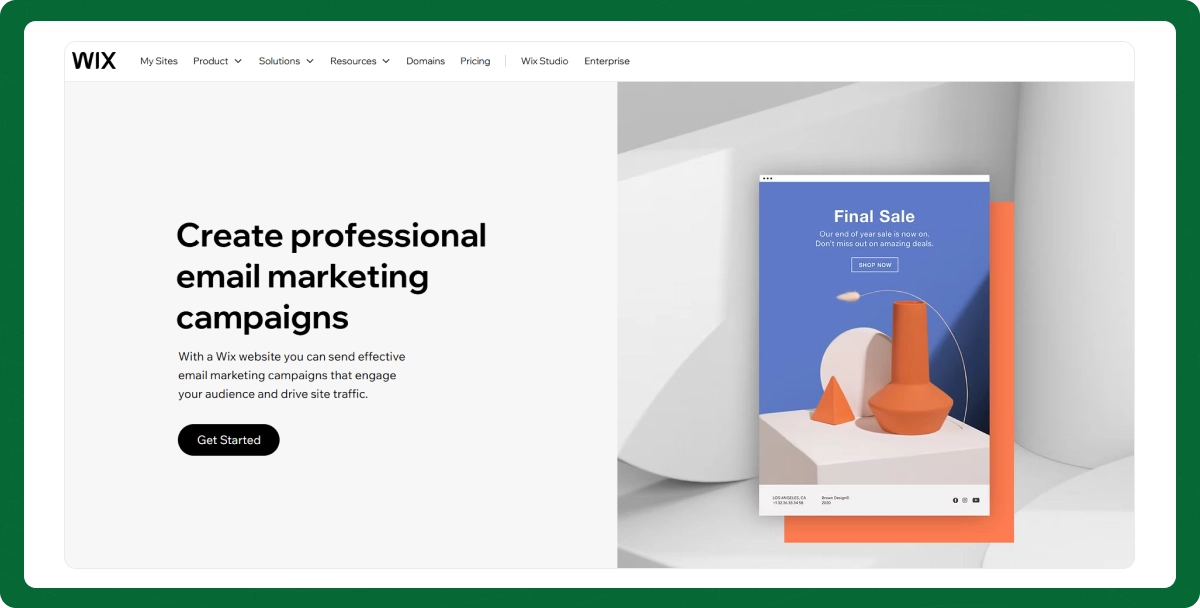
Wix marketing tools include email campaigns (starting from free for 200 emails per month), social media auto-posting, Google Ads integration, and Facebook Catalog Sync. The platform provides $600 in ad vouchers on several plans.
Analytics Dashboard
A redesigned analytics dashboard launched in early 2026 provides real-time traffic data, sales metrics, conversion tracking, and visitor behavior insights. You can monitor everything from sessions to revenue in one place.
Forms, Lead Capture, and CRM
Built-in forms, pop-ups, landing pages, and CRM tools help you capture leads and nurture prospects. Everything syncs automatically, so your email lists, form submissions, and customer data stay connected.
Security and SSL
Every Wix site includes free SSL encryption, PCI-compliant payment processing, DDoS protection, and automatic security updates. Wix provides 99.99% uptime backed by distributed cloud hosting across six global regions.
AI Website Generation
As mentioned earlier, Wix now offers multiple AI tools: Harmony for business sites, Vibe for developer-focused builds, and Studio Two for professional agency work. These AI builders handle layout, content suggestions, and even SEO metadata.
Is Wix for Ecommerce?
Yes, Wix is a legitimate ecommerce platform. It is not just a website builder with a shopping cart bolted on. Wix ecommerce has grown into a robust native solution with product management, inventory tracking, payment processing, shipping automation, and multichannel selling.
That said, it is best suited for small to mid-sized stores. If you are selling 50 to 5,000 products and your primary goal is simplicity with solid functionality, Wix ecommerce delivers well. For enterprise-scale operations with 50,000+ SKUs and complex logistics, platforms like Shopify Plus or custom WooCommerce builds are better fits.
Wix Ecommerce Features
Here is what Wix ecommerce offers when you choose a Core plan ($29/month) or higher.
Product Management
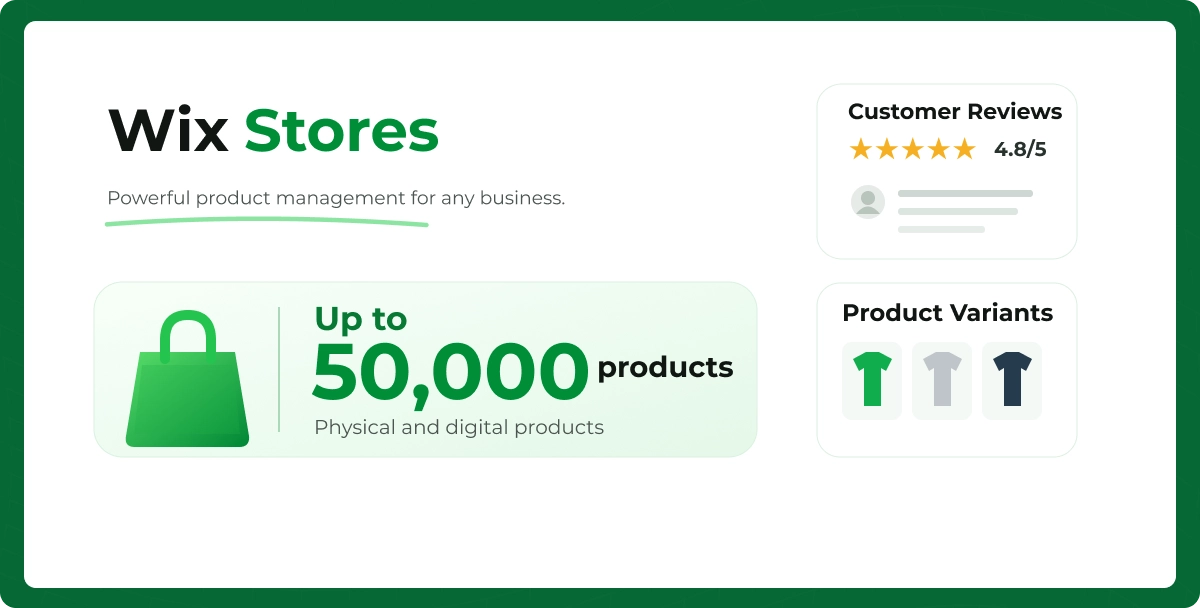
You can list up to 50,000 physical and digital products with variants, custom options, weight-based pricing, and rich product descriptions. Product pages support image galleries, videos, and customer reviews.
Inventory Management
Real-time inventory tracking syncs across your online store and any connected sales channels. You get low-stock alerts, back-in-stock notifications for customers, and the ability to manage inventory for product variants.
Multiple Payment Gateways
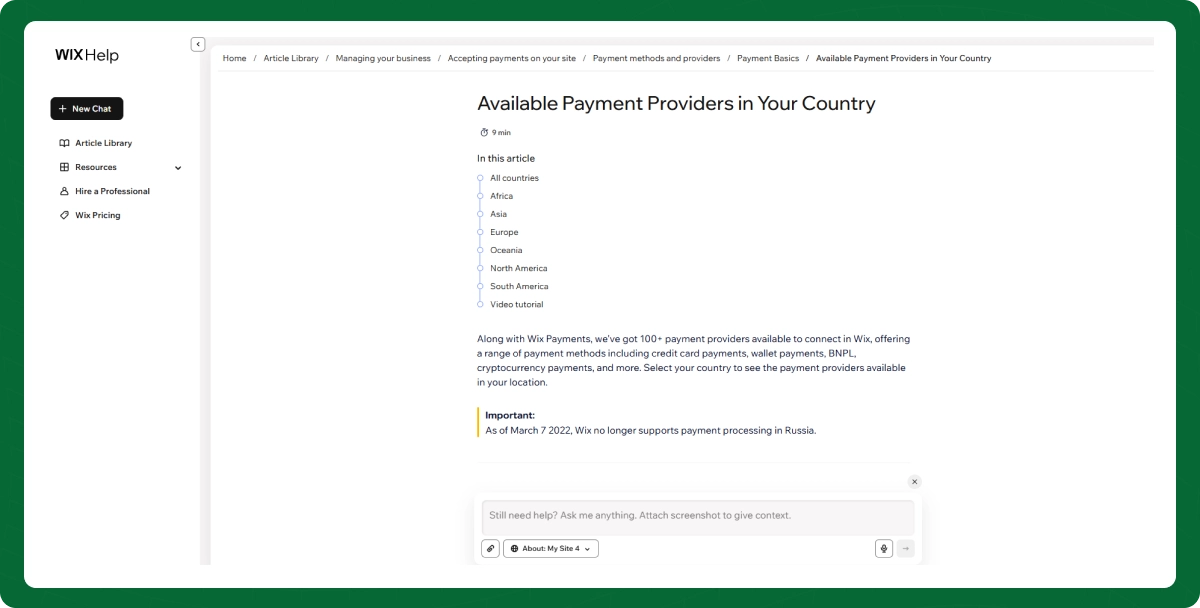
Wix supports credit card payments, PayPal, and offline payment options. It also integrates with Stripe, Square, and Authorize.net, plus 100+ local payment gateways from different regions.
Wix Payments
Wix Payments is the platform's built-in payment processor. It charges 2.9% + $0.30 per transaction in the US. There are no additional platform transaction fees on top of this, which is a meaningful advantage over some competitors.
Shipping and Tax
You get real-time shipping rates from USPS, FedEx, and DHL, along with custom shipping rules. The Business plan ($39/month) adds automated sales tax calculation across 50+ countries and multi-currency display.
Digital Products and Subscriptions
You can sell downloadable files (ebooks, music, images, zip files), subscription boxes, and recurring memberships. Buyers receive automatic download links via email and the checkout thank-you page.
Abandoned Cart Recovery
Available on Core plans and above, abandoned cart emails automatically remind shoppers who left items in their cart. This feature alone can recover a meaningful percentage of otherwise lost sales.
Coupons, Discounts, and Multichannel Selling
Create percentage or fixed-amount discount codes, free shipping offers, and buy-one-get-one deals. Wix also lets you sell through Instagram Shopping, Facebook Catalog, and Google Shopping from your dashboard.
If you need help setting up and optimizing your Wix online store, our team offers professional Wix store management services to handle everything from product setup to conversion optimization.
Wix Pricing Explained
Understanding what Wix costs is straightforward once you look at the actual plan structure. Here is the breakdown for 2026.
Free Plan
Wix offers a genuinely free plan. You can build and publish a website at $0. However, your site will display Wix branding, you will not get a custom domain, and storage is limited. It is useful for testing the platform, but not for a professional business presence.
If you choose monthly billing instead of annual, prices are 5 to 8% higher. For example, the Light plan jumps from $17 to roughly $24 per month. Annual billing is paid upfront for the full year.
Hidden Costs to Consider
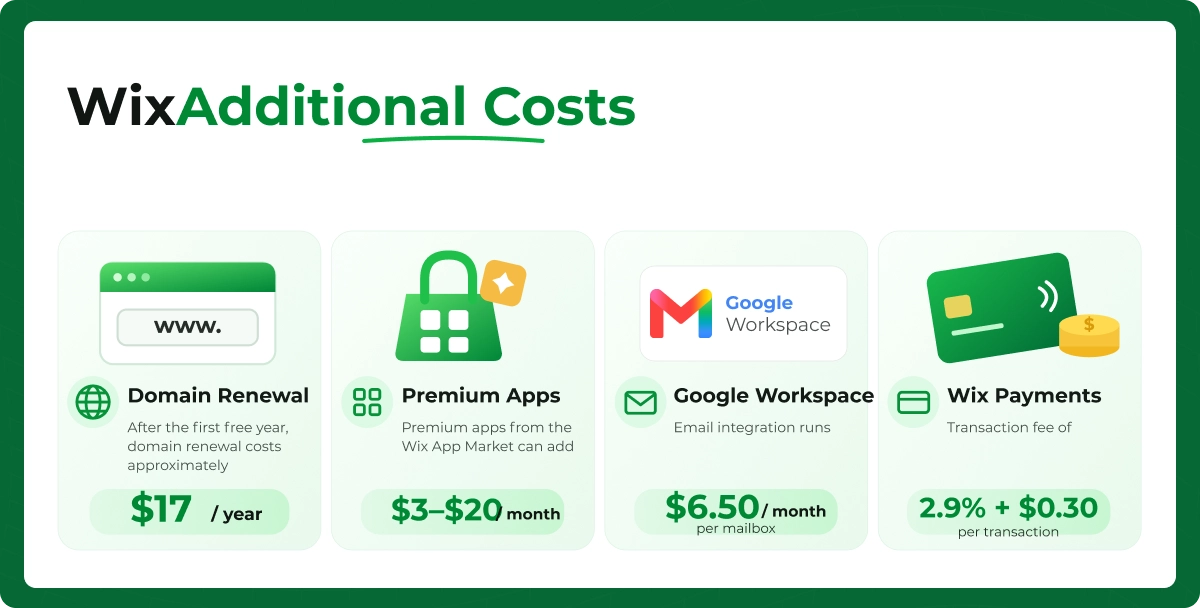
While Wix pricing is transparent on the surface, there are additional costs worth knowing about. Domain renewal after the first free year costs approximately $17 per year. Premium apps from the App Market can add $3 to $20 per month. Google Workspace email integration runs $6.50 per month per mailbox. And Wix Payments charges 2.9% + $0.30 per transaction.
None of these are hidden in a deceptive sense, but they can add up if you are not aware of them before committing to a plan.
Wix Pros and Cons
Every platform has trade-offs. Here is an honest look at where Wix excels and where it falls short.
Advantages of Using Wix
Ease of use is Wix's greatest strength. The drag-and-drop editor is genuinely intuitive, even for people who have never built a website before. You do not need to understand HTML, CSS, or any coding language.
Setup is fast. With AI tools, you can go from nothing to a published website in under an hour. Even with manual design, the average is about 5 hours.
Security is handled for you. SSL, hosting, backups, and server maintenance are all included. You do not need to manage plugins, security patches, or hosting configurations like you would with WordPress.
The SEO tools are solid. Wix provides structured data support, meta tag control, Google Search Console integration, and an SEO setup wizard. Performance scores have improved significantly, with Core Web Vitals compliance now at 77% across the platform.
The AI builder is genuinely useful. It is not just a gimmick. Wix Harmony can generate a complete, editable site from a text prompt, and over half of new users are choosing this path.
Limitations of Wix
Flexibility is limited compared to WordPress. With WordPress, you have full access to your code, database, and hosting environment. With Wix, you are working within the boundaries of their editor and platform rules.
Platform lock-in is real. Unlike WordPress, where you can export your entire site and move it to any host, migrating away from Wix means rebuilding your site from scratch on another platform. Your content can be exported, but your design and structure cannot.
Scalability has limits. For stores that grow beyond a few thousand products or need complex custom functionality like advanced filtering, multi-warehouse inventory, or custom checkout flows, Wix starts to feel constrained.
You cannot switch templates after publishing. Once you choose a template and start building, changing to a different one means starting over. This is a significant limitation that catches many users off guard.
Wix vs Other Website Builders
One of the most common questions people ask alongside what is Wix is how it compares to alternatives. Let us break down the key matchups.
Wix vs Shopify
This is the comparison that matters most for anyone focused on ecommerce. What is better, Wix or Shopify? It depends entirely on your store size and growth plans.
Feature
Wix
Shopify
Starting Price (Ecommerce)
$29/month
$39/month
Product Limit
50,000
Unlimited
Transaction Fees
None (via Wix Payments)
0.5-2% on third-party gateways
Design Flexibility
Very high (drag-and-drop)
Moderate (theme-based)
App Ecosystem
1000+ apps
13,000+ apps
Scalability
Small to mid-size stores
Small to enterprise
Best For
Simple stores, beginners
Dedicated ecommerce businesses
If you are leaning toward Shopify for a dedicated online store, our Shopify development services can help you build a store that is optimized for growth from day one.
Wix vs WordPress
What is better, Wix or WordPress? WordPress wins on flexibility and long-term scalability. Wix wins on ease of use and simplicity.
Feature
Wix
WordPress
Ease of Use
Beginner-friendly
Steeper learning curve
Hosting
Included
Self-managed (separate cost)
Customization
Editor-based
Full code access
Plugins/Apps
600+
60,000+
SEO Control
Good (built-in tools)
Excellent (with plugins like Yoast, RankMath)
Cost
$17-$159/month
$3-$50/month (hosting) + plugins
Best For
Non-technical users
Users who want full control
Wix vs Squarespace
What is better, Wix or Squarespace? Squarespace is known for polished, design-forward templates. Wix offers more design freedom and a larger feature set.
Feature
Wix
Squarespace
Starting Price
$17/month
$16/month
Templates
950+
150+
Design Approach
Drag-and-drop (freeform)
Structured grid system
Ecommerce
Core plan ($29/month)
All paid plans
AI Builder
Yes (Harmony, Vibe, Studio Two)
Basic AI text assist
Best For
Versatility, beginners
Design-focused brands, portfolios
Wix vs GoDaddy Website Builder
GoDaddy is simpler and cheaper (starting at $9.99/month) but far more limited. It works for basic single-page sites or simple local business listings. For anything beyond that, Wix offers significantly more features, templates, and customization options.
Is Wix Good for SEO?
This is one of the most debated questions in the website builder space. The short answer: yes, Wix can rank on Google. But it requires the same effort any platform does.
Wix SEO Features
Wix provides customizable meta titles and descriptions, clean URL structures, alt text for images, structured data markup for 15+ industries, auto-generated sitemaps, 301 redirect tools, and direct Google Search Console integration.
The SEO Wizard has been used over 8 million times and walks you through optimization step by step. Sites that complete the full SEO setup see an average 34-point improvement in SEMrush rankings.
SEO Limitations
You do not have full server-level control like you would with WordPress. Page speed, while improved significantly (average 2.2 to 2.8 seconds load time), still depends on the template and content you use. Heavy images and too many third-party apps can slow things down.
Wix sites built with the newer Vibe builder currently have limited meta tag support and no structured data. If SEO is a priority, stick with Harmony or the classic editor. For a comprehensive digital marketing strategy that goes beyond on-page SEO, professional guidance makes a real difference.
Can Wix Rank on Google?
Absolutely. Wix sites appear on page one of Google for over 48% of targeted keywords. The platform receives about 34.36% of total site traffic from search engines. Wix even achieved industry-leading Lighthouse performance scores in independent testing.
The key is that no website builder ranks you automatically. You still need keyword research, quality content, proper on-page optimization, and backlinks. Wix gives you the tools. You need to use them correctly.
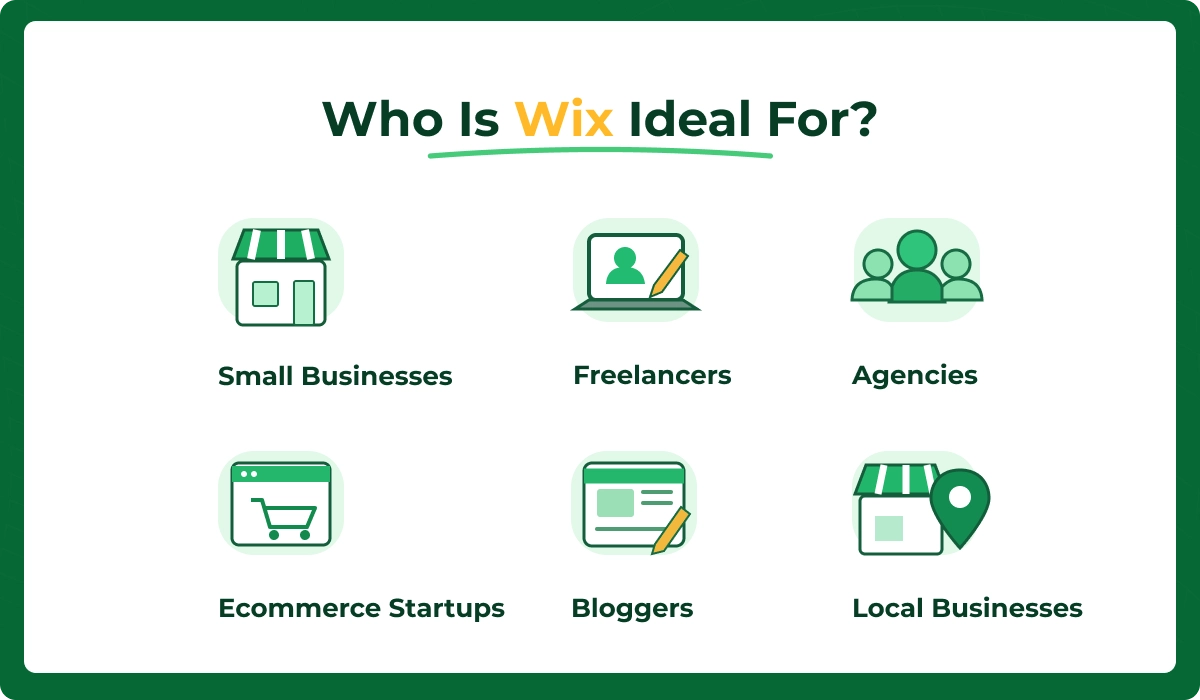
Who Should Use Wix?
Wix is a strong choice for specific types of users and business models. Here is who benefits most.
Small Businesses
If you are a local business with under 10 employees, Wix is built for you. The templates, booking tools, and marketing features cover most of what a small business needs online.
Freelancers
The Wix for Freelancers program has over 600,000 active participants. Whether you are a writer, designer, developer, or consultant, the portfolio and booking features make client acquisition easier.
Agencies
Wix Studio is designed for agencies and professional web designers. Enterprise and agency usage grew by 28% in the past year, and the platform now includes advanced tools like grid-based layouts, adaptive component libraries, and Git-based version control.
Ecommerce Startups
If you are launching your first online store and want to test the market without a large upfront investment, Wix ecommerce at $29/month is one of the most accessible entry points available.
Bloggers
The integrated blogging tools, combined with SEO features and email marketing, make Wix a viable option for content creators who want everything in one platform.
Local Businesses
Restaurants, salons, gyms, real estate agents, and service providers benefit from Wix's booking, scheduling, and location-based features. Wix POS hardware adoption doubled recently, with over 42,000 devices active across physical retail locations.
When Wix Might Not Be the Right Choice
Being honest about limitations is part of giving useful advice. Here is when I would recommend looking elsewhere.
Large Ecommerce Stores
If you are managing 10,000+ products, need multi-warehouse inventory, or require advanced checkout customization, Wix will feel limited. Shopify or a custom WooCommerce setup handles enterprise-scale ecommerce far better.
Enterprise Websites
Complex corporate sites with multi-department workflows, custom integrations, and advanced user permissions are beyond what Wix is designed to handle efficiently.
Complex Custom Functionality
While Wix Velo (formerly Corvid) allows custom code, it is not a replacement for a dedicated development environment. If your project requires custom APIs, complex database logic, or unique front-end frameworks, WordPress or a headless CMS is the better path.
High-Growth Online Stores
If you anticipate rapid scaling, thousands of daily orders, and complex fulfillment workflows, invest in a platform built for that trajectory from the start.
Common Wix Mistakes to Avoid
After years of building and auditing Wix sites, here are the mistakes I see most often.
Choosing the Wrong Template
Your template sets the structural foundation. Pick one designed for your industry and purpose. Changing templates later means rebuilding from scratch, so take time to choose carefully upfront.
Ignoring SEO Settings
Many Wix users skip the SEO Wizard and leave meta titles, descriptions, and alt text empty. This is one of the easiest wins you can get. Complete the full SEO setup and your chances of ranking improve significantly.
Uploading Large Images
Unoptimized images are the number one cause of slow Wix sites. Compress your images before uploading. Use WebP format when possible. Keep file sizes under 200 KB for standard images and under 500 KB for hero banners.
Using Too Many Apps
Every app you install adds code to your site, which can slow it down. Only install apps you genuinely need. Review your active apps regularly and remove anything that is not adding clear value.
Weak Navigation
If visitors cannot find what they are looking for within a few clicks, they leave. Keep your navigation simple, logical, and limited to 5 to 7 main menu items. Use descriptive labels, not clever ones.
Not Optimizing for Mobile
With 61% of Wix traffic coming from mobile and 70% of store checkouts happening on smartphones, your mobile experience is arguably more important than your desktop design. Always preview and fine-tune the mobile version of every page.
Ready to build a Wix website that works for your business? Explore our full range of Wix Web Design Services and let us help you get it right the first time.
Frequently Asked Questions
Is Wix suitable for professional business websites?
Yes. Wix powers millions of professional business websites. With 79% of active sites belonging to small businesses, it is clearly built for commercial use.
Can I migrate my Wix website to another platform later?
You can export your content (text, images, blog posts) from Wix, but your site design and page structure will not transfer. You would need to rebuild the visual layout on the new platform.
Does Wix include hosting and SSL?
Yes. Every Wix plan, including the free tier, includes cloud hosting and free SSL encryption. Paid plans add a custom domain (free for the first year), increased storage, and improved performance features.
Can developers customize Wix beyond the editor?
Yes, through Wix Velo (previously Corvid by Wix). It lets developers add custom JavaScript, connect to external APIs, work with databases, and create dynamic pages.
Is Wix a good choice for long-term business growth?
For small to mid-sized businesses, yes. Wix has consistently improved its performance, SEO capabilities, and ecommerce tools.
How many products can I sell on a Wix store?
Wix supports up to 50,000 products on ecommerce plans. For most small to mid-sized stores, this is more than enough. The platform works best for stores with under 5,000 active products.
Can Wix integrate with third-party business tools?
Yes. Over 70% of Wix websites integrate with at least one third-party tool. Popular integrations include Google Workspace, HubSpot, Zoho CRM, Zapier, Stripe, PayPal, Mailchimp, Klaviyo, and Calendly.
What support options does Wix provide?
Wix offers 24/7 live chat support in English, phone callback during business hours, a comprehensive Help Center with over 32 million visits annually, video tutorials, and live webinars. The AI support assistant now resolves 22% of customer queries without human intervention. Overall, Wix maintains a 4.4 out of 5 customer satisfaction rating.
Need A Wix Website?
Get Expert Wix Design & Development Services From Ecomgiantz.
Ecomgiantz Team consists of our in-house experts who share their hands-on experience in ecommerce businesses, websites, marketplaces, etc. We also share the latest updates, insights, and market trends that can be helpful for your online business.