How to Start Dropshipping on Shopify (Complete Beginner’s Guide)
This guide details how to start a Shopify dropshipping business in 2026. Learn how to choose profitable niches, source reliable suppliers, build your store, and execute effective marketing strategies.
You already know what dropshipping is. You've decided to start one, and now you want the real playbook, not another explainer on how the model works. Our Shopify dropshipping guide is built for exactly that, covering how to start dropshipping on Shopify step by step, with the decisions and obstacles nobody puts in the marketing copy.
I've spent years building, breaking, and rebuilding Shopify stores in this exact model. What follows is exactly how to start a Shopify dropshipping business, the sequence I'd walk a friend through if they asked me to coach them from zero to their first sale, and past it. Consider it a full Shopify beginner guide, even if you're not starting from zero.
If you'd rather have a Shopify-specialized team handle the setup while you focus on products and marketing, our Shopify store design and development team can get you launched properly from day one.
Is Shopify Dropshipping Still Profitable in 2026?
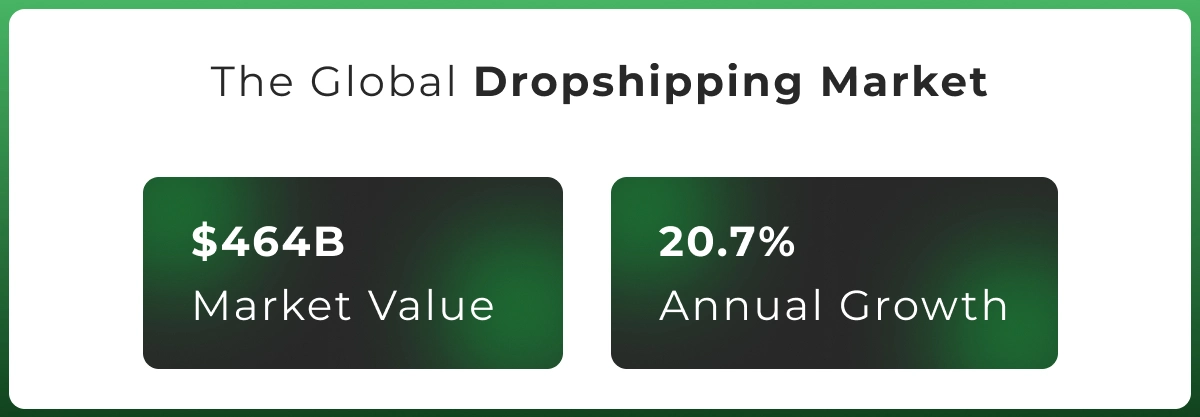
Before you spend a dollar, get honest about the numbers. The global dropshipping market is valued at roughly $464 billion and growing at a 20.7% annual rate, according to Grand View Research. That growth means more buyers, but also more competition in every niche worth entering.
Most Shopify dropshipping businesses run gross margins of 15% to 30%, with net margins closer to 5% to 15% after ad spend, app fees, and returns. A store doing $10,000 a month typically keeps $1,500 to $2,000 after costs, not before them.
This is Shopify dropshipping for beginners done honestly: you're buying a system you still have to operate, not a business that runs itself. The skills that matter most are product judgment, basic copywriting, comfort with paid ads, and patience after your first few products flop.
Dropshipping is still profitable in 2026, but mainly for people who treat it like a real ecommerce business from day one, factor rising ad costs into their margins, and don't expect month one to be the payoff.
What You Need Before You Start
Before touching Shopify's signup page, get these basics in order. Budget $500 to $1,000 for your first two to three months, including subscription, apps, and ad testing. Launching on $100 total almost always ends the same way.
You'll also need a working laptop, stable internet, a dedicated business email, and a domain name, ideally short and not too tied to one product in case you pivot later.
For payments, you'll need a bank account and government ID to activate Shopify Payments. This is also the point to decide on a business structure. An LLC costs more upfront but separates personal assets from business liability. A sole proprietorship is faster and free in most places, but it puts personal finances at risk.
Most beginners start as sole proprietors and convert to an LLC once revenue is consistent, but check local requirements first. Plan to dedicate 10 to 15 hours a week for the first two months, since anything less than that makes it hard to build momentum before you get real data.
Legal Requirements Before You Launch
Business registration rules vary by country, and this is one area where guessing costs you later. In the US, most beginners register as a sole proprietor or LLC and get an EIN for tax purposes. The UK, Canada, and Australia have similar steps through their own business registries.
Sales tax and VAT are separate from registration. US sellers generally collect sales tax where they have a physical or economic presence, while sales into the UK or EU may require VAT registration past certain thresholds. Tools like TaxJar automate the calculation, but confirming the obligation is on you.
You're also required to publish a clear returns and refund policy, a privacy policy that accounts for regulations like GDPR if you sell to UK or EU customers, and terms of service, as real pages, not a footer mention.
Shopify Dropshipping Startup Costs
Here's what Shopify pricing and the rest of your startup costs actually look like, broken down by category.
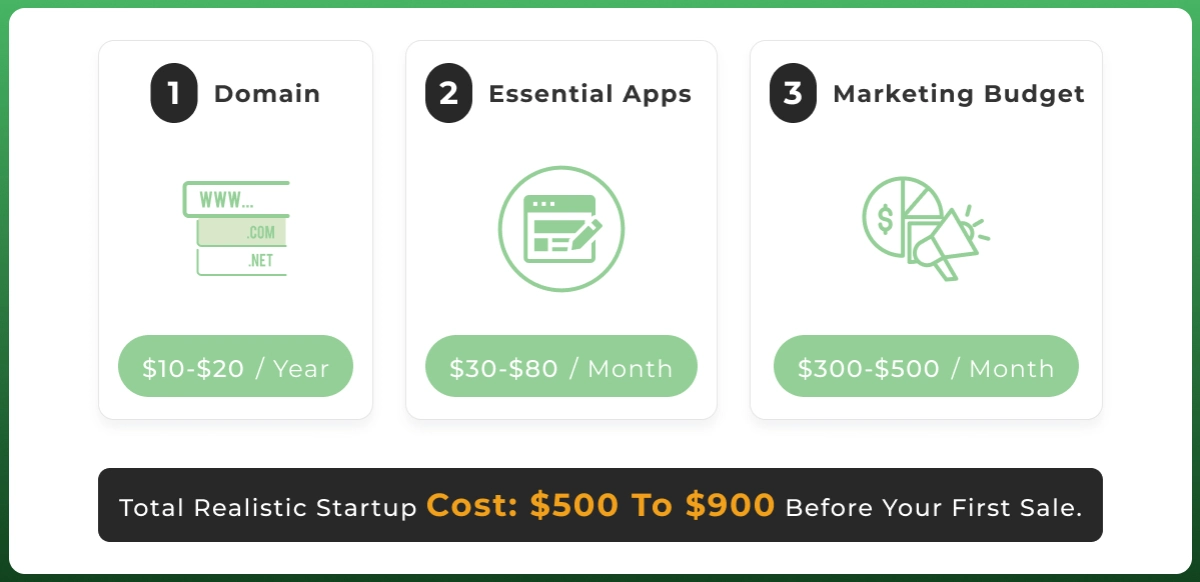
Shopify subscription: the Basic plan starts around $39 a month, with a lower per-month rate on annual billing, though exact pricing shifts with promotions and region, so check Shopify's current pricing page before committing. Skip Grow ($105/month) or Advanced ($399/month) until you have staff or volume that justifies it.
Domain: expect $10 to $20 a year through registrars like GoDaddy, or buy directly through Shopify. Essential apps: budget $30 to $80 a month for the core dropshipping apps you'll use, covering product sourcing, email marketing, and reviews.
Marketing budget: This is the line beginners underfund. Set aside at least $300 to $500 for your first month of paid testing. Total realistic startup cost: $500 to $900 before your first sale.
Your Beginner Timeline: What to Expect Week by Week
Here's a realistic pace for the first two months, since rushing this sequence is where most beginners lose momentum.
Timeframe
Focus
Week 1
Niche and product research, competitor research
Week 2
Store build: theme, pages, product listings
Week 3
Suppliers, payments, shipping setup, testing
Week 4
Launch and first paid ad tests
Month 2
Optimize on real data, cut what isn't converting
Months 3-6
Scale what works, expand the catalog or channels
How to Start Dropshipping on Shopify: The 9-Step Process
This is exactly how to start dropshipping on Shopify without wasting your first three months on guesswork, step by step, in order.
Step 1: Choose a Profitable Niche
Your niche decision shapes everything downstream, so don't rush it. Start with a category you have a genuine interest in, since you'll be writing about it, running ads for it, and answering customer questions about it for months.
Decision point: evergreen versus trending. Evergreen niches (pet accessories, home organization, fitness gear) sell steadily year-round with lower risk and a lower ceiling. Trending niches can spike fast on TikTok but often crash just as quickly once bigger stores flood in.
To validate demand before committing, do basic market research: check Google Trends for the niche's search interest over the past 12 months, and search the term directly on Amazon and Etsy. If a niche shows zero market competition, that's usually a red flag for demand, not an opportunity.
The most common mistake here is picking a niche too broad ("home goods") or too narrow, with no room to add complementary products later. Aim for a niche where you can realistically build a 15-to 30-product catalog around one core buyer.
Your niche choice also shapes which store model fits best. Here's how the main options compare:
Store Model
Pros
Watch Out For
General store
Fast to launch, easy to test
Weak branding, harder to trust
Niche store
Easier SEO, clear audience
Smaller product pool
One-product store
Simple marketing message
High risk if demand fades
Branded store
Higher trust, repeat buyers
Slower to launch
Step 2: Find Winning Products
A winning product solves a specific problem, has a visual "wow" factor that works in a 15-second video, and carries enough margin to survive paid ad costs, typically sold for $20 to $50 with a landed cost under $15.
These are the research tools worth checking before you commit ad spend to a product:
Tool
What It's Good For
Google Trends
Search interest over time, seasonal patterns
TikTok Creative Center / Shop
Early signals on what's trending now
Amazon Best Sellers
Demand already validated at scale
Facebook Ads Library / Meta Audience Insights
What competitors are running and targeting
Pinterest Trends
Ideas before they hit TikTok
Minea, Pipiads, Kalodata, Exploding Topics
Tracking winning products and ad creatives
AliExpress Dropshipping Center
Supplier-side shipping time and order volume
Recent examples of products that spiked this way include LED lights, heat lamps, and niche car parts accessories, categories that moved from obscure to trending within months once short-form video picked them up.
Be realistic about shelf life. Most winning products stay genuinely profitable for weeks, not months, before competitors copy the ad and margins compress. Build a research habit around finding the next one continuously.
Step 3: Find Reliable Dropshipping Suppliers
This step decides whether your customers trust you enough to buy again. Reliable dropshipping suppliers are the difference between a store that scales and one that drowns in refund requests.
Supplier apps split into a few types: marketplace connectors that pull from AliExpress and automate order fulfillment (DSers, AutoDS), curated networks with faster shipping (Zendrop, Spocket, CJ Dropshipping, Syncee, DropCommerce), Shopify's own brand-to-brand network (Shopify Collective), and print-on-demand apps that produce only after a sale (Printify, Printful, Gooten). Here's how they compare:
Platform
Model Type
Typical Shipping
Best For
DSers
AliExpress connector
Standard, 15-30 days
Free automation, a wide variety
AutoDS
Multi-marketplace automation
Standard, faster add-ons
AI-assisted repricing, stock sync
Zendrop
Curated US/EU network
Faster than standard
Speed without full POD setup
Spocket
Curated US/EU network
Faster than standard
Premium, branded-feel products
CJ Dropshipping
Marketplace + warehousing
Standard to faster
Custom packaging at scale
Syncee
Wholesale/dropship marketplace
Varies by vendor
Wholesale-style sourcing
DropCommerce
Verified US/Canada suppliers
Faster, regional
North America-focused stores
Shopify Collective
Shopify brand network
Faster, brand-direct
Quality control, known brands
Printify / Printful / Gooten
Print-on-demand
Production + shipping
Custom apparel, home goods
Print-on-demand is worth a serious look if your niche fits, since it skips generic packaging entirely, though margins run tighter than commodity dropshipping.
Vetting a supplier matters more than picking one fast. Order a sample yourself, and check response time to a test message, defect rate if they disclose it, processing time before an order ships, warehouse location, and minimum order quantities if you want private label packaging later. Watch for fake-looking reviews, missing tracking numbers, prices that shift after you list them, and slow, unclear communication; these are the reliability problems that turn into customer complaints later.
Shipping times remain the biggest source of customer complaints in this model. Standard AliExpress-style sourcing typically runs 15 to 30 days to the US. Suppliers using local or 3PL warehousing can cut that to 2 to 5 days, worth paying more for once you have consistent order volume.
Never rely on a single supplier for your core product. If they run out of stock or go silent for a week, and it happens more often than beginners expect, you need a second source already vetted and ready.
Step 4: Create Your Shopify Store
Now you actually sign up. Head to Shopify, create your account, and pick your store name, ideally matching your domain. Shopify's drag-and-drop store builder gives you room to build before paying anything.
On plan choice: start on Basic. It covers everything a new store needs, including unlimited products and a working Shopify ecommerce platform with no real limitations for a beginner. Only move up once you need multiple staff logins or lower fees at higher volume.
Connect your domain next, either purchased through Shopify or transferred from GoDaddy. This is also where knowing how to use Shopify for dropshipping specifically matters, since your shipping zones and payment setup need configuring around a dropshipping fulfillment model, not a traditional inventory-holding one.
Step 5: Design Your Shopify Store
Shopify themes range from free to $350 one-time, and free options like Dawn are genuinely solid for most niches. Pick from the Shopify Theme Store rather than building custom at this stage.
If you need a logo fast, Shopify's free Logo Maker (formerly known as Hatchful) generates one in minutes, or newer AI store builder features inside Shopify Magic can suggest layouts from a short brand description.
Customize your homepage around one clear message: what you sell and why someone should buy from you instead of Amazon. Then build the pages people check before trusting a new store: About Us, Contact, Privacy Policy, Shipping Policy, and Refund Policy.
Skipping these pages isn't just an SEO gap; it's a trust gap that shows up directly in your conversion rate. Keep navigation to five menu items or fewer, and test your site on your own phone before launch.
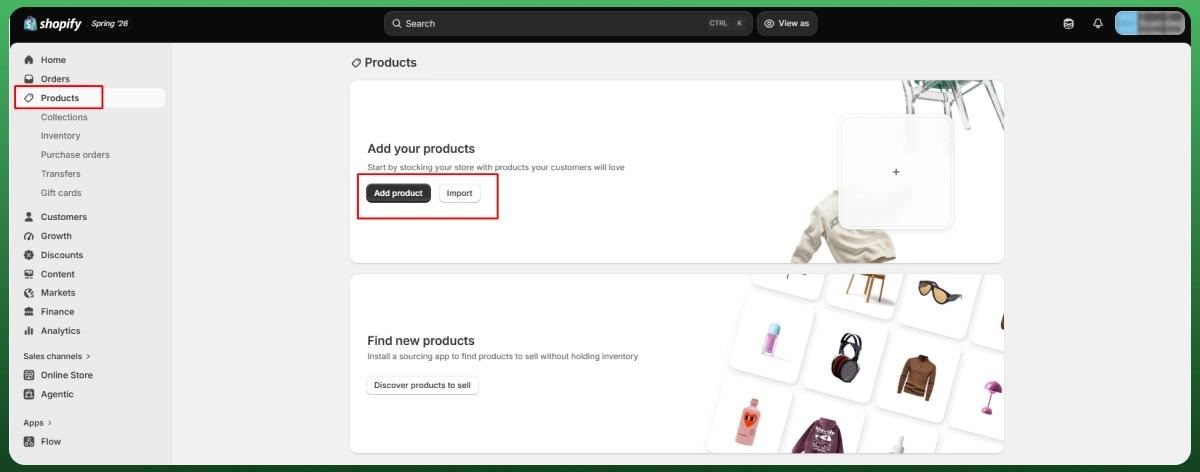
Step 6: Add Products to Your Store
Product titles should describe the product clearly first, then add one benefit-driven phrase, not a string of stacked keywords. "Wireless Charging Pad" beats an overstuffed alternative every time, for both readers and search engines.
For product descriptions, lead with the problem it solves, not a features list. Tools like ChatGPT can speed up a first draft, but rewrite it in your own voice before publishing, since generic AI copy is easy to spot and hurts trust.
Use at least five images per product page, including one lifestyle shot showing the product in use. If your supplier's photos look generic, it's worth the cost of a $20 to $40 order to shoot your own.
On pricing, a 2x to 3x markup over your landed product cost is standard, adjusted down slightly on higher-ticket items. Organize products into clear collections, and add a customer reviews app early. Products with zero reviews convert noticeably worse than those with even five to ten honest ones.
Step 7: Configure Payments and Shipping
Activate Shopify Payments first, since it's the lowest-friction option and avoids extra third-party transaction fees. Add PayPal as a secondary option regardless, since a portion of shoppers will abandon checkout if it's not available.
For international sales, Shopify supports dozens of region-specific payment gateways depending on your country; Flutterwave, for example, covers many African markets where card and PayPal adoption run lower. If you're not using Shopify Payments as your only gateway, other gateways add a fee on top of standard card processing.
Set up shipping zones by region and be upfront about delivery windows. A clearly stated "10 to 20 business days" outperforms a vague "fast shipping" claim that gets contradicted the moment tracking loads.
Shopify Markets, which covers multi-currency checkout, localized pricing, duties estimates, and translated storefronts, is worth enabling early if you're targeting the UK, Canada, Australia, or the UAE alongside the US. For taxes, tools like TaxJar automate sales tax calculation once you're registered where required.
Finally, test your own checkout process end to end, as a customer would, before launch. Use a real card, complete a real order, and confirm your order confirmations actually arrive.
Step 8: Optimize Your Store Before Launch
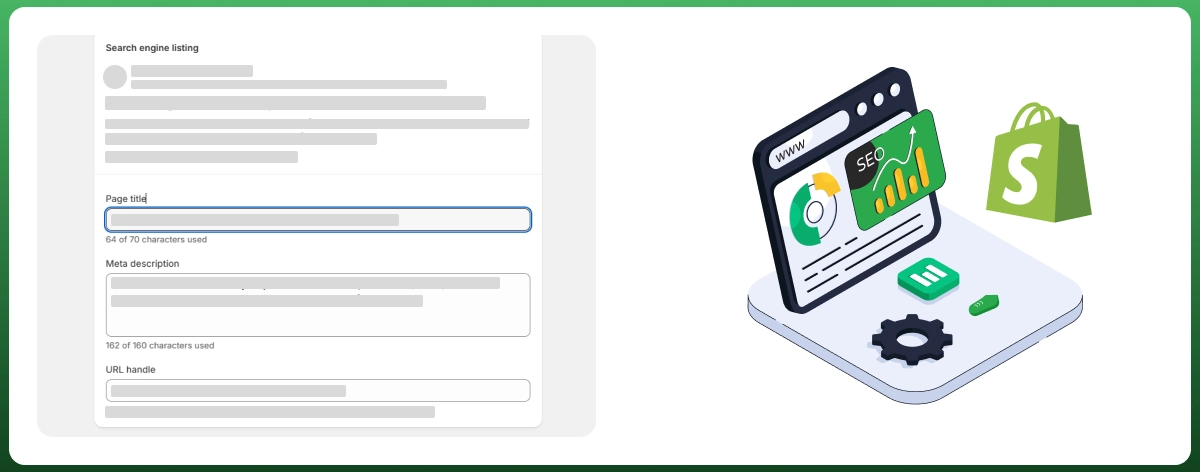
Shopify SEO starts with the basics most beginners skip: unique title tags and meta descriptions on every product page, descriptive URLs, and alt text on every image. Shopify auto-generates schema markup for products, which helps search engines and AI answer engines understand your catalog correctly.
Online shopping in 2026 happens overwhelmingly on phones, so mobile optimization isn't optional. Check that buttons are tap-friendly, text is readable without zooming, and checkout doesn't require horizontal scrolling anywhere.
Page speed matters directly to rankings and conversion. Compress images before uploading, and keep an eye on how many apps are running scripts on every page, since load time compounds fast once you're testing several tools at once.
Add trust signals throughout: security badges near checkout, real customer reviews on product pages, and clear contact information in your footer. Then run one final test order before flipping the site live.
Step 9: Launch Your Shopify Store
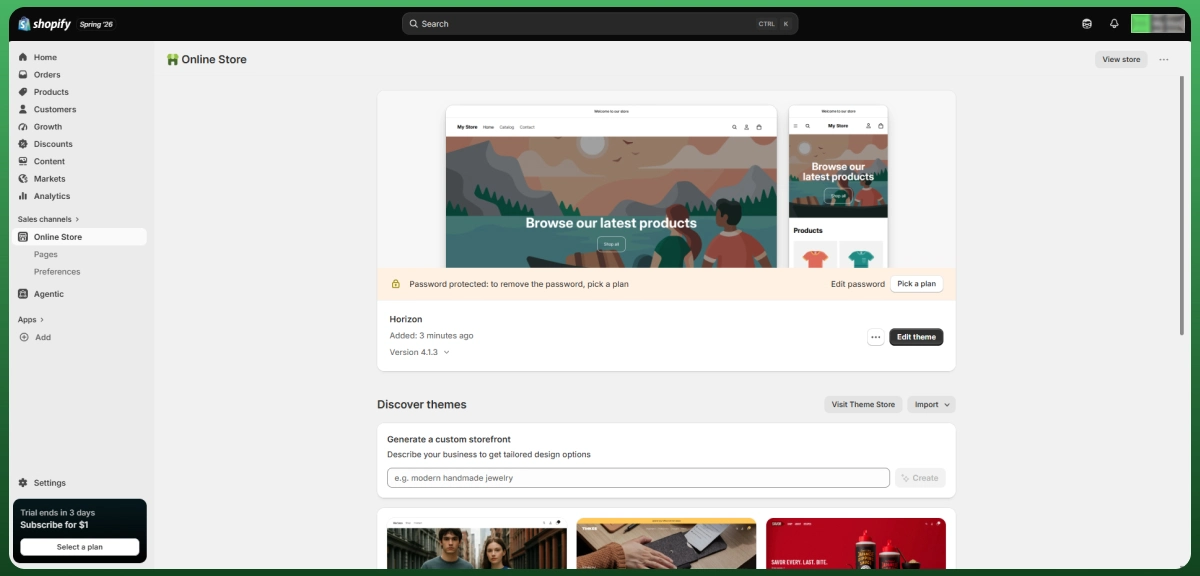
Connect your custom domain if you haven't already, and remove Shopify's password protection page in your Online Store settings. This single step trips up more beginners than anything else on launch day.
Submit your sitemap to Google through Search Console so pages start getting indexed instead of waiting weeks. Connect Search Console and install Google Analytics, or use Shopify's built-in Shopify analytics dashboard, so you're tracking data from your first visitor.
What Happens After a Sale
Once orders start coming in, two things determine whether customers come back: how smoothly fulfillment runs, and how you handle it when something goes wrong.
Step
What Happens
1. Customer orders
Buyer pays through your Shopify checkout
2. Order syncs
Your supplier app pulls the order automatically
3. Supplier fulfills
Supplier packs and ships directly to the customer
4. Tracking updates
Tracking number syncs with Shopify and the customer's inbox
5. Customer receives
Delivery completes, this is when reviews and repeat orders happen
Who Handles Returns in a Dropshipping Store?
Returns work differently from a normal store. Since you never hold inventory, a return usually ships back to your supplier's warehouse, not to you, and turnaround depends on their policy, not yours.
Some suppliers don't accept returns at all and offer a partial refund or replacement for defective items instead. Decide your own refund policy before launch, and confirm your supplier's actual return terms first, since offering a full refund you can't recover from your supplier is a common way beginners lose money.
State your return window and who covers return shipping clearly on your Refund Policy page. Ambiguity here is one of the fastest ways to lose customer trust after a sale.
How to Get Your First Sale
Your first sale rarely comes from SEO alone, since a brand-new store has no ranking history yet. Focus early effort on channels that move fast.
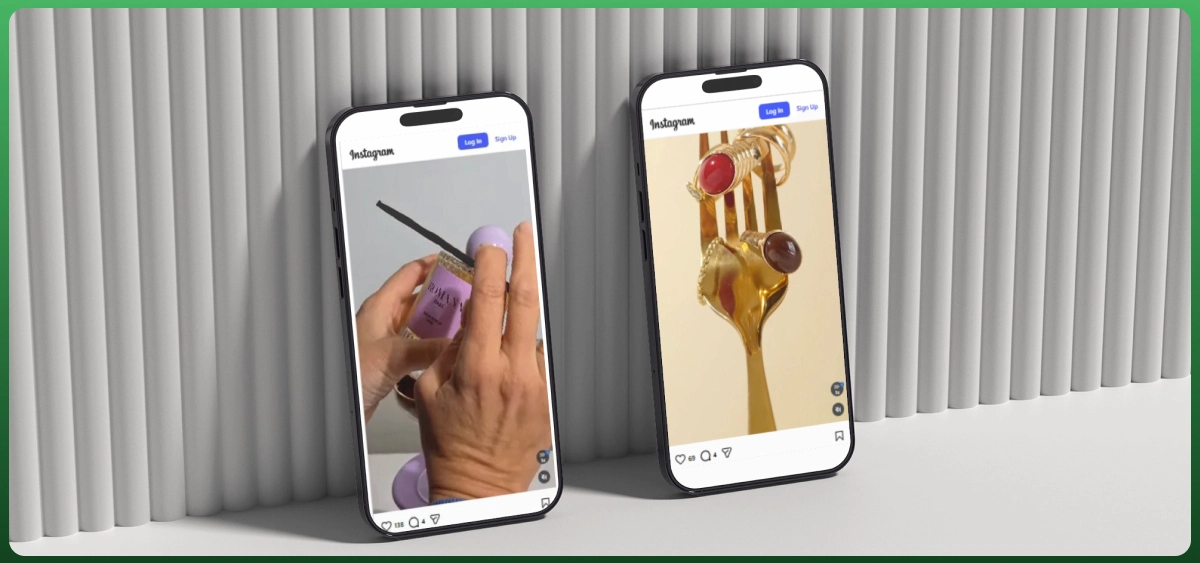
Social media marketing is the most direct starting point. Post consistently on Instagram and TikTok, showing the product in use, and engage genuinely in niche Facebook groups where your buyer already spends time. If you'd rather have this run professionally from day one, our social media marketing team builds and manages exactly this kind of early-stage content and ad strategy.
Email marketing pays off faster than most beginners expect. Set up welcome sequences in a tool like Omnisend from day one, plus cart abandonment emails, since checkout abandonment sits above 70% industry-wide according to Baymard Institute. If setting up these email automations feels like one more thing on a full plate, our ecommerce email marketing service builds the full sequence for you.
Influencer marketing works well for visually strong products. Micro-influencers with 10,000 to 50,000 followers often convert better per dollar than large accounts, since their audiences trust their recommendations directly.
For paid advertising, start with Google Ads or Meta ads with a small daily budget, track your ROAS closely, and kill any promotional campaign that isn't profitable within the first week. Google Shopping through Merchant Center often outperforms standard search ads for ecommerce and is worth setting up early too. Set up Shopify Inbox or a live chat option, since fast customer service measurably lifts conversion, and dedicated customer support matters even more once order volume grows.
Beginner Mistakes That Cost the Most
Not every mistake carries equal weight. These four cost beginners the most time and money, based on what actually kills stores in year one.
Skipping legal setup and a clear returns policy until "later" is a quiet but expensive mistake. Real liability and refund disputes show up the moment actual orders start coming in, so handle both during setup, not after your first complaint.
Ignoring Shopify SEO because "ads will handle it" backfires the moment ad costs rise, which they will as your niche gets more competitive. Organic traffic is the only channel that gets cheaper over time instead of more expensive.
Installing too many apps slows your site and quietly erodes thin margins with monthly costs. Audit your app list every 60 days and cut anything you're not actively using. And giving up after 30 days is the most common mistake of all, most stores that eventually work took three to six months of testing first.
Growing Beyond Your First Sales
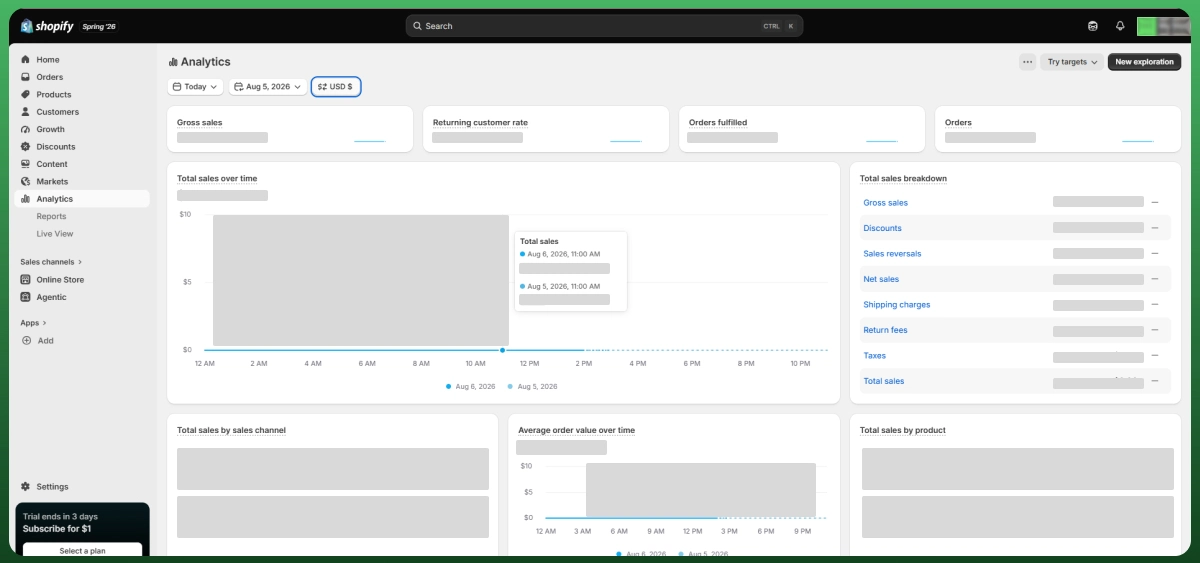
Once you've validated a product and have consistent sales, shift focus from testing to building a real ecommerce business. Track your numbers weekly, not monthly. Shopify's built-in analytics show conversion rate, average order value, and traffic source, the numbers that tell you where to spend your next dollar.
Automate inventory management and order syncing as volume grows, since manually checking supplier stock doesn't scale past a certain order count. Multichannel tools that sync inventory across sales channels save real hours once you're processing daily orders. If you want this handled for you, our multichannel software management service keeps stock and orders synced automatically as you scale.
Once your store is consistently profitable, consider expanding to marketplaces like Amazon, eBay, or Walmart to reach buyers who never would have found your standalone store. Our ecommerce marketplace management team can help you expand without duplicating work you've already built.
Long term, the stores that last stop competing purely on price and ad spend. Build an email list from day one, since owning a direct line to customers reduces how dependent you are on rising ad costs.
Need Help Starting Your Shopify Dropshipping Business?
Every step above is doable solo, but it's also where most beginners lose the most time through trial and error. If you'd rather launch faster with a team that's built Shopify dropshipping stores before, book a free Shopify consultation, and we'll map out exactly what your store needs before you spend a dollar on ads.
Frequently Asked Questions
Is Shopify Dropshipping Legal?
Yes, dropshipping is a completely legal business model in the US, UK, Canada, Australia, and the UAE. What matters legally is proper business registration and tax compliance, not the fulfillment method itself.
Can I Start Shopify Dropshipping With No Experience?
Yes. Most successful dropshippers started with zero ecommerce background. The learning curve is real but manageable with a structured process, and your first month will be slower as you learn Shopify, supplier apps, and ad platforms at once.
How Much Money Do I Actually Need to Start?
Budget $500 to $900 for your first month, covering your Shopify subscription, a few apps, and initial ad testing. Anyone promising a working store for $50 is skipping the ad budget entirely.
Do I Need to Buy Inventory Before Making a Sale?
No. That's the core advantage of the model. Your supplier only ships product once a customer has already paid you, so you're never holding stock or fronting inventory costs before you've made money.
Can I Start Shopify Dropshipping While Working a Full-Time Job?
Yes, and most people do exactly this. Budget 10 to 15 hours a week around evenings or weekends, and use automation apps for order fulfillment so daily tasks don't require being online during work hours.
Can I Use My Own Brand Name for Dropshipping Products?
Yes. Branded or private-label dropshipping, where your supplier ships under your own packaging, typically commands better margins and trust than generic reselling. Print-on-demand suppliers like Printify make custom branding especially easy.
Can I Dropship to Customers Internationally?
Yes, through Shopify Markets and multi-currency checkout, but confirm each supplier actually ships to your target country first, and factor in longer delivery windows and possible customs duties on cross-border orders.
What Are the Best Free Shopify Apps for Beginners?
Shopify Email for basic campaigns, Shopify Inbox for live chat, and Shopify's free Logo Maker for a quick logo cover the essentials at no cost. Add a paid reviews app and Omnisend once orders are consistent.
How Do I Track Orders and Customer Deliveries?
Most supplier apps like DSers and AutoDS sync tracking numbers automatically once an order ships, pushing that information into Shopify so customers can check status without emailing you directly.
Is AliExpress Still Good for Dropshipping in 2026?
It's still widely used and cost-effective, but 15 to 30 day shipping makes it harder to compete against faster curated suppliers. Many stores blend AliExpress for testing new products with faster suppliers once one proves itself.
When Should I Upgrade My Shopify Plan?
Stay on Basic until you need multiple staff accounts, or you're processing enough monthly volume that Grow's lower transaction fees save more than the price difference, typically past $25,000 to $33,000 in monthly sales.
Conclusion
Starting dropshipping on Shopify isn't complicated once you have the sequence right, but it does require treating it like a real business from day one, not a side experiment. Niche research, supplier vetting, and a properly optimized store matter more than any single hack or trending product.
Your next steps are simple: pick a niche you can commit to, validate it before spending on ads, and get your store live even if it isn't perfect. Every profitable Shopify dropshipping business started with an imperfect first version.
This guide covered how to start dropshipping on Shopify from zero to your first sale and beyond. If you want a shortcut through the setup phase, our team is one consultation away.
Ready To Start Shopify Dropshipping?
Launch Your Dropshipping Store With Expert Shopify Setup Services From Ecomgiantz.
Ecomgiantz Team consists of our in-house experts who share their hands-on experience in ecommerce businesses, websites, marketplaces, etc. We also share the latest updates, insights, and market trends that can be helpful for your online business.