How to Sell on eBay: The Complete 2026 Guide for Beginners
Learn how to sell on eBay in 2026, from setting up your seller account and sourcing products to creating effective listings, managing shipping, fees, and growing your business.

Learn how to sell on eBay in 2026, from setting up your seller account and sourcing products to creating effective listings, managing shipping, fees, and growing your business.


Learning how to sell on eBay comes down to three things: knowing what it actually costs, getting your listings in front of the right buyers, and keeping your account in good standing once orders start coming in.
eBay charges a final value fee of roughly 13.6% per sale and pays out through its own managed payments system, with no separate PayPal cut involved.
Today, we will explain the entire process: setting up your account, sourcing products, writing listings that convert, and handling orders once they start coming in.
Before you list anything, it helps to know exactly what eBay keeps from each sale. There are two main charges: what you pay to list an item, and what you pay once it actually sells.
Most sellers get 250 zero-insertion-fee listings every month. After that allowance, eBay charges $0.35 per listing, whether or not the item sells.
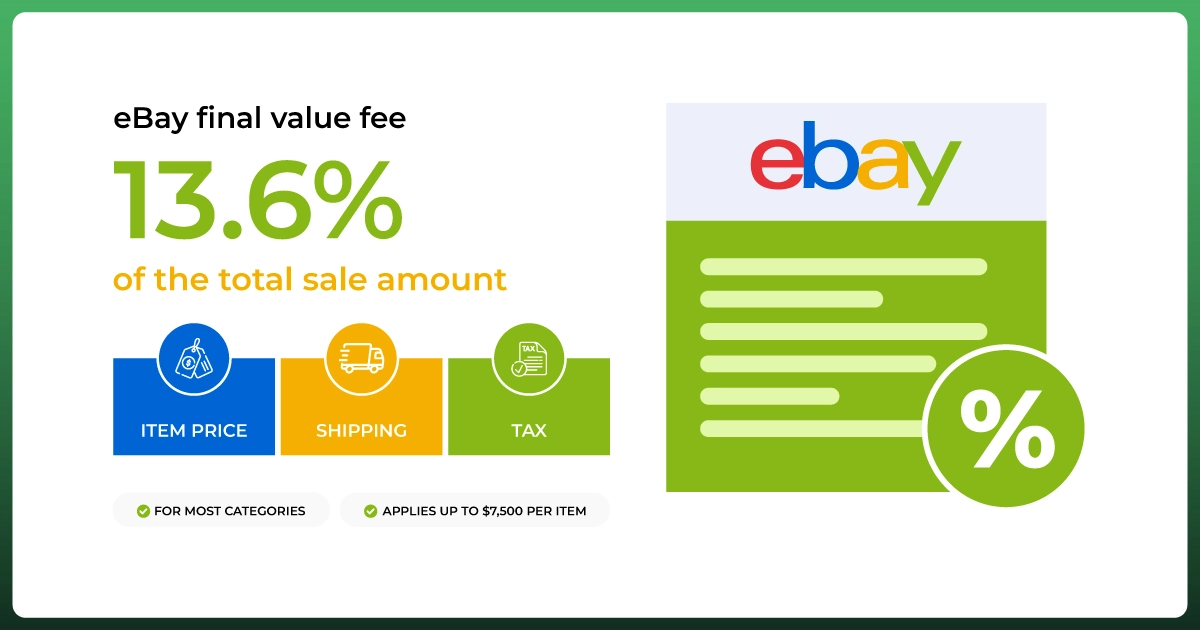
The final value fee is the bigger number to plan around. For most categories, it's 13.6% of the total sale amount (item price plus shipping plus tax) up to $7,500, according to eBay's own fee schedule.
On top of that comes a per-order fee of $0.30 on sales of $10 or less and $0.40 above that. Books and media run higher at 15.3%, while a handful of categories, like guitars or authenticated sneakers, run lower.
That final value fee already includes payment processing. eBay moved to its own managed payments system years ago, so there's no separate PayPal charge to budget for on top of it; the fee calculator on eBay's site reflects this too.
eBay's free Fee Calculator is worth bookmarking before you price anything. Plug in your item price, category, and shipping cost, and it shows your estimated payout after fees, which is a faster gut-check than doing the math by hand every time.
You'll also run into a couple of optional costs. eBay Promotion charges an ad fee only when a promoted listing actually sells, and small upgrades like bold titles or subtitles carry their own minor fees if you choose to use them.
If you sell regularly, an eBay Store subscription lowers your final value fee and raises your free-listing allowance. The entry-level Starter plan runs $4.95 a month billed annually, but most regular sellers pick the Basic plan at $21.95 a month for the bigger fee discount.
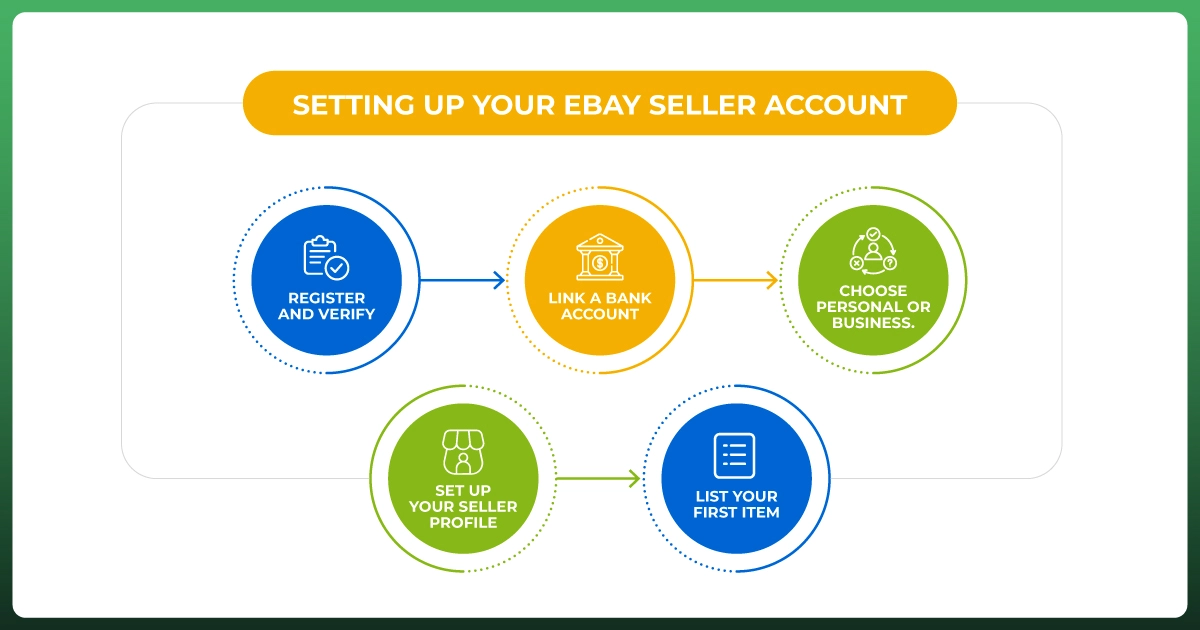
Getting a seller account live doesn't take long and doesn't require any upfront investment. You can use your existing personal eBay account to start selling casually, or register a business account if you're planning to sell regularly or under a company name.
Before you start, make sure you have a valid email address, a phone number, a bank account, and, for business accounts, your company's registration details and tax ID. Business sellers should expect an extra identity verification step.
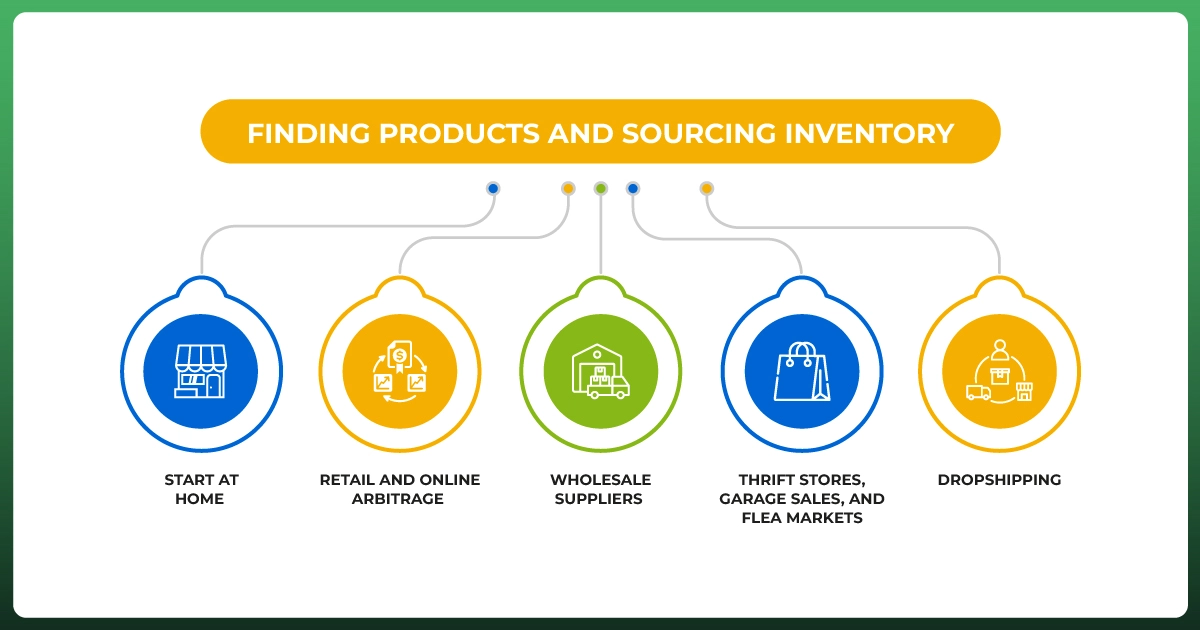
What you sell matters as much as how you sell it. Sellers who do well research demand before they source anything, using eBay's Sold Listings filter to see what similar items actually closed for, not just what's currently sitting unsold.
Certain categories consistently perform well for beginners: consumer electronics, clothing and fashion accessories, home and garden tools, collectibles and vintage items, and mobile accessories. These hold demand because buyers already have a sense of fair pricing for them.
For research, Terapeak, built free into eBay's Seller Hub, shows sell-through rates and average prices for any category. Google Trends helps spot seasonal demand before it hits eBay, and Zik Analytics adds competitor-level insight once you're ready to go deeper. Whatever you use, cross-check it against Sold Listings before committing to a sourcing decision.
A good product can still sit unsold if the listing doesn't do its job. Buyers can't hold what you're selling, so your title, photos, and description have to carry all the trust-building work.
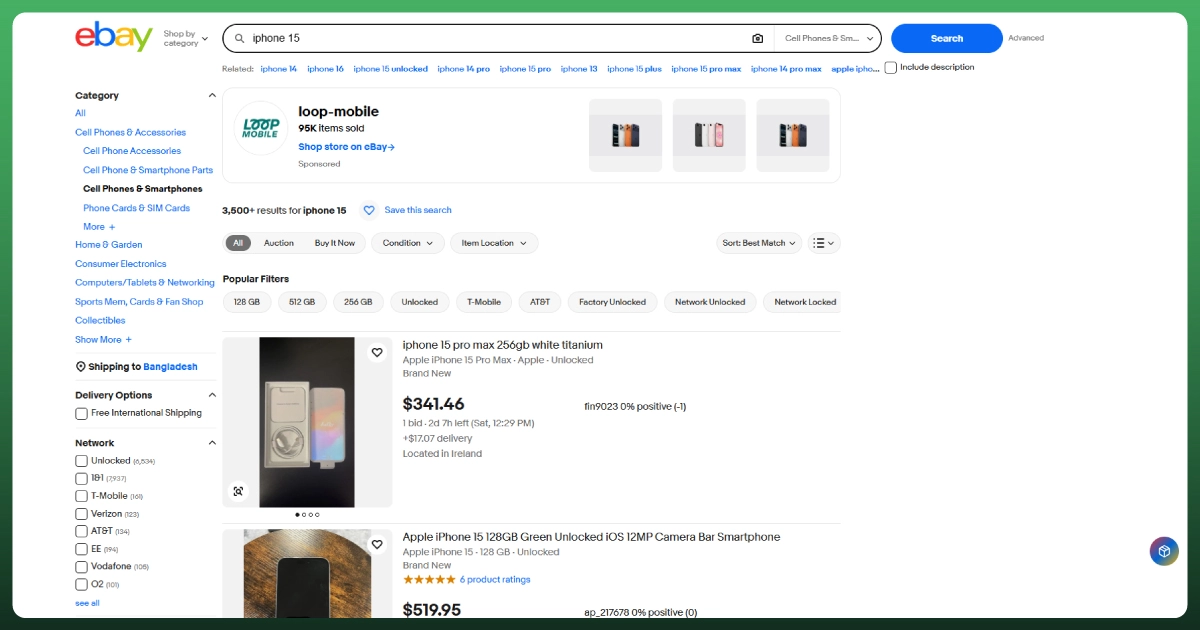
Lead with the details a buyer would actually search: brand, model, size or specs, and condition. You have 80 characters to work with. Use them on real information instead of symbols or filler words, and put the most important keyword first.
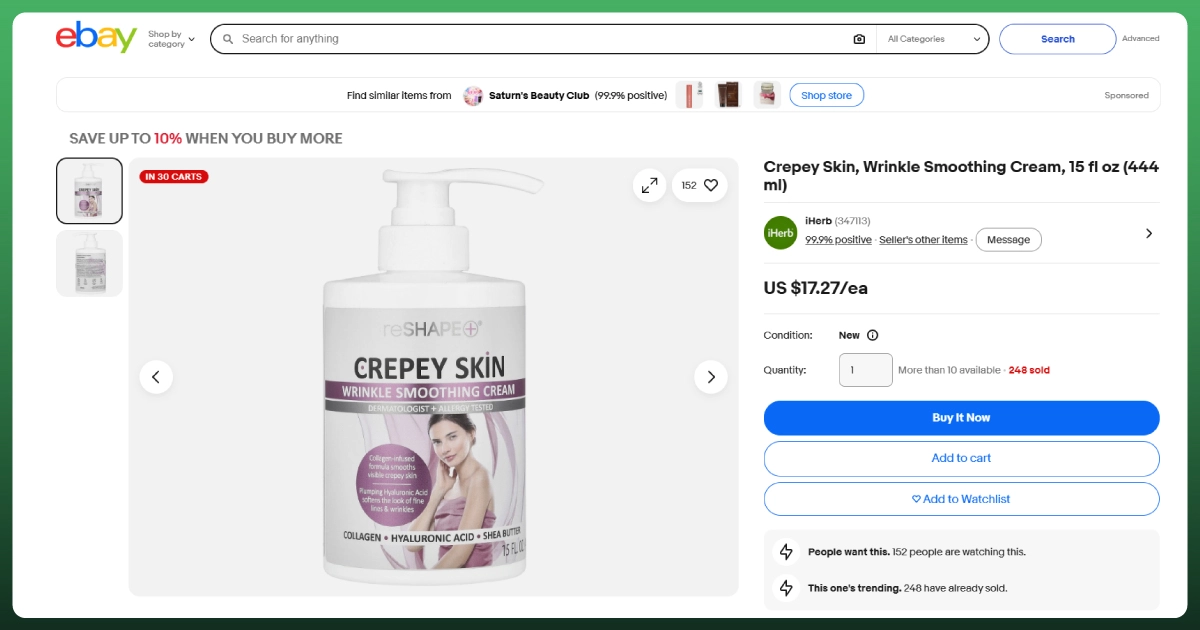
Use natural light, a clean background, and multiple angles, including close-ups of any flaws. Write descriptions in your own words rather than copying manufacturer text: lead with condition and functionality, then list exactly what's included.
Address the questions a buyer would actually ask, like whether an item is compatible with something or slightly worn, before they have to ask. Answering it upfront does more for conversion than almost any other single fix.
Check Sold Listings for realistic pricing rather than going off asking prices, which are often wishful. Choose the most accurate category and fill in every item-specific field. Both affect how easily buyers find your listing through eBay's own search filters, and both cost nothing to get right.
Once a listing sells, how you ship it affects your search ranking almost as much as your listing itself. Ship within one business day, add tracking to every order, and offer free or flat-rate shipping where your margins allow it, since both tend to boost conversions and visibility.
Calculated shipping works best for heavier or oddly sized items, since it prices automatically by weight and destination. Flat-rate shipping is simpler for consistently sized items, and local pickup suits large or bulky items like furniture.
eBay's Global Shipping Program handles customs and international delivery for you if you want to reach buyers outside the US without the added complexity of managing that yourself.
Keep stock levels updated as you go, whether you're tracking manually with a spreadsheet or using a dedicated tool. Once you're selling in more than one place at a time, multichannel software management can take over that syncing entirely so nothing gets oversold.
After a sale, ship as quickly as promised and keep buyers updated if anything's delayed. eBay's own messaging system keeps every conversation in one place, and responding within 24 hours helps protect your service metrics.
On auction-style listings, you can't cancel a bid just because you don't like the price, but a buyer can ask you to cancel theirs for a valid reason.
Order cancellations work the same way: honor a reasonable request within 30 days, but keep an eye on how often it happens, since frequent cancellations can hurt your seller rating.
Top Rated Seller status is worth working toward. It requires at least 100 transactions and $1,000 in sales over 12 months, low defect rates, and a 30-day return policy. In exchange, you get better search placement and a discount on final value fees once you qualify.
Even once you've got the basics of how to sell on eBay down, a few mistakes tend to resurface again and again. Here's what actually costs sellers the most, in order of how often it shows up:
At this point, you've got the full picture of how to sell on eBay, from account setup through your first sale and beyond. Selling on eBay rewards sellers who treat it like a real business from day one: honest listings, fair prices, and fast shipping.
Get those right, and eBay's own search algorithm and buyer trust do most of the remaining work for you.
Once eBay itself feels mastered, a lot of sellers add a second channel rather than doubling down on one. Walmart is a common next step for spreading volume across more than one marketplace without starting from scratch.
Want hands-on help launching or scaling your eBay business? Ecomgiantz handles listing optimization, account management, and everything in between so you can focus on sourcing and profit.