WooCommerce vs Shopify 2026: The Data-Driven Blueprint for Scaling Brands
Compare WooCommerce vs Shopify in 2026, including pricing, SEO, security, scalability, customization, support, and features to choose the right ecommerce platform for your business growth.
More than half of the online store owners run their shops on either WooCommerce or Shopify. Shopify is best for speed and calm. Whereas WooCommerce comes with control and ownership. In the WooCommerce vs Shopify debate, you can’t determine a sole winner. The right choice depends on how your business is actually built.
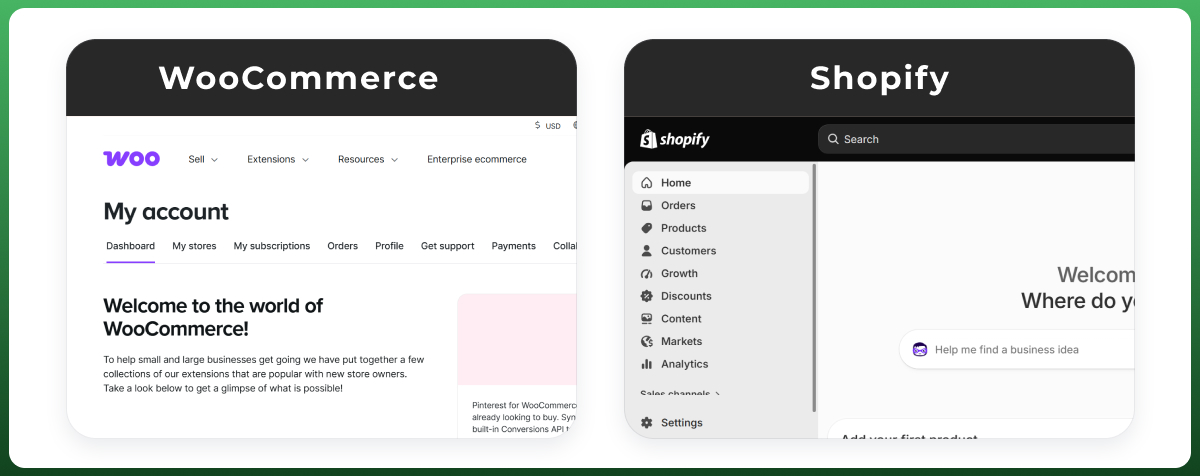
WooCommerce is a WordPress plugin that lets you create an ecommerce website with the required customizations. In comparison, Shopify is a dedicated SaaS platform to run online stores with prebuilt features, with less technical work.
While working with Ecomgiantz, I’ve set up stores on both platforms, migrated brands between them, and fixed technical errors in ongoing stores. I will use that experience to compare these two options from a store-owner’s POV. It will help you understand which platform will go with your ecommerce business.
Shop Pay conversion edge plus no extra transaction fees
This is not a good-versus-bad call. Different datasets report different figures because they count live stores, CMS usage, or active ecommerce sites differently. Shopify also leads in total sales volume despite fewer stores, so treat any single percentage with caution.
What Is WooCommerce?
WooCommerce isn't a platform in the traditional sense; it's a plugin that Automattic gives away for free, and installing it turns an ordinary WordPress site into a working store. That single fact explains most of what follows: because it rides on WordPress, WooCommerce inherited that project's reach, and it's commonly estimated to run close to a third of all online stores worldwide. You aren't renting space from a vendor the way you would with a SaaS tool; you're running their code on infrastructure you pick yourself.
WooCommerce Pros
The core plugin is free, with no forced plan upgrades as you grow
You keep full ownership of your code, your data, and your host
Thousands of themes and plugins let you build almost anything
WordPress's publishing tools give it a real edge for content and SEO
WooCommerce Cons
Hosting, security, and updates are your job, not a vendor's
A capable store takes real setup time, not a quick sign-up
Speed and stability ride entirely on your hosting and plugin choices
What Is Shopify?
Shopify flips that model. It's a closed, hosted platform, not a plugin, so instead of installing anything you sign up for an account, much like you would for Slack or Netflix. Everything from the server to the checkout page lives on Shopify's own infrastructure. That convenience has made it one of the biggest names in commerce software: BuiltWith puts the current count at well over 6 million live storefronts, and Shopify Plus alone now powers well-known brands like Gymshark and Allbirds.
Shopify Pros
You can go from sign-up to selling in a single afternoon
Hosting, patching, and uptime are handled without you lifting a finger
Support sits one live chat away, any hour, on any paid plan
Point-of-sale hardware is built in if you ever sell in person
Shopify Cons
You pay monthly, no matter what, plus fees if you skip Shopify Payments
Your build lives inside Shopify's rules, its themes, and its app store
Reaching past those rules usually means Shopify Plus and a bigger budget
Shopify vs WooCommerce: Detailed Comparison Chart
Here is the full side-by-side, covering the factors that matter most before you commit to either platform.
Factor
WooCommerce
Shopify
Pricing model
Free plugin; $300-$900/yr real cost
$29-$299/mo plans, Plus from ~$2,300/mo
Hosting
Self-managed, your choice of host
Fully managed, included in subscription
Setup time
Days to weeks for a custom build
Hours for a simple store
Ease of use
WordPress-familiar, steeper for new users
Beginner-friendly, guided setup
Security
Your responsibility (SSL, patching)
Managed for you (PCI DSS, SSL)
SEO
Strong, full technical control via WordPress
Solid but more rigid URL structure
Design/themes
Thousands of themes, full code access
Curated theme store, Liquid-based
Extensions/apps
Huge WordPress plugin library
Large, vetted Shopify App Store
Checkout
Customizable block checkout
Shop Pay, high-converting default
B2B features
Via plugins (Wholesale Suite, etc.)
Native on Shopify Plus
In-person selling (POS)
Third-party app required
Native Shopify POS on all plans
Scalability
Strong with HPOS and quality hosting
Automatic, handles spikes natively
Support
Community, forums, paid developers
24/7 live chat and support included
Best for
Content-led brands wanting ownership
Founders wanting speed and simplicity
The Foundational Choice: SaaS vs Open-Source Architectural Realities
The system architecture creates the WooCommerce vs Shopify debate mainly. Shopify is a hosted SaaS. Whereas WooCommerce is open-source software you install yourself. That single difference shapes your costs, control, risks, and daily workload for years.
The Shopify Ecosystem: Efficient with Managed Infrastructure
Shopify rents you a complete ecommerce ecosystem. Hosting, security, updates, and uptime are handled for you from the same backend. You need to sign up, pick a theme, and add products, and you are selling. Simple stores can launch on Shopify in a few hours with no server setup at all.
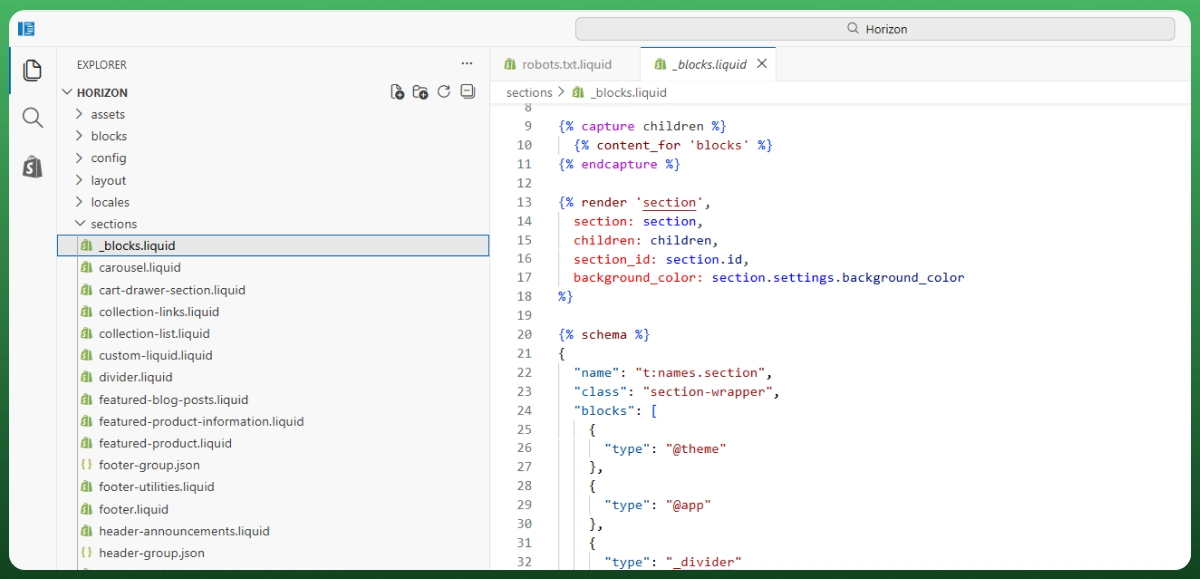
The benefit is peace of mind. You are never awake at 2 am because an update broke checkout during a sale. But here’s the catch: you can’t go beyond the limitations the platform has set for you. You work inside Shopify's rules, its Liquid templating, and its app marketplace, and big changes push you toward Shopify Plus.
However, these drawbacks aren’t too much compared to the features for some owners. If you would rather grow the business than administer a server, this model fits perfectly.
Did you know? Many brands even hand off their Shopify store management to experts and focus on selling.
The WooCommerce Ecosystem: Full Freedom with Open-Source Codebases
WooCommerce hands you the space and the tools. It is a free plugin that turns WordPress into a store, and you own the whole stack: the code, the data, the hosting provider (you choose them), the design. Nothing is locked behind a subscription.
The benefit is total control and no vendor lock-in. The obstacle is what practitioners call the maintenance tax. Every WordPress core, theme, or plugin update carries a small risk of breaking something, and plugin conflicts after updates are common. Highly customized WooCommerce builds can take several days or weeks to launch.
This is a genuine strength for brands with unusual business logic, strict data rules, or heavy custom front-end needs. You just need the technical resources, in-house or through an agency, to manage the lifecycle properly.
Shopify vs WooCommerce Pricing: The True Total Cost of Ownership (TCO)
Headline prices lie most of the time. From a usual POV, Shopify looks expensive, and WooCommerce looks free. But that flips once you count everything. A real Shopify vs WooCommerce pricing comparison is a 2 to 3-year total cost of ownership question, including hosting, apps, payment fees, and developer time.
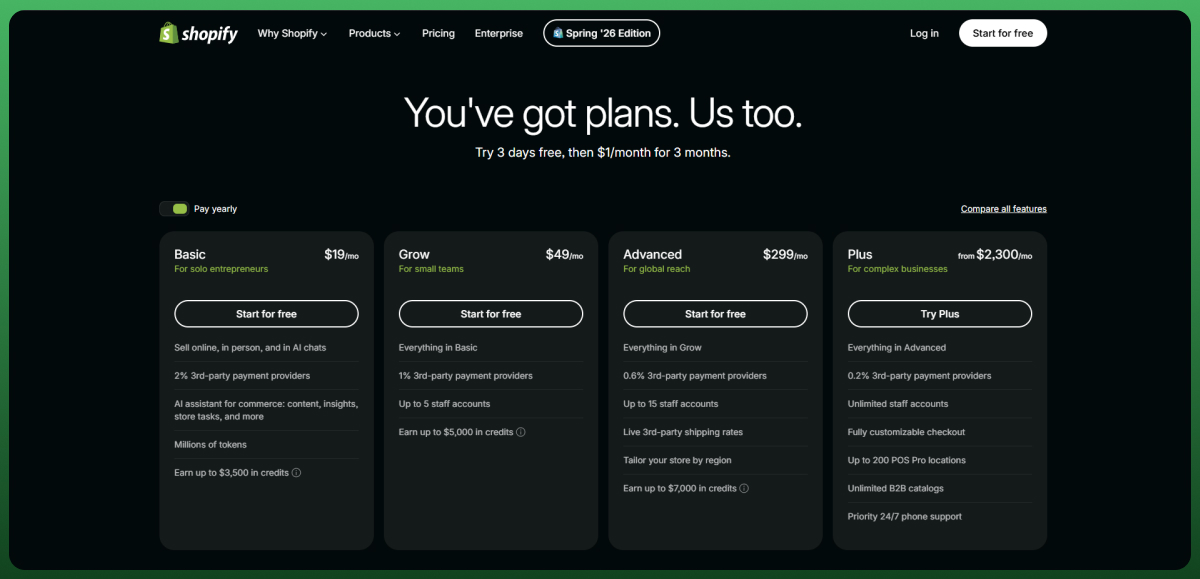
Shopify runs on fixed tiers: roughly $29, $79, and $299 per month billed annually, with Shopify Plus starting around $2,300 per month for enterprise. Most of the app subscription fees aren’t included here. And if you skip Shopify Payments, transaction fees of 0.5% to 2% can add to your card rates as well.
As we all know, WooCommerce has no platform fee. Your real costs are managed WordPress hosting, premium plugins, SSL and domain, and developer maintenance. Most real businesses spend roughly $300 to $900 a year before developer time, not the rock-bottom figure often quoted (Colorlib). WooPayments (also known as WooCommerce Payments) charges 2.9% + $0.30 for US cards with no platform surcharge, regardless of the payment methods you choose.
Here is how it shakes out across three common store sizes. Treat these as realistic ranges, not fixed quotes, since hosting tier and plugin choices move them a lot.
Store stage
Shopify (yearly)
WooCommerce (yearly)
Practical takeaway
Startup, low volume
~$470 to $700 (Basic)
~$300 to $600 (quality hosting)
Close once WooCommerce is set up properly
Growth, scaling brand
~$1,000 to $1,600
~$900 to $1,800 with light dev
Comparable TCO; Shopify wins on time saved
Enterprise, high volume
Plan + apps + saved payment fees
Hosting + dev retainer + patch testing
WooCommerce is cheaper only with strong in-house skills
The pattern is clear: at the low end, the two are closer than most people expect once WooCommerce is hosted properly, in the middle, they converge, and at scale it depends on whether you have the engineering talent to avoid emergency dev bills. Shopify's real edge is predictability.
One factor buyers underrate: at high volume, staying on native payments instead of a third-party gateway can save meaningful money in avoided transaction fees, though the exact amount depends on your gateway, region, and plan (DigitalApplied). That single choice can outweigh part of your platform subscription.
Not sure which cost model fits your margins? Our team can map your real 3-year TCO before you commit a dollar. Talk to our ecommerce experts.
Design and Customization: Curated Themes vs Unlimited Flexibility
Design is where the two ecommerce platforms show differences on screen. One gives you a polished starting line with guardrails. On the other hand, you have a blank canvas and full responsibility. Both can produce a beautiful store; the effort differs.
Shopify's Theme Store and the Liquid Ceiling
Shopify offers a curated theme library, and every theme is reviewed for quality. You customize through the section-based Online Store 2.0 editor, dragging and reordering blocks without code. Shopify Magic, its built-in AI, can even generate a full store design from a text prompt.
The benefit is consistency and speed. You get a professional, mobile-responsive storefront fast. The obstacle is the Liquid ceiling. Deep layout changes, custom product templates, or non-standard checkout flows need a paid theme, a Liquid developer, or a jump to Shopify Plus.
WooCommerce's Page-Builder Freedom and Its Quality Trade-off
WooCommerce draws on the entire WordPress ecosystem, so real theme choices run into the thousands once you count marketplaces like ThemeForest, paired with page builders like Elementor or SeedProd. You control every pixel.
The benefit is creative freedom with no platform limits. The obstacle is quality control. Theme performance and security vary widely across the ecosystem, so a cheap or bloated theme can quietly drag down your speed and rankings. Freedom here means you own the outcome.
If you want a bespoke storefront without wrestling with building it yourself, our Ecommerce design and development team handles all platforms end-to-end.
Checkout Conversion Rates: Maximizing Lower-Funnel Transaction Value
You can win the traffic battle and still lose the sale at the last step. Both Shopify and WP WooCommerce come with checkout systems that have some unique benefits.
Key Facts: Average ecommerce checkout completion sits between 20% and 40%, meaning most shoppers who start checkout never finish (Mida). Cart abandonment holds near 70.2%, and unexpected costs cause roughly 48% of it (Elogic).
The Conversion Edge of One-Click Identity Networks (Shop Pay vs WooPayments)
This is Shopify's quiet moneymaker. Shop Pay stores a shopper's details once and lets them buy in one tap across every Shopify store. In Shopify's own case study with Everlane, Shop Pay converted about 1.72x better than standard checkout, backed by a network of over 150 million users.
WooPayments offers Apple Pay, Google Pay, and saved cards too, but it has no cross-store identity network at that scale. The benefit for Shopify is a returning-buyer boost you get for free. The trade-off is that this edge lives mostly inside the Shopify ecosystem.
Customizing the Checkout Flow in WooCommerce
WooCommerce answers with control. Its block-based checkout, the default since version 8.3, is far more customizable than the legacy shortcode version. In WooCommerce's own testing, the block checkout produced notably higher completion rates than the classic shortcode checkout.
You can restructure the flow, add custom fields, and apply conditional payment or shipping rules that Shopify restricts on standard plans. The obstacle is effort: you configure and test it yourself, and a slow server or heavy theme can erase the gains before they show up in sales.
WooCommerce vs Shopify SEO: Technical Controls and Content Strategies
For a content-led brand, SEO can decide the whole thing. Both platforms rank fine in 2026 when configured well, but they hand you different levels of technical control. The gap shows most in URL structure and page speed.
URL Routing Architecture and Directory Configurations
Shopify automates the basics: SSL certificates, canonical tags, auto-generated XML sitemaps, and product schema out of the box. The catch is rigidity. URLs are locked to /products/ and /collections/ with no way to remove them, and sitemaps cannot be manually overridden.
WooCommerce, built on WordPress, gives full control over URLs, metadata, and structured data. Add a WooCommerce seo layer like Yoast SEO or Rank Math, and you can shape permalinks, redirects, and schema exactly how you want. For aggressive content SEO, that flexibility is a real edge.
Server Response Management and Core Web Vitals Performance (LCP, INP)
Core Web Vitals are ranking and conversion signals, and here the hosting model matters. Shopify serves your store from its own global CDN, so LCP and INP stay consistent with almost no effort because Shopify controls the stack end to end.
WooCommerce speed is only as good as your hosting and plugin discipline. On budget shared hosting a store can crawl, but on quality managed hosting like Kinsta, WP Engine, or Rocket.net with a lean theme, it can outrun Shopify. The benefit is a higher ceiling; the obstacle is earning it.
Did You Know? Organic search (mostly from Google search engine) drives up to 55% of all e-commerce traffic. So, why waste any time? Hire the best SEO experts today!
Security: Platform-Managed Protection vs Merchant-Owned Responsibility
Security is a trust issue, not a footnote. You are handling customer names, addresses, and payment data, so the real question is simple: who is responsible when something goes wrong? The two platforms answer it very differently.
Shopify's Built-In PCI Compliance and SSL
Shopify handles security at the platform level. PCI DSS compliance, SSL, server hardening, and patching are all managed for you, which removes an entire category of technical risk and cost. For a non-technical owner, that is a large weight off your shoulders.
The benefit is obvious: you cannot forget a security update you never have to make. The trade-off is control. You trust Shopify's infrastructure and timelines, which is a fair deal for merchants who would rather not think about server hardening at all.
WooCommerce's Security Stack: Plugins, Hosting, and Patch Management
With WooCommerce, security is yours to own. You configure SSL, keep WordPress core and every plugin patched, and typically run a security plugin like Wordfence or Sucuri, plus regular backups. Done right, a WooCommerce store is very secure. Done casually, it is exposed.
The benefit is direct control over your defenses, including full database backups you own outright rather than an API export. The obstacle is discipline and cost, since scans, backups, and patch testing become an ongoing budget line that makes a managed partner worth it for busy teams.
Scalability: Handling Growth, Traffic Spikes, and Catalog Size
Scaling is where a good day can hurt you. A viral post or a Black Friday rush sends traffic through the roof, and your platform either absorbs it or buckles. This is a core concern for any founder planning real growth.
Shopify's Elastic Infrastructure
Shopify scales for you automatically. Traffic spikes, busy sale days, and large catalogs are handled by its infrastructure without you touching a server. For a growing brand without a dedicated ops team, this near-invisible scaling is one of Shopify's strongest arguments.
The benefit is confidence during your biggest moments. The obstacle is mostly cost at the top, where enterprise features push you toward Shopify Plus. But you rarely pay in downtime, which is the expensive kind of bill.
WooCommerce's Hosting-Dependent Scaling and HPOS
WooCommerce can absolutely scale, but the responsibility sits with you. The big 2026 development is High-Performance Order Storage (HPOS), the default since WooCommerce 8.2, which moves order data into dedicated tables and delivers up to 5x faster order creation and up to 40x faster order filtering.
HPOS closes much of the old scalability gap, letting large WooCommerce stores handle high order volume far more smoothly than the legacy setup. The benefit is enterprise-grade order handling on an open platform. The obstacle is that scaling is still an active project needing quality hosting and technical ownership.
Customer Support and Daily Operational Management
When checkout breaks on a Sunday, support stops being abstract. How fast you can get an answer directly affects revenue, so this axis matters more than most buyers expect until the moment they need it.
Shopify's 24/7 Support Model
Shopify gives you a single door to knock on: 24/7 live chat and additional channels depending on your plan and region, backed by a large help center, a community forum, and an AI assistant that handles common questions and escalates complex ones.
The benefit is speed and simplicity, with one owner for every problem. The obstacle is that complex issues can take a few conversations to resolve. For most owners, always-on help from the platform itself is a real safety net.
WooCommerce's Community-First Support and Developer Retainers
WooCommerce has no central support line. When something breaks, the cause could be WordPress core, WooCommerce, your theme, your host, or a plugin, and each has its own channel and response time. You lean on forums, docs, and paid developers.
The benefit is a massive community and deep documentation for almost any problem. The obstacle is that you often diagnose the issue yourself first, which is why many serious WooCommerce stores keep a developer on retainer. That retainer buys you an expert who knows your setup.
Apps, Integrations, and Multi-Channel Selling
No modern store is just a store. It is an integration hub connecting your payments, email, reviews, and every sales channel. How each platform handles that stack shapes both your capabilities and your risk.
Shopify App Store vs WooCommerce Plugin Library
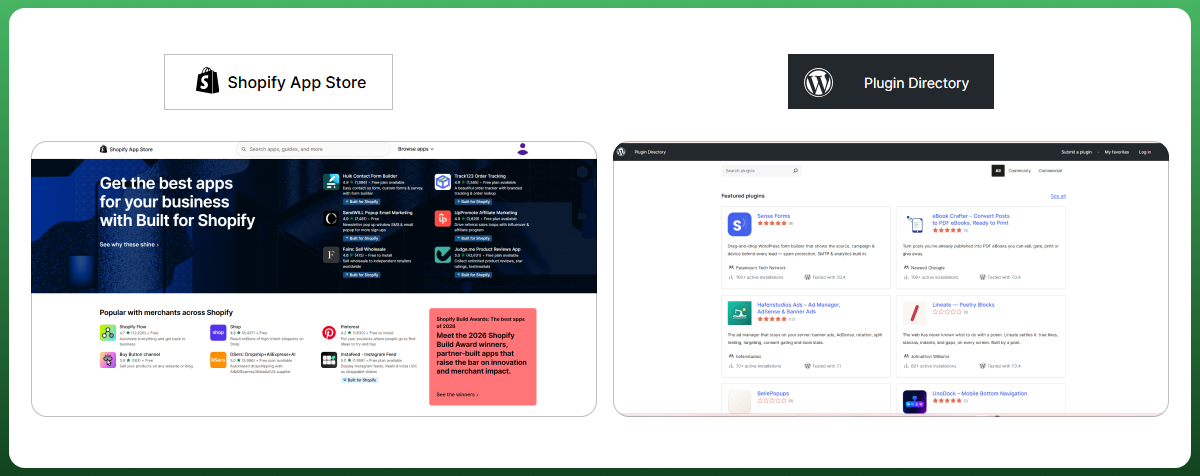
Shopify's App Store carries over 8,000 apps, all vetted for quality and security. WooCommerce offers over 800 official extensions plus tens of thousands of WordPress plugins, so almost anything you can imagine exists.
The trade-off is familiar. Shopify apps are cleaner and safer but mostly subscription-based, so costs stack monthly. WooCommerce plugins are cheaper and more plentiful, but conflicts after updates create technical debt if you are not careful. Vetted and paid, or open and self-managed.
Native Multi-Channel and Marketplace Connections
If you sell across marketplaces, Shopify has an edge out of the box. It connects natively to channels like Amazon, TikTok, Facebook, Instagram, and eBay, managing inventory from one dashboard. WooCommerce reaches the same channels but usually needs a dedicated plugin per marketplace.
Either way, selling on marketplaces is its own discipline. If you are expanding onto Amazon, Walmart, or TikTok Shop, the platform is only half the job; account management and product listing strategy carry the rest.
B2B, Subscriptions, and In-Person Selling (POS)
Plenty of stores are not standard direct-to-consumer shops. If you sell wholesale, bill regularly, or ring up sales in a physical location, these specialized needs can decide your platform on their own.
Wholesale and B2B Ordering
Shopify Plus treats B2B as native: company accounts, price lists, catalogs, and payment terms are built in and assigned per account. WooCommerce handles B2B through plugins like Wholesale Suite or B2B for WooCommerce, giving more flexible pricing logic and custom registration, at the cost of maintaining those plugins.
The rule of thumb: choose Shopify Plus when your wholesale needs are structured, and you want it managed. Choose WooCommerce when your pricing rules, approval workflows, or ERP integration are too bespoke for a fixed system to handle cleanly.
Subscriptions and Recurring Billing
WooCommerce Subscriptions supports sophisticated recurring billing scenarios, including advanced rules that Shopify often needs third-party apps to match. Shopify handles subscriptions well too, but mostly through subscription apps rather than a single native engine.
Point of Sale for In-Person Retail
This one is decisive for retail. Shopify includes Shopify POS on all plans and is the only option here with its own point-of-sale hardware for in-person selling. WooCommerce discontinued its native POS system in February 2026, so you now rely on a third-party app such as a Lightspeed integration. If you sell in a physical store, Shopify has a cleaner path.
Headless Commerce and the AI-Commerce Question
Two forward-looking factors are worth a clear-eyed look, without hype. Both touch on how flexible and future-ready your storefront is, and both matter more to technical teams than to a first-time owner.
Headless Architecture: Hydrogen vs the WooCommerce Store API
Headless commerce separates your storefront from your backend for speed and design freedom. Shopify offers Hydrogen and its Storefront API for custom front-ends, while WooCommerce exposes its Store API and REST or GraphQL endpoints for the same purpose. Both are capable; both need real development resources.
Where AI Commerce Actually Stands in 2026
AI shopping agents that browse and compare products are an emerging trend, not a settled market. It is reasonable to expect lower-latency, API-friendly stores to perform better as agents mature, and Shopify's managed global infrastructure is well positioned for that shift.
That said, the impact on rankings and sales with AI features is still developing, so treat confident claims either way with caution. WooCommerce's open, API-accessible stack leaves it well placed to adapt. For most stores today, content quality and site speed matter far more than agent-readiness.
Shopify vs WooCommerce: Which One Should You Choose
Strip away the features, and it comes down to a trade. Shopify trades control for convenience. WooCommerce trades convenience for control. Neither is objectively better; the right call depends on your technical resources, budget, and growth plan.
When Shopify Is the Clear Strategic Default
Choose Shopify when you want to sell rather than administer a server. It fits founders without an in-house developer, fast-scaling startups, dropshippers, retail businesses needing POS, and lean teams that value predictable costs, 24/7 support, and hands-off security.
When WooCommerce Is the Only Pragmatic Architecture
Choose WooCommerce when control is non-negotiable. It suits content-led brands betting on SEO, businesses with bespoke B2B or subscription workflows, and teams with technical resources who want to own their infrastructure, data, and roadmap without vendor lock-in.
Factor
Shopify
WooCommerce
Best for
Speed, simplicity, hands-off ops
Control, customization, ownership
Setup
Hours for simple stores
Days to weeks for custom builds
Cost model
Predictable subscription
Variable: scales with your skills
Security
Managed for you (PCI, SSL)
Your responsibility
Scaling
Automatic
Hosting-dependent, HPOS helps
Support
24/7 built-in
Community and paid developers
SEO control
Solid but rigid
Full technical control
B2B / subscriptions
Native on Plus / via apps
Flexible via plugins
In-person POS
Included on all plans
Third-party app only
Extra Tips: Things to Consider for Migration
Having moved stores in both directions, the same handful of issues cause the most post-launch pain. Plan for these upfront, and you avoid the majority of migration headaches, whichever way you are heading.
URL migration and 301 redirects, so you protect existing SEO rankings
Payment gateway differences between the old and new platforms
Product variants that do not map cleanly across systems
Customer account and password migration
Preserving metadata, schema, and internal links
A clean migration that preserves URLs and data typically runs a few thousand dollars, and mapping redirects is the step people skip most. If you are weighing a move, our ecommerce team can scope it before anything breaks.
Frequently Asked Questions
How is Shopify different from WooCommerce?
Shopify is a hosted SaaS platform where you rent a complete, managed store. WooCommerce is a free, open-source WordPress plugin you install and run yourself. Shopify handles hosting, security, and updates; WooCommerce hands you full control and full responsibility for the stack.
Which is cheaper, WooCommerce or Shopify?
It depends on your setup. A properly hosted WooCommerce store runs roughly $300 to $900 a year before developer time, close to Shopify Basic. At the growth stage, they converge. At high volume, WooCommerce can be cheaper, but only with the in-house skills to avoid developer bills.
Is WooCommerce truly a free ecommerce platform alternative?
The core plugin is free, but the store never is. You pay for hosting, a domain, SSL, premium extensions, and often developer maintenance. WooCommerce gives you granular budget control, so you only pay for what you need, but a real store still carries recurring costs.
Which platform performs better for multi-market international storefronts?
Shopify's global CDN, Shopify Markets, and native multi-currency tools make international selling smoother out of the box. WooCommerce can match this with plugins and quality hosting, offering more configuration freedom, but it takes more setup and technical management to reach the same performance.
Can I migrate my store history from WooCommerce to Shopify safely?
Yes. You export products, customers, and orders and import them via migration tools or a specialist agency. The critical step is mapping every old URL to its new one with 301 redirects to protect your SEO. A clean migration that preserves URLs and data typically runs a few thousand dollars.
Which platform is better for AI shopping and agentic commerce?
AI shopping agents are still an emerging trend. Shopify's managed, low-latency infrastructure positions it well as agents mature, and it already enables selling inside some AI surfaces. WooCommerce's open API stack can adapt too. For now, content quality and site speed matter more than agent readiness.
Which is better for wholesale and B2B?
Shopify Plus offers native B2B with company accounts, price lists, and payment terms, ideal for structured wholesale. WooCommerce handles B2B through flexible plugins like Wholesale Suite, better for bespoke pricing rules, custom approval workflows, or tight ERP integration where you need full control.
Final Words
The honest bottom line: pick the platform that matches how your team actually works.
If you want managed simplicity, Shopify is the safer, faster path. If you want ownership and deep control, WooCommerce rewards the effort. And if you would rather have experts handle either build, our ecommerce team is one message away.
Ecomgiantz Team consists of our in-house experts who share their hands-on experience in ecommerce businesses, websites, marketplaces, etc. We also share the latest updates, insights, and market trends that can be helpful for your online business.