
What Is an API Key?
An application programming interface (API) lets software systems exchange information. An API key is a credential that helps the receiving service recognize the application making a request. It often looks like a long string of letters and numbers.
Depending on the provider, a key can support usage limits, application restrictions, or billing. However, an API key does not necessarily identify an individual user or authorize access to sensitive data.
How Does an API Key Work?
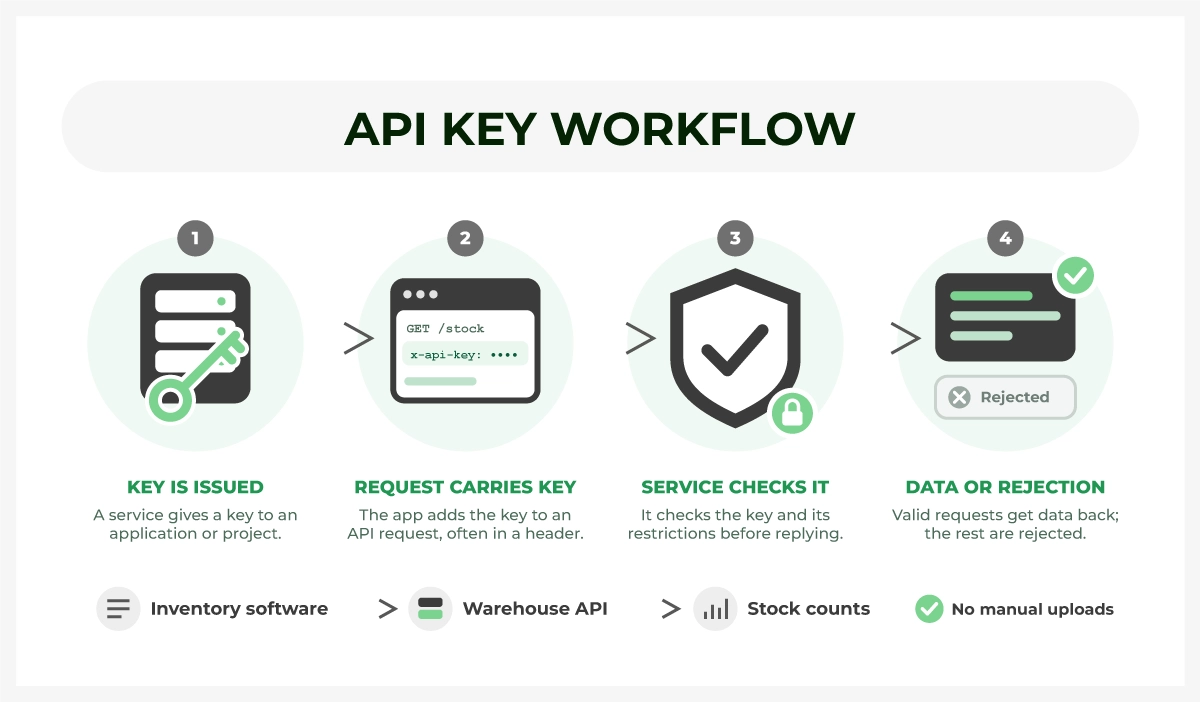
A service issues a key to an application or project. The application includes that key in an API request, often through a request header. The receiving service checks the key and its restrictions before returning data or rejecting the request.
For example, a retailer may connect inventory software to a warehouse API that accepts keys. The approved tool retrieves stock counts and keeps product availability updated without repeated manual uploads.
Where Do Ecommerce Stores Use API Keys?
Online stores may use API keys when connecting shipping calculators, inventory systems, product feeds, analytics tools, or tax services. The required credentials vary by platform; many integrations use OAuth access tokens instead of conventional API keys.
In a headless Shopify setup, APIs connect the storefront with commerce data. Credential choices also matter during development, especially when multiple systems exchange order or stock information.
API Key vs. OAuth Access Token
Both can accompany API requests, but they commonly serve different purposes.
| Factor | API key | OAuth access token |
|---|---|---|
| Primary role | Identifies an app or project; may act as a credential | Represents access granted to a client, often with defined scopes |
| Permissions | Depend on the provider and restrictions attached to the key | Typically limited to the permissions or scopes granted |
| Validity | May remain usable until replaced or revoked | Often short-lived and may support renewal |
How to Keep API Keys Secure
API key security depends on several factors. Treat secret API keys as sensitive credentials. Store them on a secure server or in a secrets manager. Restrict each key to the services and applications that need it, monitor usage, and promptly revoke or rotate exposed keys.
For sensitive operations, a key alone may be insufficient. Google Cloud’s key management guidance explains storage and restriction practices.
Frequently Asked Questions
Where can I get an API key?
Check the service’s API or developer settings. Not every provider offers API keys, and creation steps differ.
Is an API key the same as a password?
No. Both may be confidential, but an API key commonly identifies an app or project rather than signing in a person.
Can an API key be visible on a website?
Some restricted browser keys are designed to be public. Secret server-side keys should never appear in public code.
Do API keys expire?
Some expire automatically. Others remain valid until they are rotated, disabled, or revoked.
What should I do if an API key is leaked?
Revoke or rotate the key, update connected applications, and review the activity logs for misuse.