
What Is A+ Content?
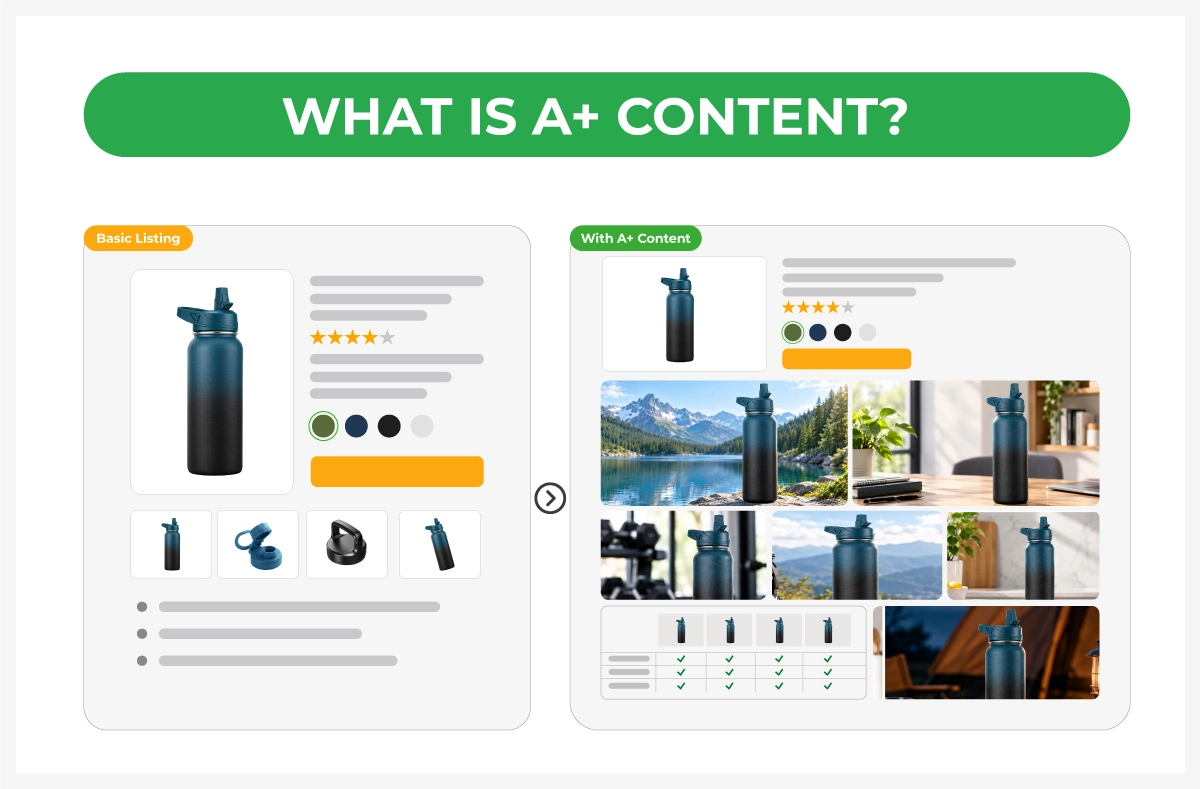
A standard Amazon product page relies on a title, photos, bullet points, and a description. A+ Content adds a more visual explanation further down the page. It helps brands show what makes a product useful.
Previously called Enhanced Brand Content (EBC) for sellers, Amazon A+ Content is created in Amazon Seller Central. It complements the main listing. It does not replace essential product images, titles, or bullet points.
For example, when selling an insulated water bottle, instead of stating “keeps drinks cold,” the seller could show the bottle on a hike, illustrate its insulation, and compare available sizes. This helps buyers imagine the product in everyday use.
What Are the Types of A+ Content?
Amazon provides three main A+ formats.
- Basic A+ Content: It combines product images, explanatory text, technical details, and comparison charts. It is useful for explaining benefits, dimensions, materials, or differences between products.
- Premium A+ Content: Adds more immersive options for eligible brands, such as larger images, videos, interactive hotspots, and carousels. These modules work well for products that need a visual demonstration.
- Brand Story: It uses a separate “From the brand” area to introduce the business, values, and related products. It can appear alongside basic or premium A+ content.
How Does A+ Content Work?
Sellers build A+ Content using ready-made modules inside Seller Central. The basic workflow involves four steps:
1. Checking eligibility: Confirm your Professional selling plan and Brand Representative or Reseller role for the ASIN. Check Amazon’s A+ eligibility guidance for Basic A+ access on generic ASINs, and verify Premium availability in A+ Content Manager.
2. Choosing modules: Selecting layouts for product photos, feature explanations, and comparisons comes in second place. Writing a short copy should answer common buying questions.
3. Assigning products: Then applying the finished content to relevant ASINs, which are Amazon’s product identification numbers.
4. Submit for review. Amazon checks the content against its guidelines before publishing approved modules on the selected listings.
For stores with many products, A+ creation often fits into broader Amazon seller account management to keep listings and brand presentation consistent.
Why Does A+ Content Matter?
Online shoppers cannot hold a product or ask a salesperson to demonstrate it. A+ Content helps to close that information gap. It helps especially for products with unfamiliar features, multiple versions, or details that are difficult to explain in a few bullets.
Clear, relevant visuals can strengthen brand credibility, reduce confusion, and support conversion. A comparison chart, for example, may help shoppers choose the right size instead of guessing.
For more detailed coverage on A+ Content, read the dedicated blog on Amazon A+ Content.
Frequently Asked Questions
Is Amazon A+ Content free?
Yes. Amazon does not charge eligible sellers a separate fee to publish it, although content design and production may involve costs.
Who can create A+ Content?
Generally, sellers with a Professional account and an eligible role for a registered brand. Some generic ASINs can use Basic A+.
Where does A+ Content appear?
Basic and Premium A+ appear in the product description area. Brand Story appears separately under “From the brand.”
Can A+ Content include video?
Yes, video is available in Premium A+ modules for eligible brands. Basic A+ focuses on text, imagery, and charts.
Can I change A+ Content later?
Yes. You can edit modules in A+ Content Manager and submit the updated version for Amazon’s review.
Does A+ Content improve Amazon SEO?
It mainly helps shoppers evaluate products. It should support, not replace, keyword research and optimization of the main listing.