What Is Shopify Plus? Features, Pricing, Benefits & When to Upgrade (2026 Guide)
Shopify Plus is an enterprise ecommerce platform designed for high-growth and high-volume brands. Explore its features, pricing, B2B capabilities, automation, scalability, and when upgrading makes sense.
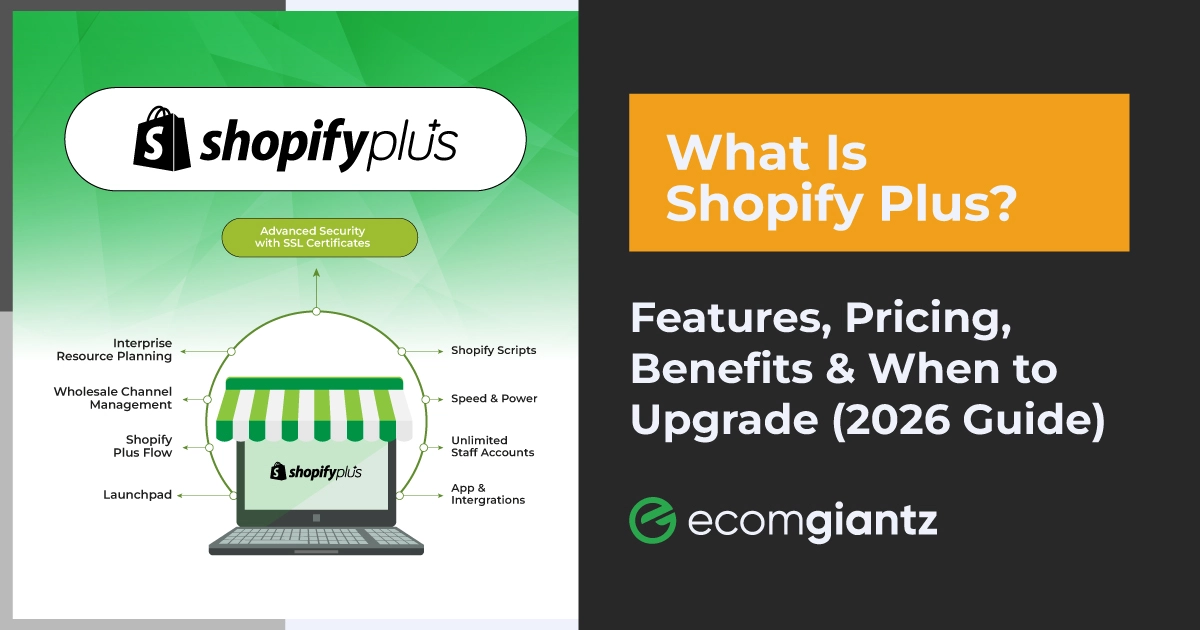
Shopify Plus is Shopify's enterprise commerce plan. It's built for high-volume merchants who need deeper checkout customization, native B2B selling, workflow automation, and multi-store management. Standard plans don't offer any of that. It starts at $2,300 a month.
You might’ve been running your online store on a standard Shopify plan for some time. By now, you understand the benefits of this open SaaS platform. You might be wondering if Shopify Plus is your logical next step. That’s the right question to ask yourself before spending a few thousand dollars.
For more than a decade, Ecomgiantz has been helping ecommerce businesses build, manage, and scale their Shopify stores. Many of them switched to the Plus plan when they began to become enterprise-level stores. That’s why we have hands-on experience working with global stores running on Plus plans.
We will explain what Shopify Plus is and who it is for. We’ll mention when a business surely needs to upgrade from its standard plan for additional benefits. So, stay with us till the end. You can then make the right decision for your business.
If you're leaning toward Plus and want a second opinion, our Shopify web design and development team can walk through your specific setup before you commit to a contract.
Key Takeaways
Shopify Plus is Shopify's enterprise tier. It's priced from $2,300/month on a 3-year term or $2,500/month on a 1-year term.
It's built for brands doing roughly $1M+ in annual revenue, running serious B2B wholesale, or managing several storefronts at once.
Plus exclusive capabilities include Checkout Extensibility, native B2B (Companies, Catalogs, Price Lists), Shopify Flow automation, Launchpad, and up to 9 expansion stores.
Roughly 47,000 stores run on Shopify Plus as of early 2026, across 175+ countries. This figure is based on multiple market analyses, not officially published by Shopify.
Plus infrastructure handles 10,000+ transactions per minute. That's why brands like Gymshark and Heinz lean on it during Black Friday and Cyber Monday.
Standard plans top out at $399/month. Plus costs roughly 6 to 10 times more, and the jump only pays for itself past a certain sales volume.
What Is Shopify Plus?
Shopify Plus is the enterprise version of Shopify's commerce platform. It runs on the same core operating system as standard Shopify, so the admin will feel familiar.
What's different is a separate tier of checkout control, automation tools, API access, and support. None of that is available on Basic, Grow, or Advanced plans.
Shopify Plus at a Glance
Feature
Shopify Plus
Best for
High growth, high volume, and B2B/DTC hybrid brands
Starting price
$2,300/mo (3-year term) or $2,500/mo (1-year term)
Ideal revenue
Roughly $1M+ in annual revenue
Checkout customization
Full, via Checkout Extensibility
Automation tools
Shopify Flow and Launchpad are included
B2B capabilities
Native: Companies, Catalogs, Price Lists
Multi-store management
Main store plus up to 9 expansion stores
Staff accounts
Unlimited
Inventory locations
Up to 200
API rate limits
Up to 10x the Advanced plan
Third-party transaction fees
0.2% versus 0.6 to 2% on standard plans
Support
Merchant success manager plus 24/7 priority
Scalability
10,000+ transactions per minute
Why Shopify Created Shopify Plus
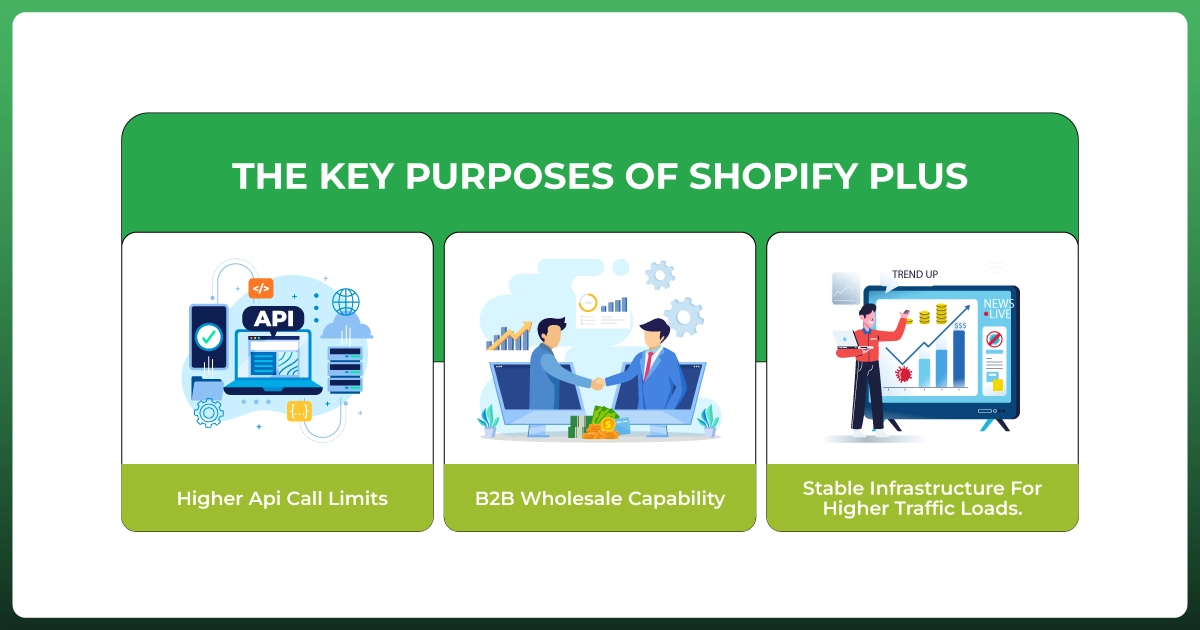
Shopify launched Plus in 2014 after noticing its fastest-growing merchants were outgrowing the standard plans. They needed higher API call limits, real B2B wholesale capability, and infrastructure that wouldn't buckle during a flash sale.
Rather than force those brands onto a completely different system, Shopify built a heavy-duty tier of its own platform.
How Shopify Plus Works
Functionally, Shopify Plus is still Shopify. Your theme runs on Shopify Liquid, your product catalog structure is the same, and most apps from the Shopify App Store still work.
What changes are scale and control? Higher API rate limits, an organization-level admin for managing multiple stores, and a checkout you can actually customize instead of just rebranding.
Who Is Shopify Plus Designed For?
Enterprise brands with complex operational needs
High-growth DTC brands scaling past $1M in revenue
B2B companies running wholesale alongside a consumer storefront
Businesses expanding internationally into new markets and currencies
Multi-brand businesses managing more than one storefront
Pros and Cons of Shopify Plus
Advantages
Enterprise-grade scalability for high-volume businesses
Deep automation through Shopify Flow and Launchpad
Native B2B wholesale capability
Multi-store management with up to 9 expansion stores
Advanced reporting and Shopify Audiences access
Higher inventory locations and API rate limits
Dedicated merchant success manager
Lower transaction fees at scale
Setbacks
High monthly cost relative to standard plans
Multi-year contract commitment on the best pricing
Requires real planning to get value from
Can be excessive for smaller stores
Some customizations still require developer support
Still a hosted platform with less backend control than composable alternatives
Is Shopify Plus Right for You?
Before we get into features and pricing, let's answer the question that actually matters. Should you even be considering this upgrade right now?
Business type
Shopify Plus?
Startup, pre-revenue, or early stage
Not yet
Small ecommerce, under $500K annual revenue
Not yet
Growing DTC brand approaching $1M+
Yes
Enterprise brand with complex operations
Yes
Wholesale or B2B focused business
Yes
International, multi-region seller
Yes
If you're a startup or a small store under $500K in annual revenue, the transaction fee savings won't offset the monthly cost yet. Shopify Advanced at $399/month will cover most of what you need.
Once you're running B2B wholesale, expanding into new countries, or managing multiple storefronts, the calculation flips. That's when Plus starts paying for itself in both fee savings and hours saved through automation.
Key Shopify Plus Features
Now, let’s talk about the core features of Shopify Plus that make it an enterprise solution.
Checkout Extensibility (Not checkout.liquid)
Checkout customization is probably the single biggest reason brands upgrade. It's also where the most outdated information lives online.
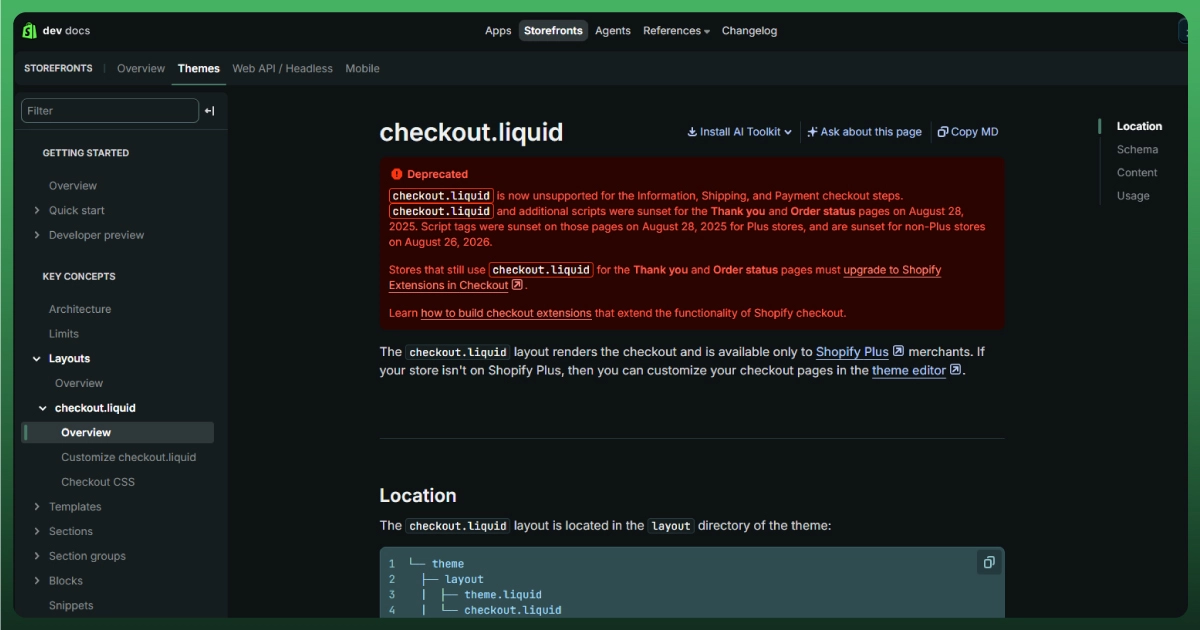
The old approach to editing checkout.liquid directly no longer exists. Everything now runs through Checkout Extensibility, a framework built on Checkout UI Extensions, Shopify Functions, and the Checkout Branding API.
You can build custom checkout experiences without touching raw code in most cases. Here's what's actually customizable today:
Checkout UI Extensions for adding fields, banners, and upsells
Payment methods, including the ability to hide payment methods for specific segments
Shipping methods and delivery rules
Validation logic on checkout fields
Discount logic through Shopify Functions
Thank You page content and layout
Order Status page branding
Everything happens inside Shopify's controlled framework rather than free-form code. That's actually good for security and upgrade stability, even if it takes some adjusting to.
Shopify Flow Automation
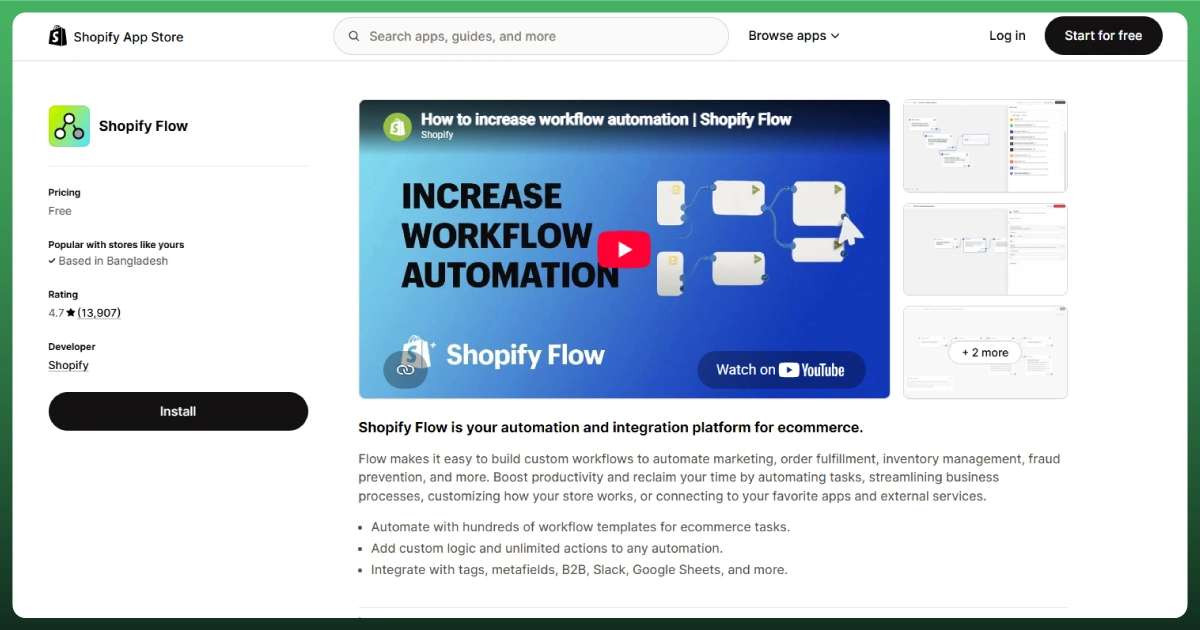
Shopify Flow is a visual, no-code automation tool included with every Plus subscription. Think of it as if-this-then-that logic for commerce: workflow automation, inventory automation, order automation, and customer automation.
A lot of merchants pair Flow with tools like Klaviyo for email campaigns that trigger automatically. If email is still a disconnected, manual process for your team, fixing that through proper ecommerce email marketing is usually the first win.
Launchpad
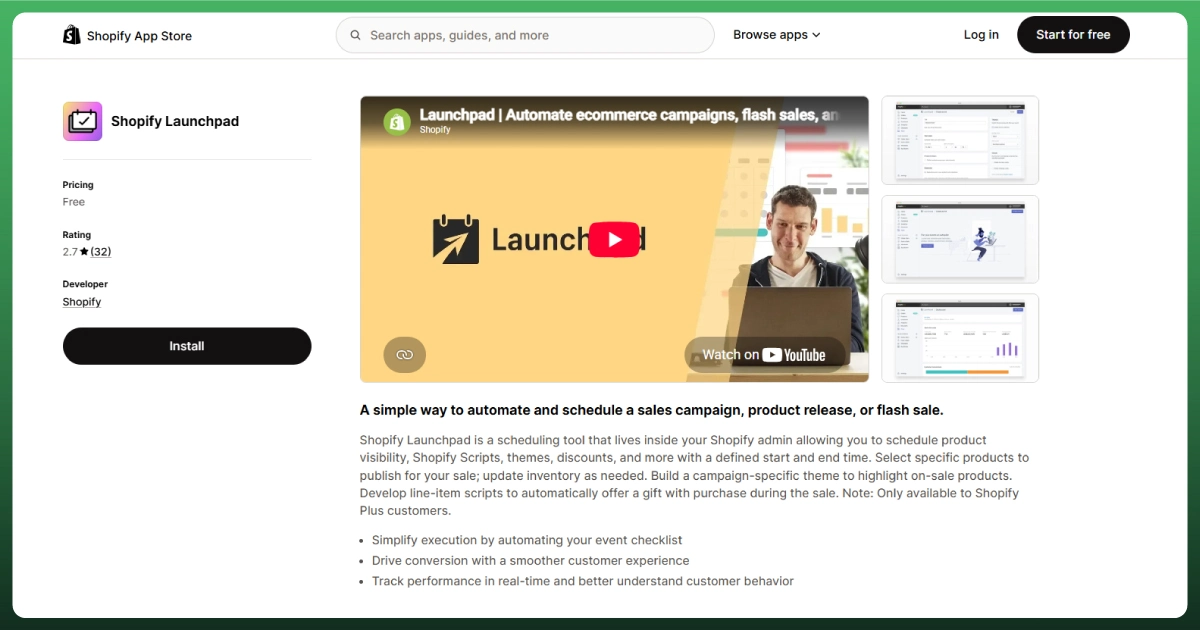
Launchpad handles the operational side of big sales moments. It schedules and automatically executes flash sales, product launches, and holiday campaigns. Price changes, inventory adjustments, and theme swaps all run on a timeline you set in advance.
Shopify Functions
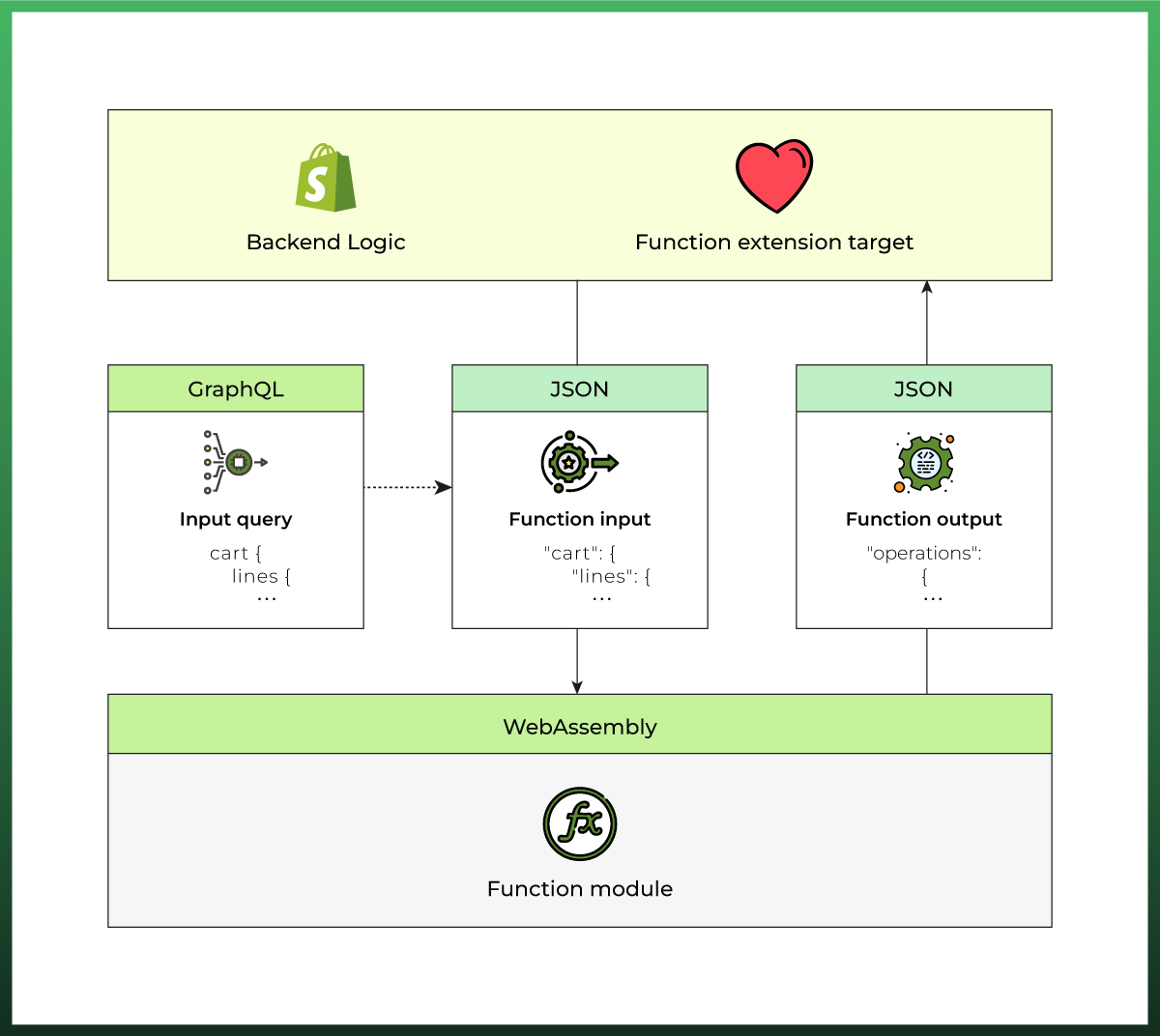
Shopify Functions is the supported way to write custom backend logic for discounts, shipping rules, and payment customization. It's the direct replacement for Shopify Scripts, which stops running on June 30, 2026.
If your store still relies on Scripts, migrating that logic to Functions should be near the top of your to-do list. This applies whether you're already on Plus or just evaluating it.
Built-in B2B Commerce
Shopify B2B is one of the strongest reasons to upgrade if wholesale is part of your business. Here's how it's structured:
Company accounts, each with one or more locations
Catalogs and Price Lists, so different buyers see different products and pricing
Payment terms like Net 30 or Net 60, assigned at the company level
Buyer roles and permissions within each company account
Quantity rules and volume pricing breaks
Bulk ordering built into the storefront experience
This covers most hybrid B2B and DTC use cases well. Where it strains is in complex procurement, formal RFQ processes, or ERP-driven pricing across thousands of accounts. Those are better handled by platforms like Adobe Commerce.
Multi-Store Management
Every Plus subscription includes a main store plus up to 9 expansion stores. That covers most international expansion and regional storefront needs without extra cost.
If you're running genuinely separate brands, each needs its own Plus contract. Keeping inventory, pricing, and reporting in sync across that many storefronts is where multichannel software management earns its keep.
Organization Admin
The organization admin is your central dashboard across every store under your account. User management, store permissions, and performance reporting all live in one place instead of separate logins.
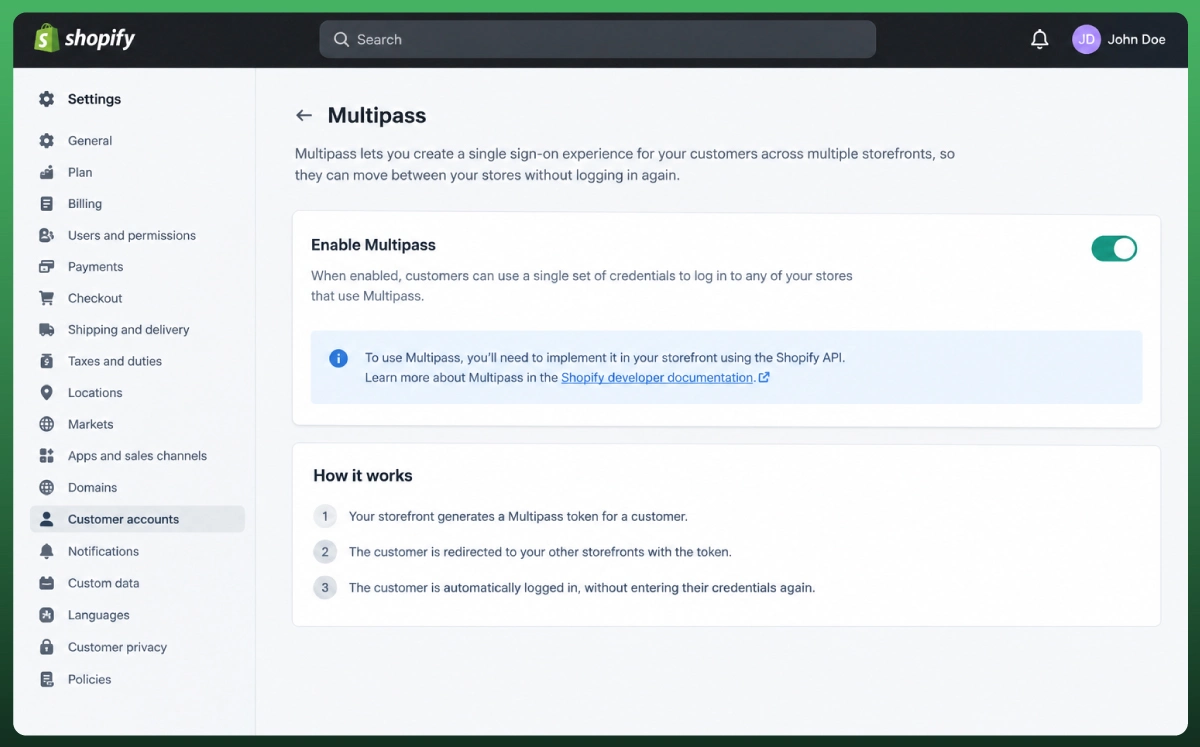
MultiPass, Shopify's single sign-on tool, ties into this so customers can move between your storefronts without logging in again.
Unlimited Staff Accounts
Standard plans cap staff accounts at 15. Plus removes that ceiling entirely, with granular admin controls. Give each person exactly the access their role needs. Nothing more.
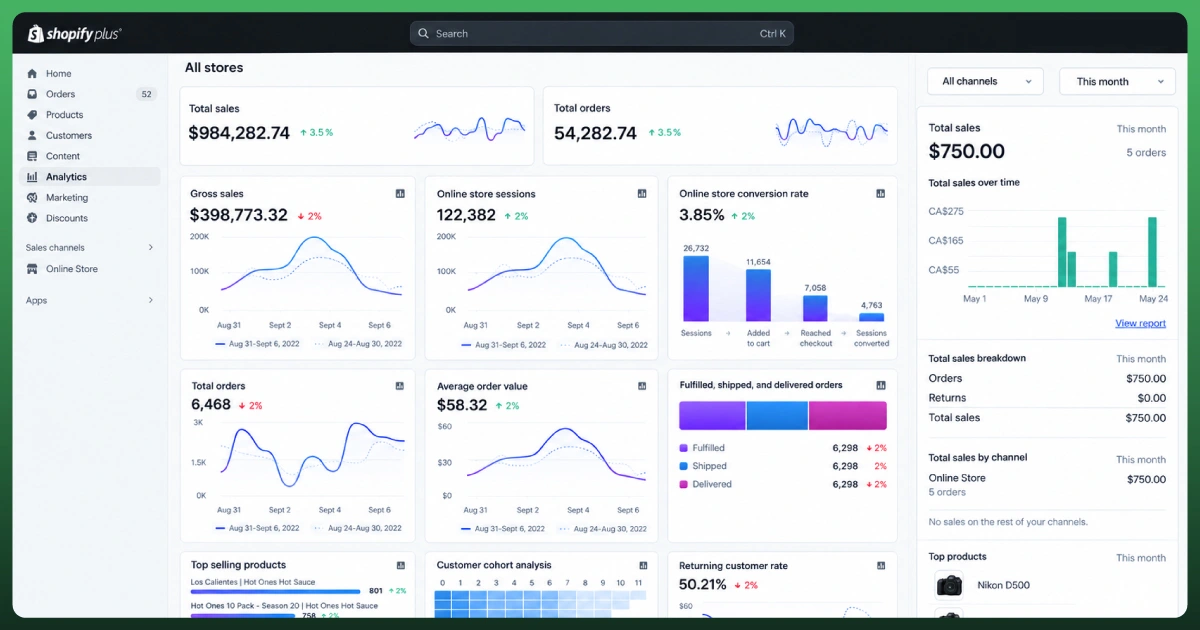
Advanced Analytics and Reports
Plus merchants can build and save custom reports rather than working only with default templates. You also get access to Shopify Audiences for targeted customer acquisition based on your actual customer data.
Higher Inventory Locations and POS Pro
Standard plans support a handful of inventory locations. Plus supports up to 200. That matters if you're running multi-location retail or a serious warehouse management setup.
Shopify POS Pro is included for unifying online and in-store selling under one Point of Sale system.
APIs and Enterprise Integrations
Plus comes with significantly higher API call limits, generally cited as up to 10x the Advanced plan. That matters once you're connecting ERP, CRM, PIM (product information management), or warehouse systems through real-time integrations.
For headless storefronts, this also extends to Hydrogen (Shopify's headless commerce framework) and Oxygen (its hosting layer). Both support consumer and headless B2B storefronts.
AI Capabilities on Shopify Plus
Let's be straightforward here. Shopify Magic and Sidekick, the platform's AI tools for AI-generated product descriptions and admin assistance, are available across all Shopify plans. They're not exclusive to Plus.
What Plus adds is scale: higher usage ceilings and earlier access to new AI capabilities as they roll out through each Shopify Edition.
Dedicated Merchant Success Program
Every Plus merchant gets a merchant success manager and access to launch engineers for onboarding and migration. You also get Shopify Plus Academy, a training library not available to standard plan merchants.
That said, a success manager helps with the platform itself. Day-to-day ongoing store management is a separate need that most growing brands eventually outsource.
What's Included vs. Paid Separately
One of the most common misconceptions we see is assuming the Plus subscription covers everything. It doesn't. Here's the honest breakdown.
Included in Plus
Typically extra cost
Shopify Flow
Third-party apps (Klaviyo, Yotpo, etc.)
Launchpad
Premium or custom themes
Organization admin
ERP and PIM integration
Checkout Extensibility framework
Custom development
Native B2B (Companies, Catalogs, Price Lists)
Agency or implementation partner fees
Benefits of Shopify Plus
So, those were the features that made the plan so advanced. Here are some of the proven benefits my clients usually have from the Plus plan.
Faster Business Growth
Automation reduces operational overhead. Your team spends less time on repetitive admin work and more time on merchandising, marketing, and customer experiences that actually move revenue.
Better Customer Experience
A fully branded, customizable checkout combined with reliable performance during traffic spikes means fewer abandoned carts. Less friction, less downtime, more completed orders.
Higher Conversion Rates
Shopify's checkout has a documented conversion advantage over generic ecommerce checkouts. Plus gives you room to optimize it further with custom fields, upsells, and validation logic tailored to your customers.
More Automation, Less Manual Work
Between Shopify Flow, Launchpad, and Shopify Functions, a lot of what used to require a developer or full-time ops person now runs on rules you set once.
Easier Global Expansion
Expansion stores, Shopify Markets, multi-language support, and regional tax compliance tools make international expansion far less of a custom-built project.
Better Team Collaboration
Unlimited staff accounts with granular permissions mean bigger teams can work inside the same store. No stepping on each other, no workarounds.
What's Changed in Shopify Plus Recently
A lot of guides still floating around describe a version of Shopify Plus that no longer exists. If you've read articles quoting $2,000 a month or mentioning Shopify Scripts and checkout.liquid as current tools, that info is outdated.
Here's what's actually true heading into the second half of 2026:
Pricing moved from $2,000/month to $2,300 to $2,500/month starting in 2024.
checkout.liquid was deprecated in February 2023 and fully retired by August 2025. Checkout Extensibility replaced it entirely
Shopify Scripts, run through the Script Editor, stop executing on June 30, 2026. Migrate that logic to Shopify Functions before the cutoff.
B2B selling used to need third-party apps. It's now native, built into the base Plus subscription at no extra cost.
Shopify Editions and Shopify Plus
Shopify doesn't ship Plus-specific updates on its own schedule. New capabilities arrive twice a year through Shopify Editions: a Summer and a Winter release. Editions aren't a separate purchase. They're how your existing subscription gets better over time.
The Spring '26 Edition introduced the Universal Commerce Protocol and agentic commerce tooling. Winter '26 focused on AI admin tools and expanded B2B functionality. Plus merchants tend to see checkout and B2B improvements land first, so skim each Edition rather than assuming your feature set is fixed.
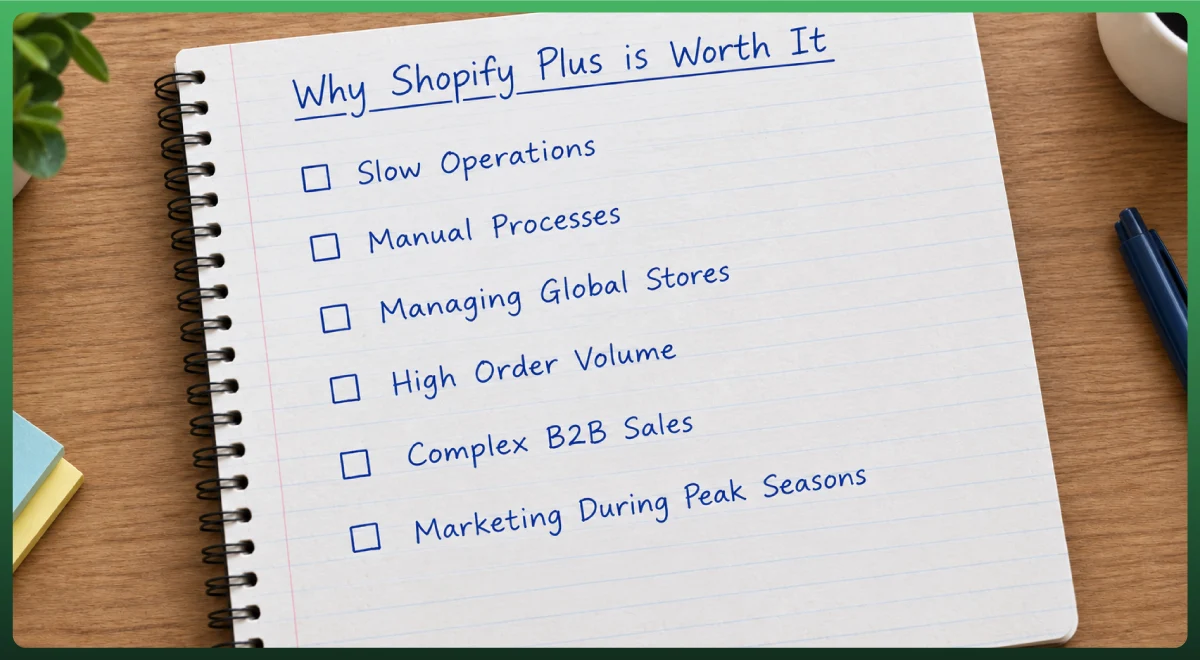
This section is worth sitting with. It's really the practical answer to "why would I even need Plus?"
Slow Operations
Manual pricing updates, manual order tagging, manual inventory checks. Shopify Flow exists to remove all of that.
Manual Processes
Anything you're doing the same way every week can usually become a Flow automation workflow. Customer segmentation, fraud flagging, restock alerts, all of it.
Managing Global Stores
Expansion stores and the organization admin solve the headache of juggling separate logins, inventory, and reporting across regions.
High Order Volume
Black Friday and Cyber Monday spikes, flash sales, sudden product drops, viral campaigns. These are the scenarios Plus is engineered to absorb without the checkout buckling.
Complex B2B Sales
Native Company accounts, Price Lists, and payment terms remove the need to bolt on a separate wholesale app or run a disconnected B2B wholesale portal.
Marketing During Peak Seasons
Launchpad's scheduled execution means your team isn't flipping switches at midnight during a big sale. The platform side is only half the equation, though. Pairing that with proper digital marketing services is what gets traffic to the store in the first place.
Does Shopify Plus Improve Site Speed?
No. This trips up a lot of merchants. Hosting infrastructure is broadly similar across Shopify tiers. Upgrading to Plus alone will not make your store faster.
Real enterprise performance gains come from theme optimization, image and app hygiene, choosing Hydrogen for a headless architecture, and smart architecture decisions.
Where Plus does help is at the ceiling: handling far higher concurrent traffic without slowing down during a spike. That's different from everyday page speed.
Shopify vs. Shopify Plus
Here's the side-by-side most people are actually looking for.
Feature
Shopify (Basic/Grow/Advanced)
Shopify Plus
Monthly cost
$39 to $399
$2,300 to $2,500+
Checkout customization
Limited
Full, via Checkout Extensibility
Staff accounts
Up to 15
Unlimited
B2B capabilities
None natively
Native: Companies and Catalogs
Multi-store management
One store per account
Main store plus 9 expansion stores
Automation tools
Basic, third-party apps
Shopify Flow and Launchpad included
Inventory locations
Around 8 to 10
Up to 200
Support
24/7 chat
Dedicated merchant success manager
Third-party transaction fees
0.6% to 2%
0.2%
Which One Should You Choose?
If your checkout needs are minor, you're not selling B2B, and you're under $1M in annual revenue, Shopify Advanced covers you well.
Once any of those conditions flip- checkout control, B2B, multi-store, or crossing that revenue threshold- Plus starts making financial sense.
Shopify Plus vs. Other Enterprise Ecommerce Platforms
Shopify Plus isn't the only enterprise eCommerce solution. Here's how it stacks up against the platforms most commonly shortlisted alongside it. Enterprise pricing is quote-based across all of these, so treat figures below as directional ranges.
Platform
Starting cost (approx.)
Time to launch
Shopify Plus
$2,300 to $2,500/month
Weeks to a few months
BigCommerce Enterprise
~$1,000 to $15,000/month, quote-based
Weeks to months
Adobe Commerce
~$22,000 to $190,000+/year, quote-based
6 to 12 months
Salesforce Commerce Cloud
~$60,000 to $500,000+/year, quote-based
6 to 18 months
The pattern across independent comparisons is consistent. Shopify Plus is the fastest and cheapest path to an enterprise-grade storefront.
Adobe Commerce and Salesforce Commerce Cloud offer deeper customization for businesses with complex procurement, heavy ERP dependency, or requirements beyond what a hosted platform supports. BigCommerce Enterprise sits in between on both cost and flexibility.
Shopify Plus Partner Ecosystem
Part of what makes Plus workable at scale is the ecommerce ecosystem around it. Certified agencies for development and design, thousands of apps in the Shopify App Store, ERP integration partners, and system integrators for larger builds.
Most brands don't run Plus alone. They lean on this partner network for everything from migration to ongoing store management and multichannel selling across social platforms and marketplaces.
Shopify Plus Pricing Explained
Starting Cost
$2,300 per month on a 3-year term
$2,500 per month on a 1-year term
The longer commitment lowers your monthly rate and, generally, your variable platform fee. The tradeoff is less flexibility if Plus doesn't work out.
Variable Platform Fee
Once monthly sales cross a certain volume, commonly reported around $800,000/month in gross merchandise volume, Shopify shifts from the flat fee to a variable pricing model based on revenue.
Reported rates fall between 0.25% and 0.40% depending on contract term and D2C vs B2B revenue streams. Shopify doesn't publish exact thresholds publicly, so confirm current terms directly with their sales team.
Transaction Fees Compared
This is where Plus often pays for itself at scale. Third-party payment gateways cost 0.2% per transaction on Plus, compared to 0.6% to 2% on standard plans. Shopify Payments users also get lower card processing rates on Plus, with Shop Pay included.
Hidden and Additional Costs
The subscription fee is the floor, not the ceiling. Budget realistically for:
Agency or implementation partner fees
Developer time for custom development
Third-party apps and third-party integrations
ERP and PIM integration
Tax and localization tools
Custom integrations and real-time data syncing
Ongoing maintenance and security maintenance
Premium or custom themes
Is Shopify Plus Worth the Investment?
Rather than a vague yes or no, here's how to run the numbers using published rates:
Start with your annual revenue
Calculate your current transaction fees on standard Shopify (0.6% to 2%)
Calculate what those fees would be on Plus (0.2%)
Subtract to find your annual fee savings
Add estimated time savings from automation workflows
Subtract the added annual cost of Plus from your current plan
What's left is your net ROI
Here's a rough illustration. A store doing $2.5M/year on a third-party gateway at 1.5% pays about $37,500 annually in transaction fees. On Plus at 0.2%, that drops to $5,000.
That's a $32,500 saving, which comfortably outpaces the roughly $25,000 step up in platform cost. And that's before automation savings are factored in. Run your own numbers using your actual revenue and fee structure.
When Should You Upgrade to Shopify Plus?
Your Store Is Growing Rapidly
If you're consistently approaching or past $1M in annual revenue, the transaction fee math alone starts to justify the move.
You're Managing Multiple Stores
Running separate storefronts for different regions manually is a strong signal you need the organization admin and expansion stores.
Your Team Needs Better Workflows
If your team spends hours each week on tasks that follow the same rules every time, that's what Shopify Flow is for.
You Need Checkout Customization
Custom fields, upsells, or conditional logic at checkout aren't possible on standard plans. This alone pushes a lot of brands to upgrade.
You're Expanding Internationally
Multiple currencies, languages, and regional tax rules are far easier through expansion stores and Shopify Markets than through workarounds on a single store.
You Sell Wholesale
If B2B is a real revenue stream, native B2B on Plus will save you from cobbling together apps that don't talk to each other. B2B storefronts, company accounts, and volume pricing all come built-in.
You're Spending Too Much Time on Manual Tasks
This is the catch-all signal. If your team's time is the bottleneck rather than your ideas, automation tools are usually the highest-leverage reason to upgrade.
Real Businesses That Use Shopify Plus
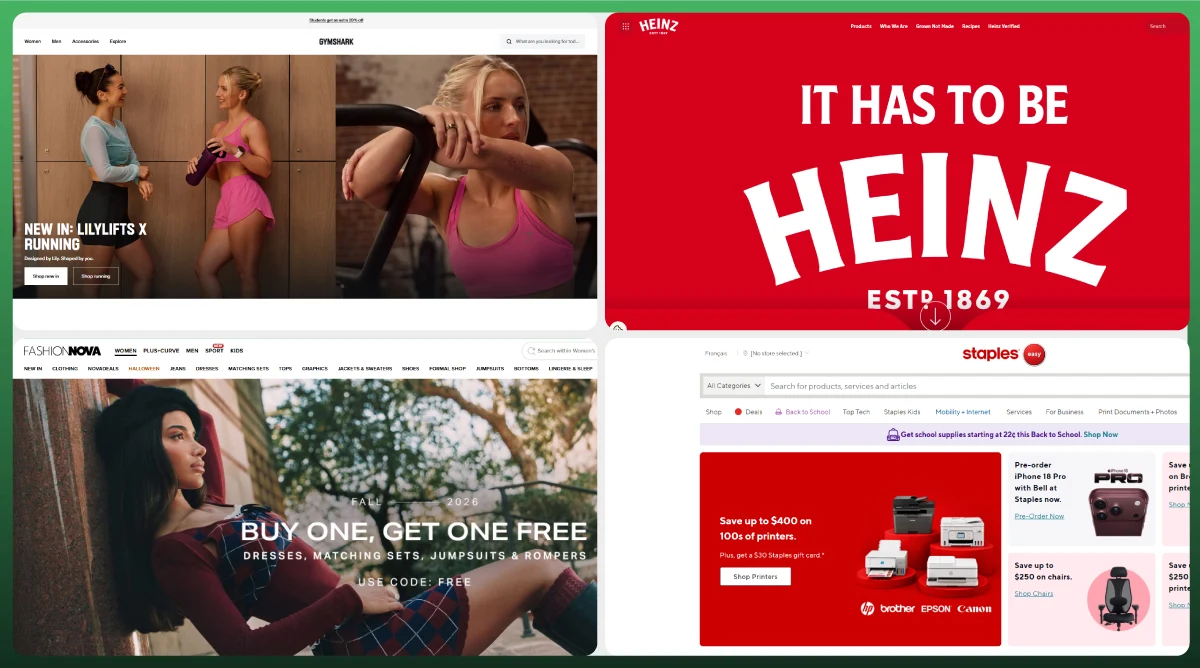
Shopify Plus powers a wide range of brands across industries. Well-known names include Gymshark, Heinz, Fashion Nova, Staples, and Kylie Cosmetics.
These span fashion, beauty, food, retail, and subscription commerce. That range reflects how broadly the platform's B2B, multi-store, and high-traffic capabilities apply across different ecommerce website models.
How to Upgrade to Shopify Plus
Evaluate Your Needs
Be honest about which specific Plus features you'd actually use in the next 12 months. Not hypothetically. Actually.
Contact Shopify
Plus isn't self-serve. You'll talk to Shopify's sales team to confirm pricing and contract terms for your specific volume and business model.
Prepare Your Store
Audit your theme, apps, and any custom checkout work for compatibility. Pay special attention to anything still using checkout.liquid or Shopify Scripts.
Plan Migration
Map out what needs to move and in what order before you touch anything live.
What Happens During Migration?
Theme migration: rebuilding or adapting your current theme for Plus
Apps: checking which are Plus-compatible or need replacing
Checkout: rebuilding custom logic in Checkout Extensibility
Redirects: preserving SEO equity on any URLs that change
Integrations: reconnecting ERP, CRM, and other systems
Testing: a full pass on checkout, payment gateways, and order flow
Most straightforward migrations run 4 to 8 weeks. Complex B2B or multi-store builds can take longer. Build in buffer time rather than launching against a hard deadline.
Launch Successfully
Soft launch where possible. Monitor closely for the first few weeks and keep your Shopify launch engineer looped in until things are stable.
Final Thought
If you've read this far, you probably already know where you land. Shopify Plus makes sense once your revenue, order volume, B2B needs, or multi-store complexity outgrow what standard plans support.
It's not the right move for every growing store. And that's fine. The goal is matching the platform to where your business actually is, not where you hope it'll be in two years.
If migration, checkout customization, or day-to-day store operations feel like more than your team wants to take on alone, that's exactly what we handle.
If you'd like a second opinion on your setup before committing, get in touch for a free consultation.
Frequently Asked Questions
Is Shopify Plus worth it?
For businesses doing $1M+ in annual revenue, running B2B wholesale, or managing multiple storefronts, yes, generally. Transaction fee savings alone often cover the cost difference at that scale.
Can small businesses use Shopify Plus?
Technically yes. But the cost rarely makes sense below $500K to $800K in monthly sales. Shopify Advanced covers most small business needs at a fraction of the price.
What revenue should I have before upgrading?
Most merchants see Plus pay for itself once monthly sales approach $500,000 to $800,000. If you need B2B or checkout customization specifically, that can justify upgrading earlier.
What's the difference between Shopify Plus and Shopify Advanced?
Advanced tops out at $399/month with basic reporting and up to 15 staff accounts. Plus starts at $2,300/month and adds custom checkout, native B2B, Shopify Flow, expansion stores, unlimited staff accounts, and dedicated support.
Does Shopify Plus improve SEO?
Not directly. Plus doesn't change how search engines crawl or rank your ecommerce website. It does provide infrastructure stability during traffic spikes and more flexibility for technical SEO through higher API limits.
Can Shopify Plus handle international stores?
Yes. Up to 9 expansion stores, Shopify Markets, multi-language support, and regional tax compliance tools are built specifically for global expansion.
Does Shopify Plus support B2B selling?
Yes, natively. Company accounts, Catalogs, Price Lists, payment terms, and buyer roles are included in the base subscription. No separate app required.
What happened to checkout.liquid and Shopify Scripts?
checkout.liquid was deprecated in February 2023 and retired in August 2025. Shopify Scripts stops running June 30, 2026. Both are replaced by Checkout Extensibility and Shopify Functions.
How long does migration usually take?
A straightforward migration takes 4 to 8 weeks. Complex B2B setups, large SKU catalogs, or multi-store builds can take longer. Plan for buffer time.
Do I need a Shopify Plus Partner?
You're not required to use one, but most merchants do for migration, custom checkout, and ongoing development. A partner shortens the learning curve considerably. If you're an agency, white-label Shopify development lets you offer this without staffing it in-house.
Ready To Scale With Shopify Plus?
Get Expert Shopify Plus Design & Development Services From Ecomgiantz.
Ecomgiantz Team consists of our in-house experts who share their hands-on experience in ecommerce businesses, websites, marketplaces, etc. We also share the latest updates, insights, and market trends that can be helpful for your online business.